
Looking for a free AI video generator that makes video creation simple and fast?
Meet Fliki—an AI-powered tool that turns text, blogs, and ideas into stunning videos with realistic AI voices.
With features like voiceovers, translations, and dynamic stock footage, Fliki is designed to save time and eliminate the complexity of traditional video production. Whether you’re creating content for marketing, education, training, or social media, this tool can help you produce high-quality videos in minutes.
Let’s dive into what makes Fliki one of the best free AI video generators available today!
Why Should You Use Fliki AI Video Generator?
There are various reasons why you should use this free AI video generator:
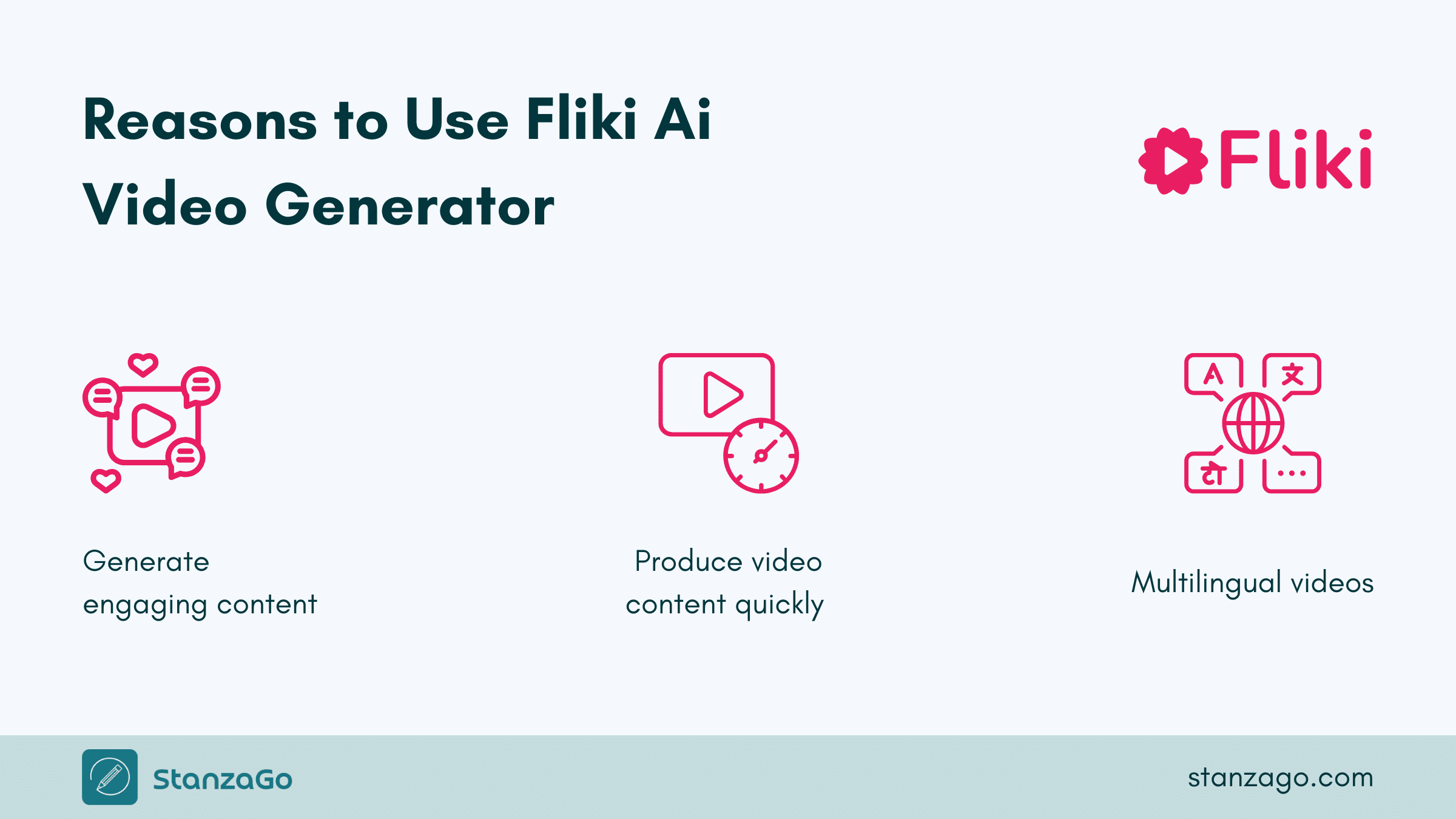
1. To Make the Videos More Enticing
With the help of the Fliki AI video generator, you can utilize the 70+ avatars to personalize your videos. The videos will be more engaging to help you meet your goals and needs. The free AI video generator has incredible features you will love.
2. To Create a Video Fast
If you are short on time and would like to create a video quickly, you can consider using the Fliki AI video generator to produce professional videos with AI avatar and voice cloning. With just a picture, the AI video generator can clone you and create a video based on your requirements.
3. Create a Multilingual Video
You can use the Fliki free AI video generator to create a video with 2500+ ultra-realistic voices and translate it into 80 languages. Therefore, you can easily provide the content to your audience without any issues.
Just listen to the different voices to see what works well for you.
How to Use Fliki: Step-by-Step Methods
There are multiple ways to use Fliki for AI-generated video. The following methods will help you use this AI tool effectively.
Method 1: How to Create a Video on Fliki AI Video Generator
You can create a video on the Fliki AI video generator using an idea (prompt), script, blog (URL), or presentation.
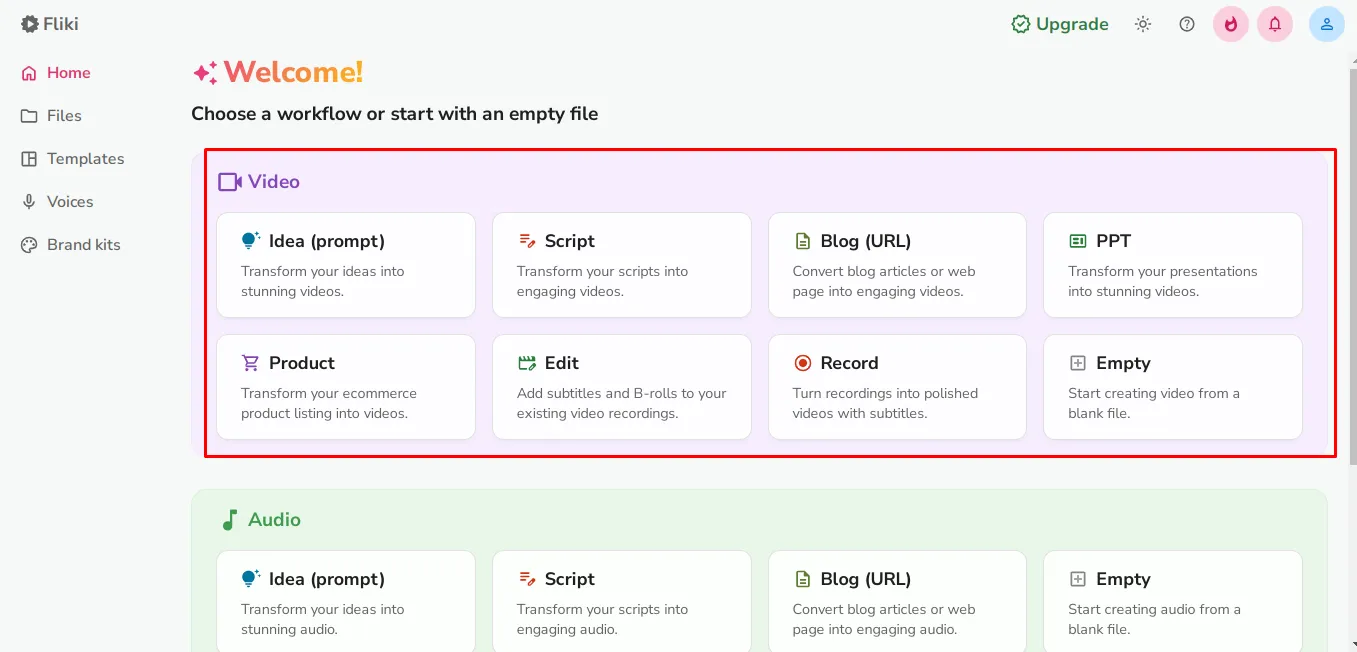
With this step-by-step guide, I am going to show you how to create a video from an idea using the Fliki AI free version. The process for creating an AI video is similar to that for the other options.
However, the difference comes in the attached resources or inputs.
The process is typically easy:
Step 1: Create a Prompt
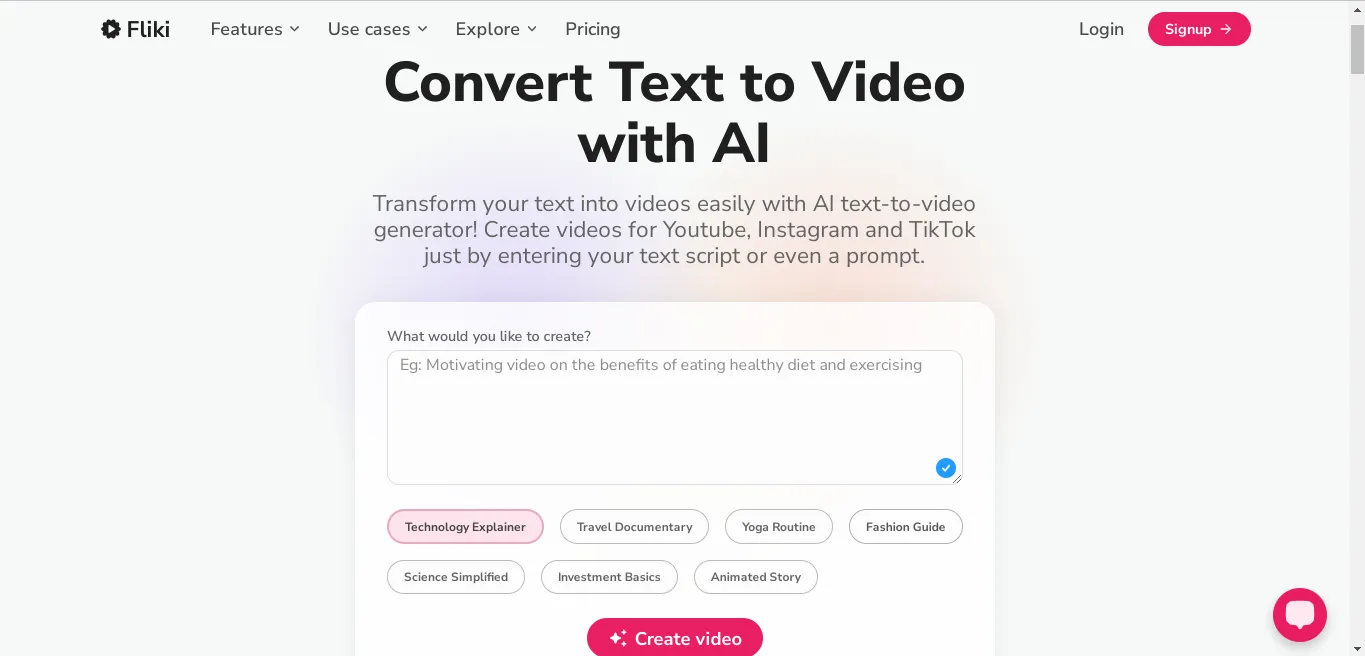
Open the text to the video AI feature page. In the prompt section, write what you would want to create. Then click the “Create video” option. If you don’t have an account, you will be redirected to either sign up or log in.
If you don’t have an account, you can start by creating a Fliki AI free account.
Step 2: Modify the Video
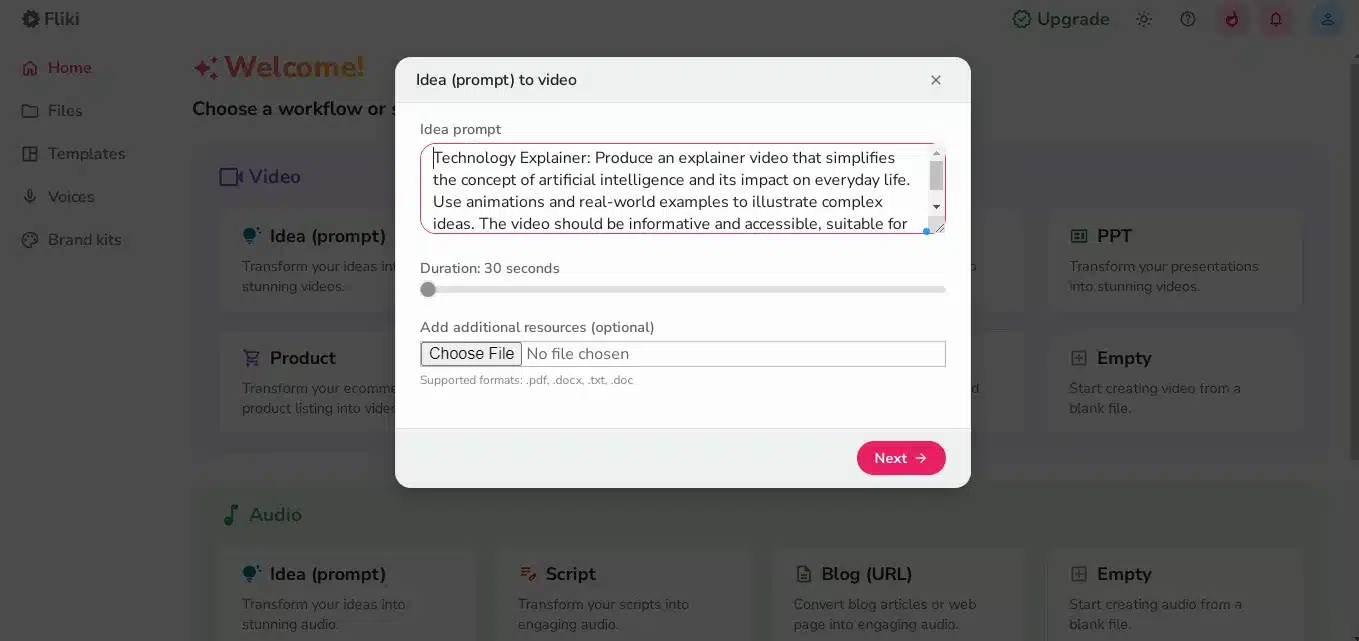
Once in the Fliki dashboard, modify the prompt, select a duration, and choose a media file type such as PDF, DOCX, TXT, or DOC.
However, if you are on the Fliki AI free plan, you can’t create a video for more than one minute. Based on the information provided, the video will be processed.
Step 3: Customize the AI Video
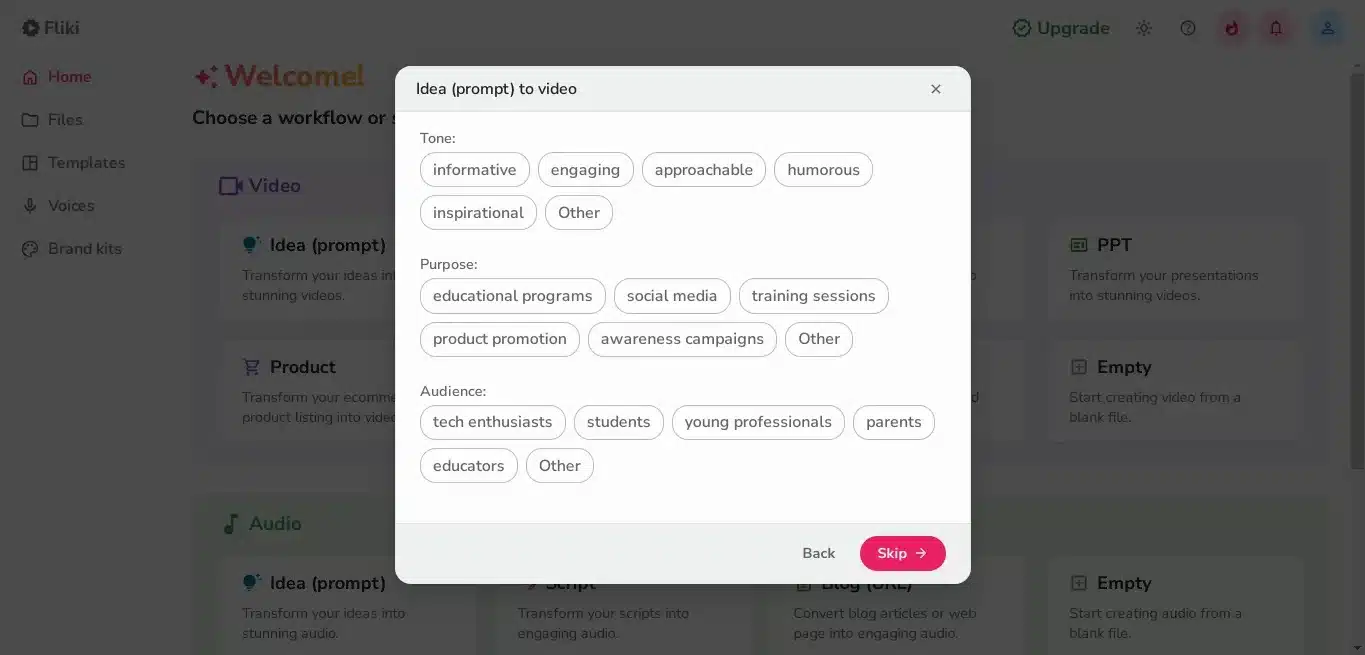
The next step will require you to choose the tone of the video (e.g., informative, engaging), the purpose (e.g., education, social media), and the audience (e.g., students, parents).
However, it is optional; you can choose to “skip” the step or click “next” after you have made your choices.
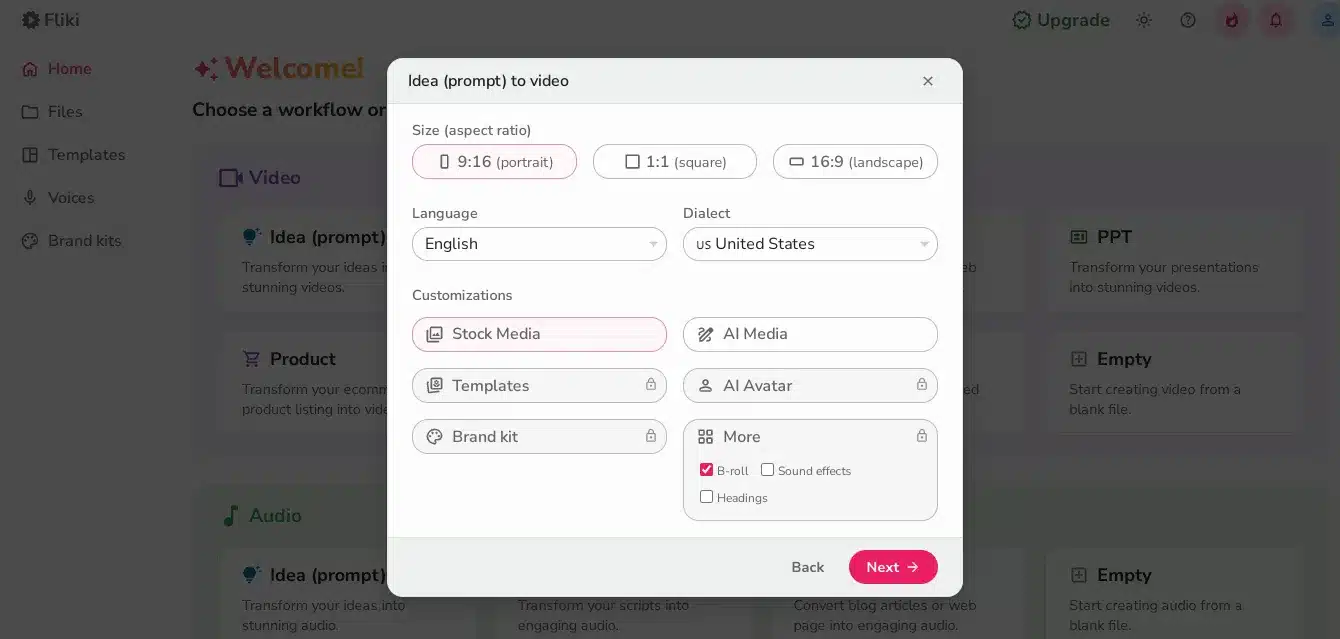
Step 4: Choose the Dimensions Plus Language
Proceed to choose the size, language, and customization of the video to make it more personalized to your needs.
Take your time to ensure you get the output you need.
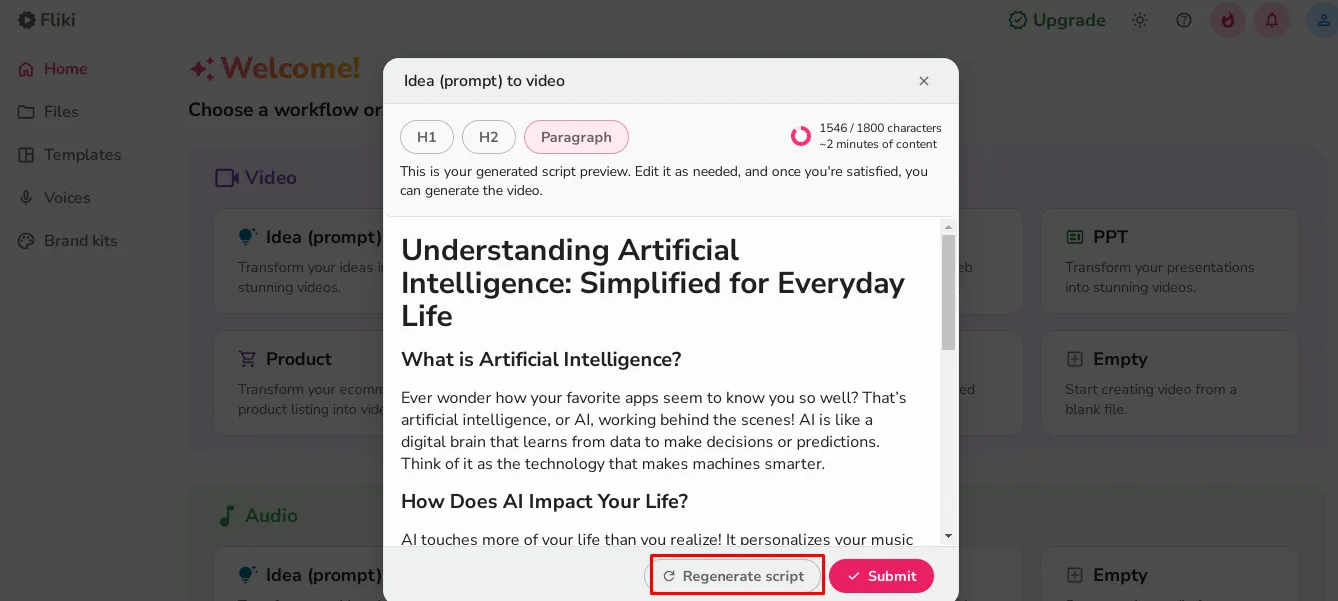
Step 5: Script Generation
A script will then be generated, and you can regenerate it if you feel it doesn’t suit you well. Therefore, read through it thoroughly to ensure it meets your expectations. You can also edit it in your own words for a more personalized touch. When satisfied, click on the “submit” option.
Step 6: Check the Created Video
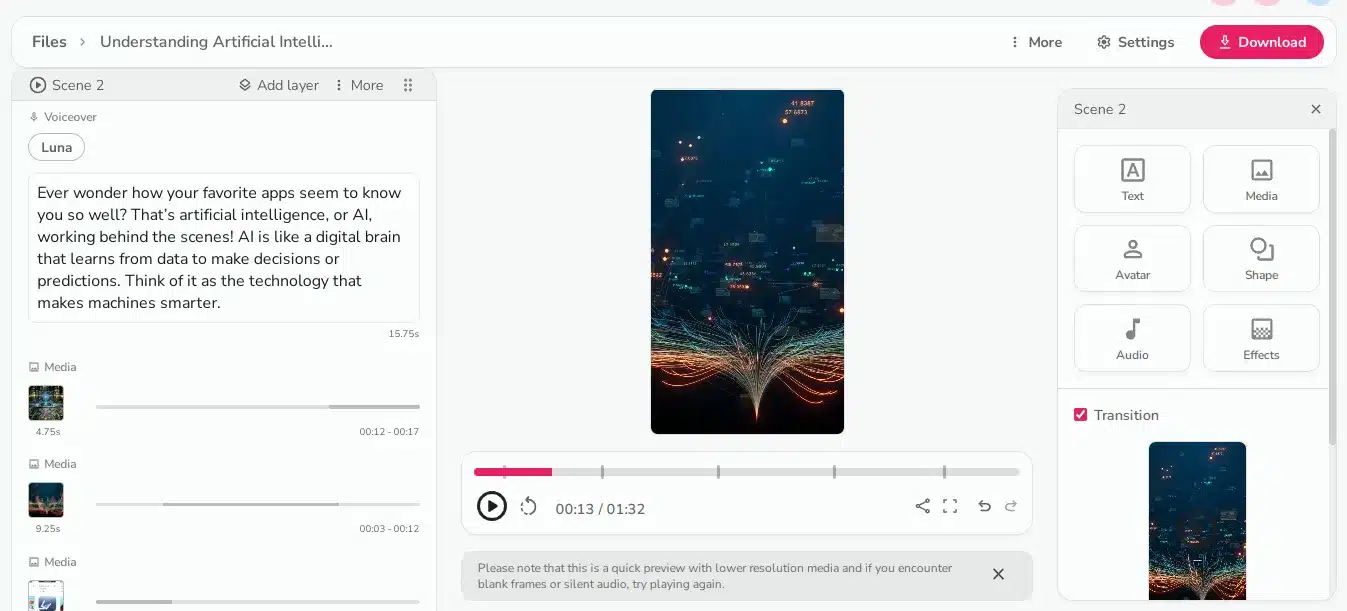
The video will be processed and created. You can view it, check the different scenes, and make any necessary modifications.
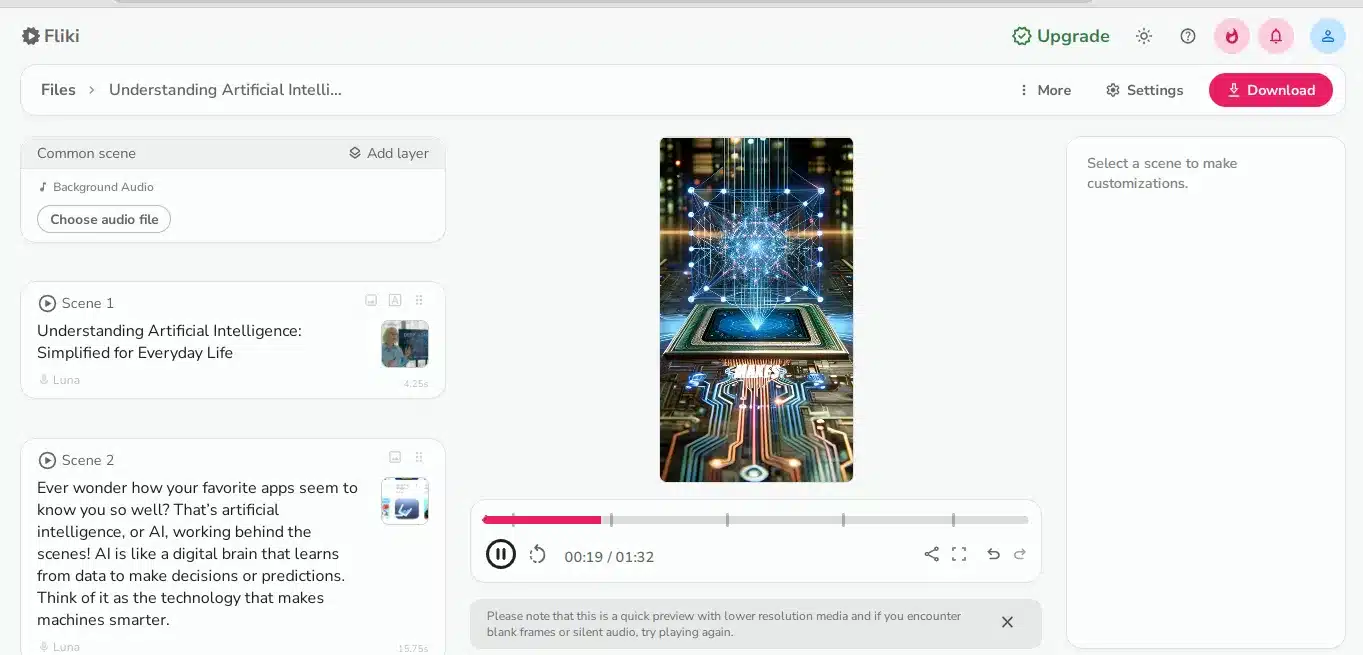
You can even duplicate the various scenes and change the words, plus the media used.
Moreover, you can modify the text, media, avatar, shape, audio, effects, and media transitions using the Fliki AI video generator, among other features.
Once satisfied, download the video.
As easy as that.
Note: This is a basic method of AI video creation for text, but a similar approach can be used when you choose another option, like idea to video, blog to video, or image to video. You can also choose to edit an existing video & add subtitles, modify a recording to a video, or start to create a video from scratch.
Method 2: How to Create an Audio on Fliki AI Video Generator
You can create audio on Fliki AI’s free plan from an idea (prompt), script, blog (URL), or start from scratch.
In this simple procedure, we will create an audio from an idea.
Step 1: Input the Idea (prompt)
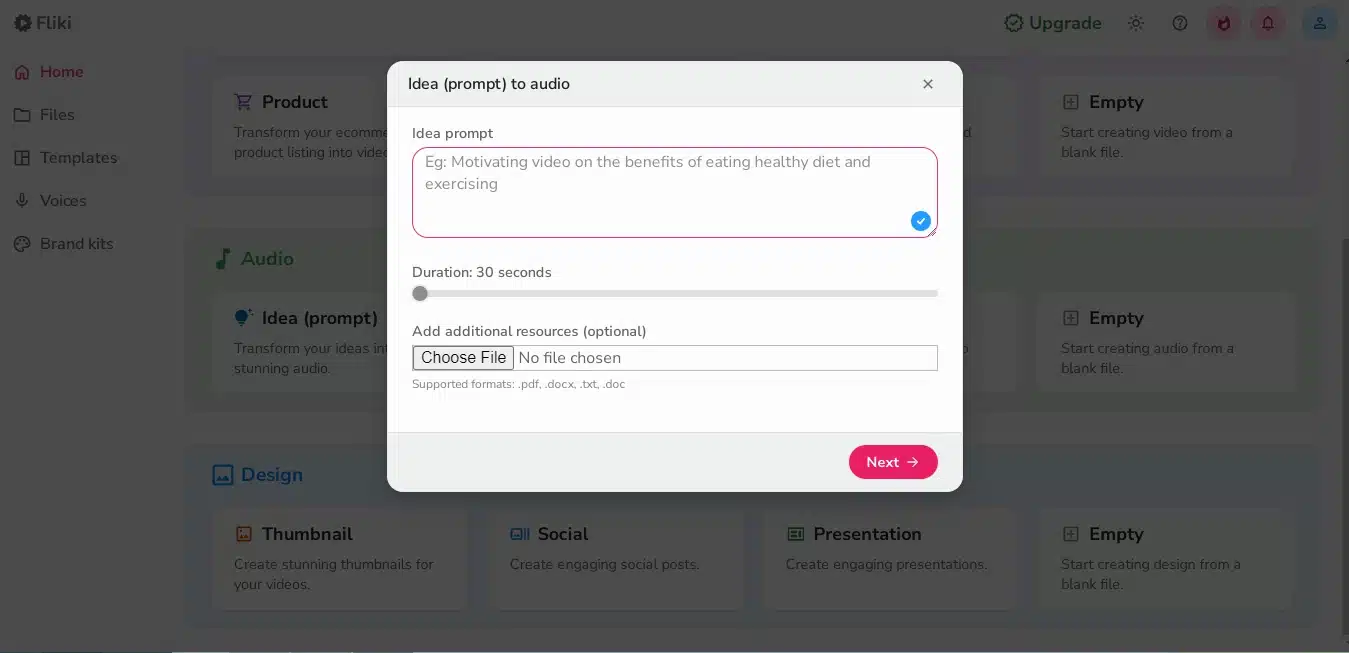
Log in to your Fliki AI free account, then on the dashboard, click on the audio section and select the idea (prompt). In the input box, write the audio’s idea, choose a duration, and attach additional resources. Once you click “next,” you will be redirected to another page.
Step 2: Customize the Audio
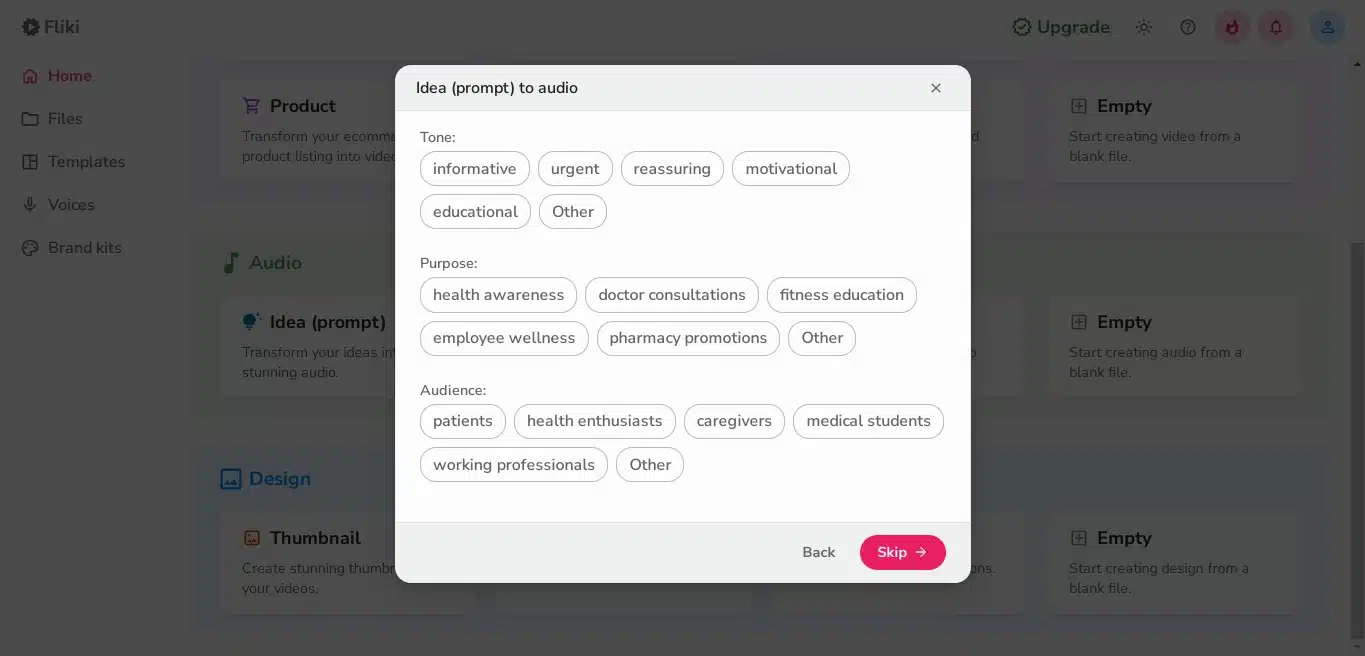
Proceed to choose the tone, purpose, and target audience.
This makes the audio tailored to the target audience, ensuring they receive the message in a personalized way. Choose the options wisely.
Step 3: Finalize the Customization
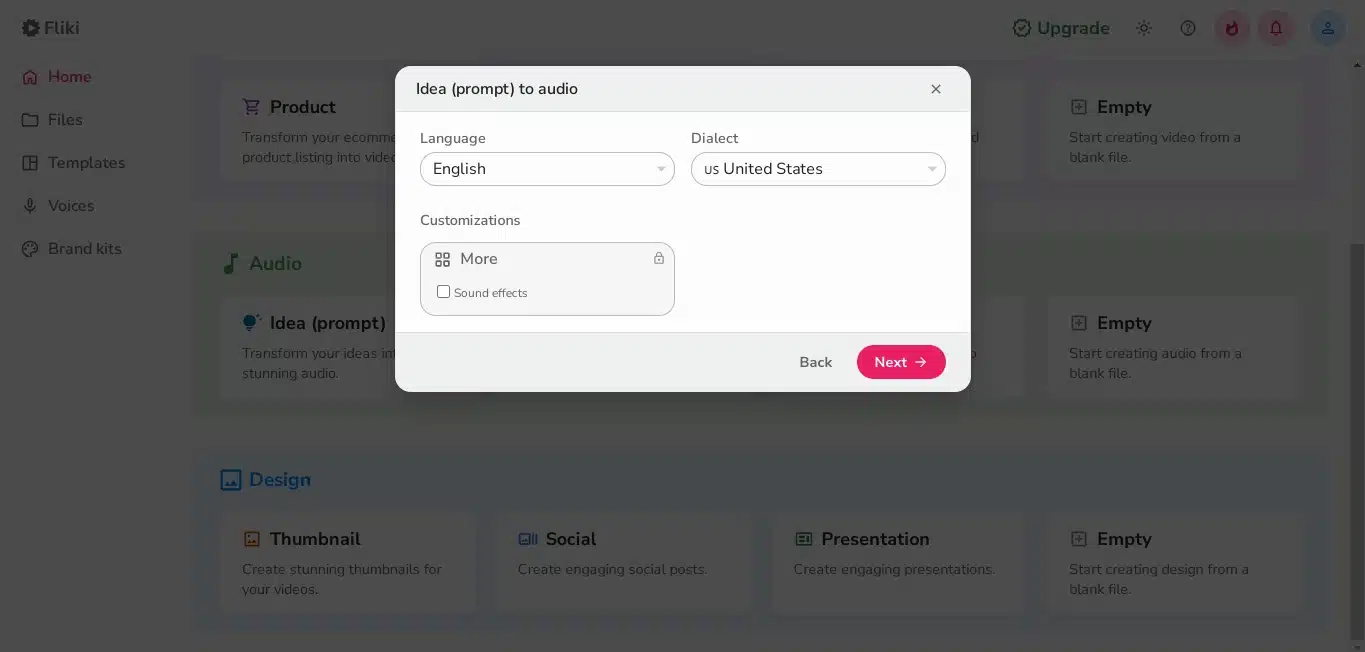
Proceed to customize the audio based on the language, dialect, and other customization options. Remember to choose a language or dialect your target audience can understand.
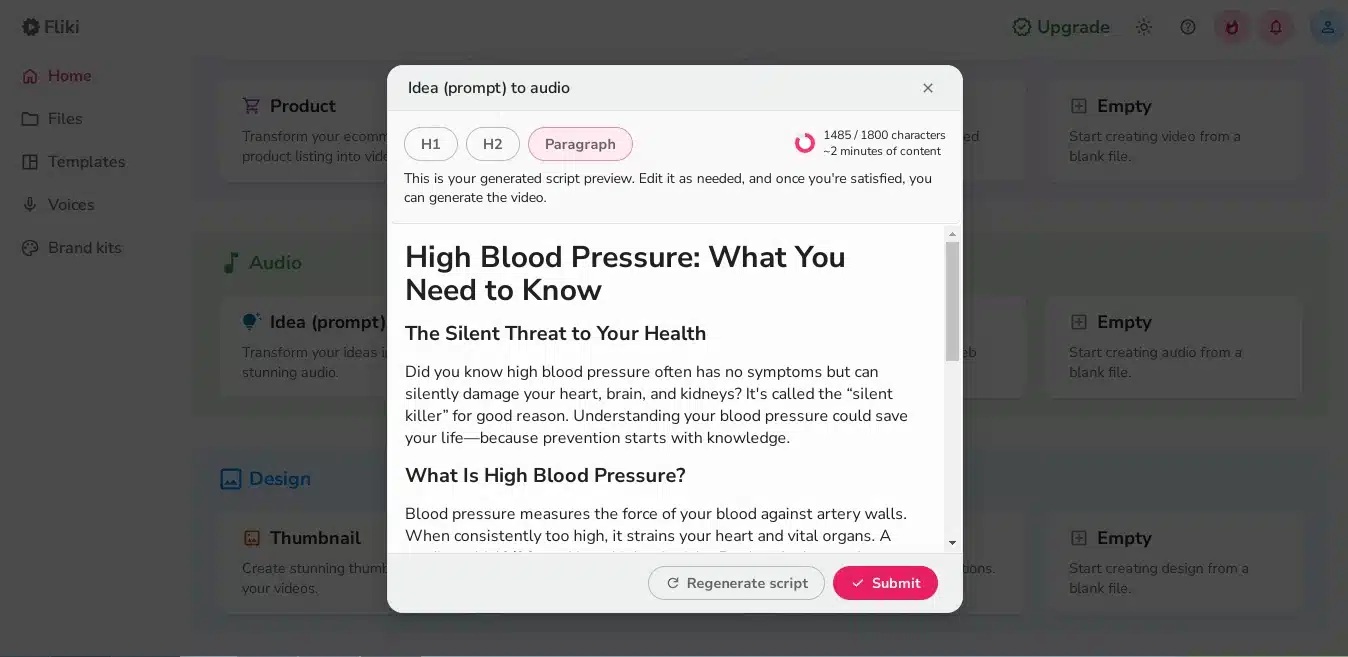
Step 4: Script Generation
The Script will now be produced. You can regenerate it further or modify it yourself, and then submit it once you are satisfied with it.
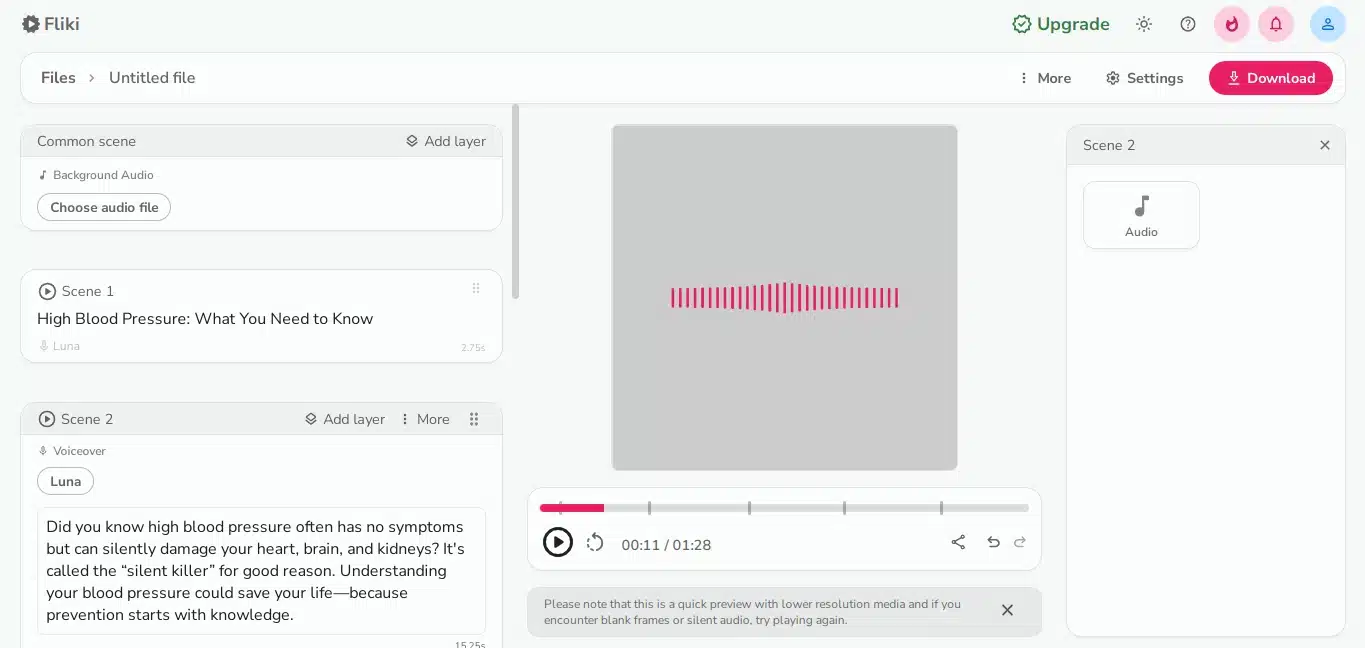
The file will now be created.
Step 5: Modify or Download the Generated Audio
You can now modify or download the generated audio through the high-quality Fliki AI video generator. If not fully satisfied, modify the different scene text to meet your expectations.
As easy as that.
Note: The method is typically the same when creating a video from text, a script, a blog (URL), or from scratch; however, this will require more input.
Method 3: How to Create a Design From a Prompt.
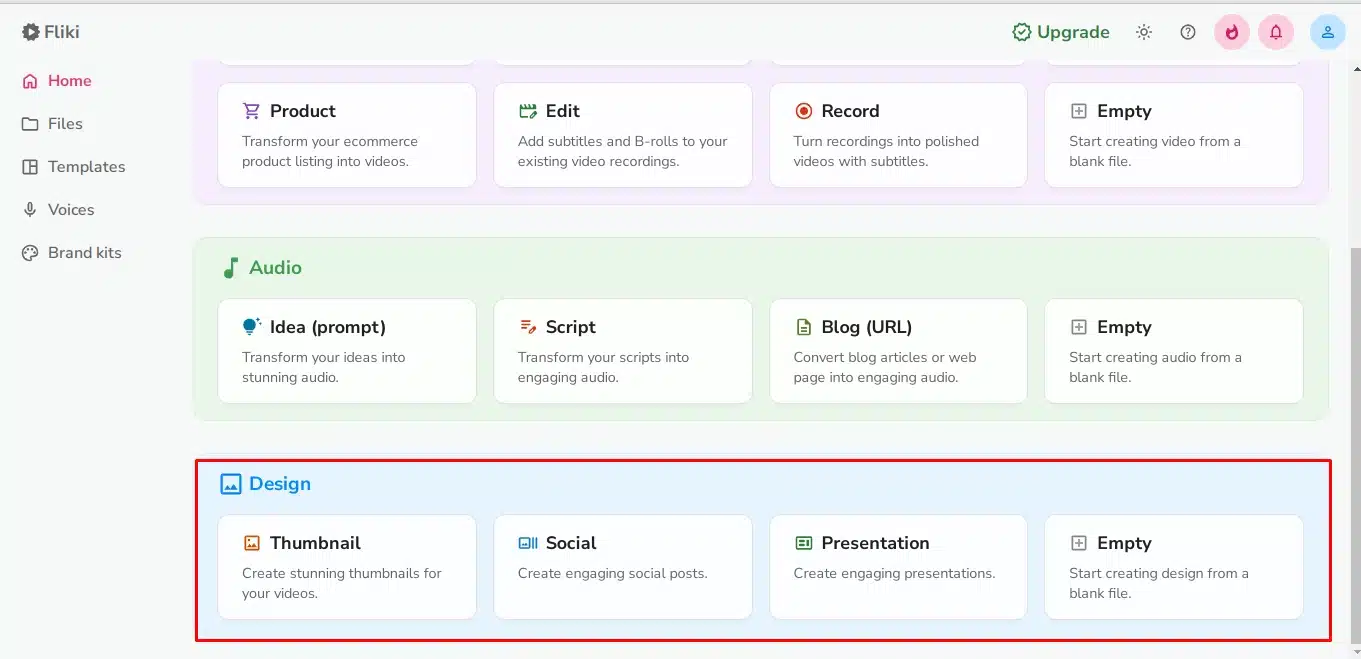
You can also create a design like a thumbnail, social post, or presentation from a prompt using the Fliki AI video generator.
The method is almost similar but may differ in some sections.
Step 1: Choose a Design Option
First, choose a design option, such as a YouTube thumbnail, social post, or presentation. Once done, click on “next.”
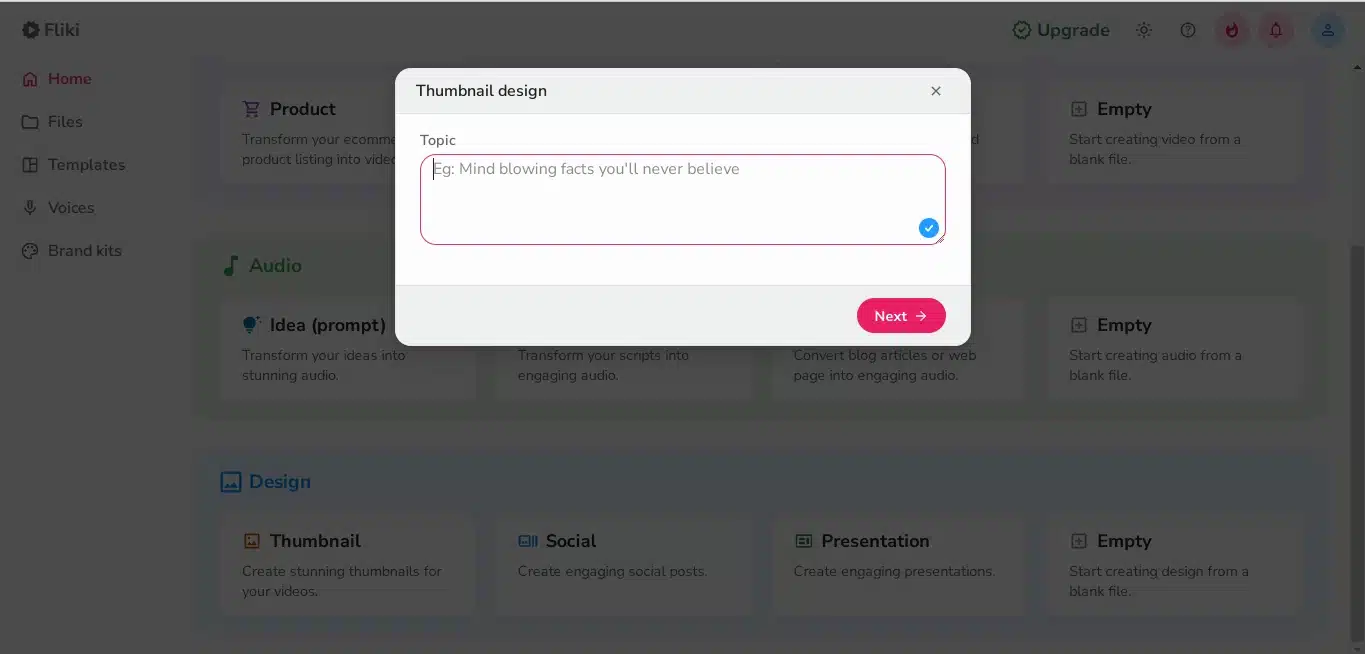
Step 2: Customize the Design’s Options
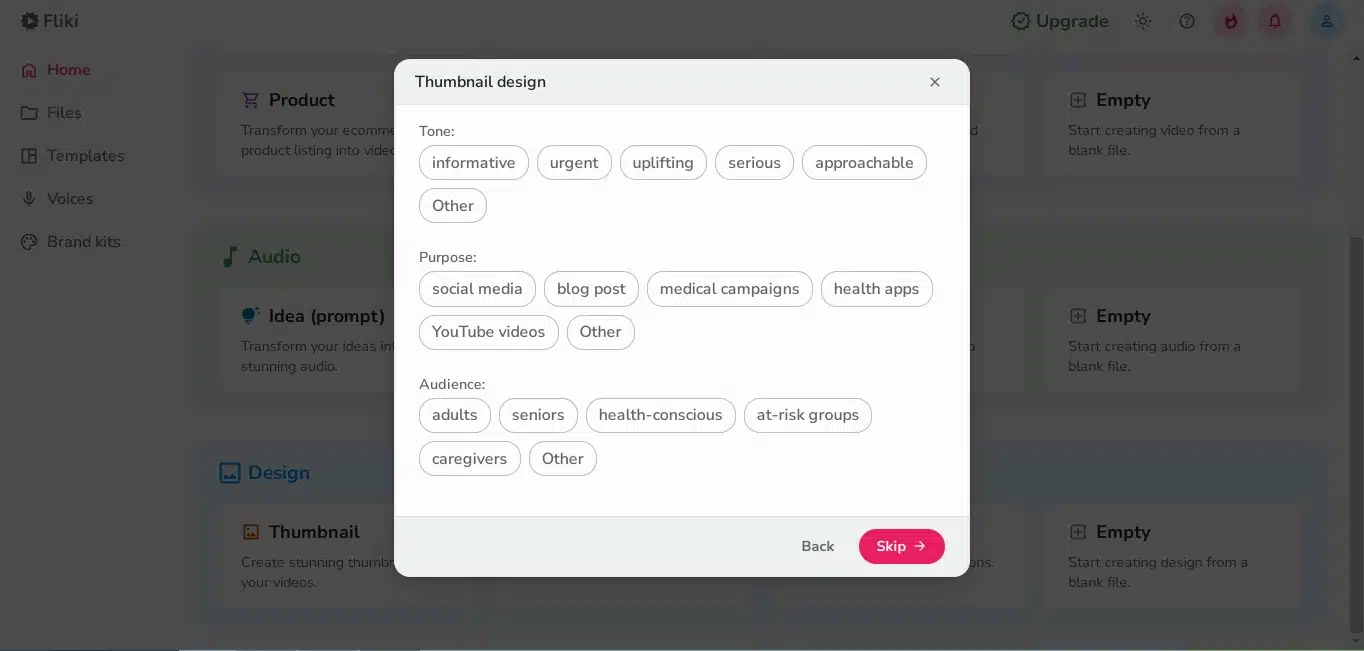
Proceed to choose what you require the design’s tone to be, its purpose, and its audience. This will help the AI-powered tool know what to create to ensure the audience can relate to it.
Step 3: Modify the Design
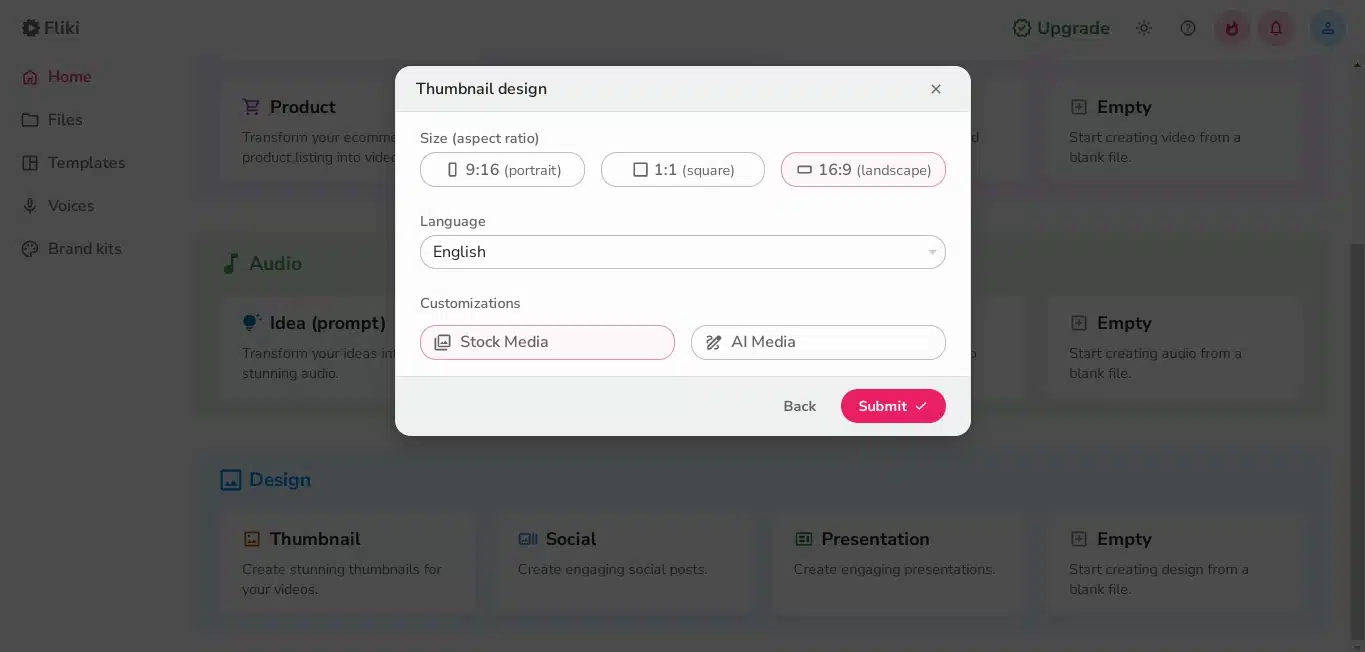
Still on the free Fliki AI video generator dashboard, proceed to modify the design based on size, language, and customizations. This will determine the design’s size.
Once done, submit it.
Step 4: Check the Design
The design will be created, and you can modify it as needed.
The Fliki AI Video Generator Features (+Fliki AI Free Plan Features)
Fliki AI video generator has spectacular features you will love:
i) Text to Video AI
You can easily transform your texts into videos using the Fliki text-to-video AI feature. The videos can then be uploaded to YouTube, Instagram, and TikTok. All you need to do is enter the text script or the specific prompt in the text script or prompt box, and wait for the video editor to create the video as you wish.
Even if you have no video editing skills, you can use the tool to create engaging videos. There are various media assets that you can use, high-quality AI voices, and script-based editing to ensure the video is perfect.
ii) Idea to Video AI
You can use free Fliki AI to generate videos from ideas. You just need to enter a few words to describe your idea, and within a short while, you will have a video that you can use on social media platforms to help boost your business or for entertainment.
iii)Text-to-Speech
Fliki AI video generator supports over 80 languages, 100 accents, and 2000 voices. Therefore, you can even create a podcast or YouTube content easily. The natural sound will please your listeners without hiring a voice artist.
iv) Blog to Video
You can use the AI-powered tool to create videos from blog articles. The videos will be essential to drive engagement and engage the target audience.
v) Image-to-Video AI Creator
You can easily use the AI-powered tool to create videos from your photos.
You can use the right sound effects, music, animations, etc, to create beautiful videos and attract the audience’s attention.
Vi) AI Video Maker Templates
The platform also features editable video templates that you can personalize for your audience. The video templates will help you create stunning videos very quickly, which can benefit your audience.
Therefore, it will be easy to create engaging videos, including those for products you sell on your e-commerce site. Content creation has never been easier than this! With AI cloning and AI avatars, you can add a personalized touch.
vii) Fliki AI Video Generator
Fliki offers the most outstanding AI video generator, enabling you to create eye-catching videos with avatars, stock footage, AI-generated images, and background music. You can even change the video’s tone, purpose, and audience. Indeed, you will be amazed by the videos you will create!
The intelligent algorithms make it easy to generate scripts and integrate clips, subtitles, music, and transitions into it.
viii) AI Presentation Maker
You can utilize the AI PowerPoint maker to create beautiful presentations that will save you time. The PowerPoint generator makes it easy to turn an idea into a beautiful presentation that can serve as a pitch deck for educational, marketing, or other purposes.
ix) Screen Recorder
Fliki features an efficient screen recorder that lets you record yourself, your screen, or both. It also features flexible recording options that let you create high-quality business presentations, explainer videos, gaming walkthroughs, or even educational videos.
x) AI Voice Generator
Fliki also offers a voice generator with over 2000 realistic voices and support for 80 languages. The cutting-edge technology makes it easy to create a voice for your audio or video. You can make your scripts a reality easily.
xi) AI Voice Cloning
The AI voice cloning features allow you to create high-quality sounding AI voices. The feature clones your voice, so you don’t have to spend time creating the video or recording the audio yourself.
xii) PPT to video
Fliki also allows users to repurpose their PowerPoint presentations into creative videos. All you need to do is upload your presentation, and Fliki will auto-generate scripts and add AI avatars, voiceovers, and music quickly. You will save time like never before.
xiii) Product AI Video Maker
You can also use Fliki to create videos from product pages and enrich them with lifelike voiceovers, rich visuals, music, animations, and much more. You will be able to showcase your product’s unique features visually and make any product stand out.
xiv) AI Avatar Generator
You can use an AI avatar generator to create video content with AI voices through the script editor. No more complications! Additionally, the AI avatar tool makes it easy to produce engaging videos quickly and tell your audience a story.
xv) AI Translator
You can use the Fliki AI-powered generator to translate content into the supported 80 languages. You will be able to break down language barriers and captivate audiences.
xvi) Script to Video
You can also easily use a script to create engaging videos using Fliki. You won’t need to use any complex editing tools. Instead, you can use a reliable AI video generator to create professional videos. You can use AI-powered media voiceovers and translate them into your preferred language.
xvii) Thumbnail Maker
Fliki features an AI thumbnail maker that makes it easy for content creators to create thumbnails for their videos without complex tools. An enticing thumbnail will increase your click-through rates.
xviii) Video Editor
Fliki offers a video editor that lets you edit your videos in real time. You can use transcription, built-in subtitles, and other editing tools to make your video enticing. No more tedious editing. The AI video maker will make the process easy.
Fliki AI Pricing Plans
To help you generate AI videos easily and at no cost, there’s a free Fliki AI plan.
You can utilize all the Fliki AI features, but with limitations. To unlock its potential, the Fliki AI Video generator has several affordable plans:
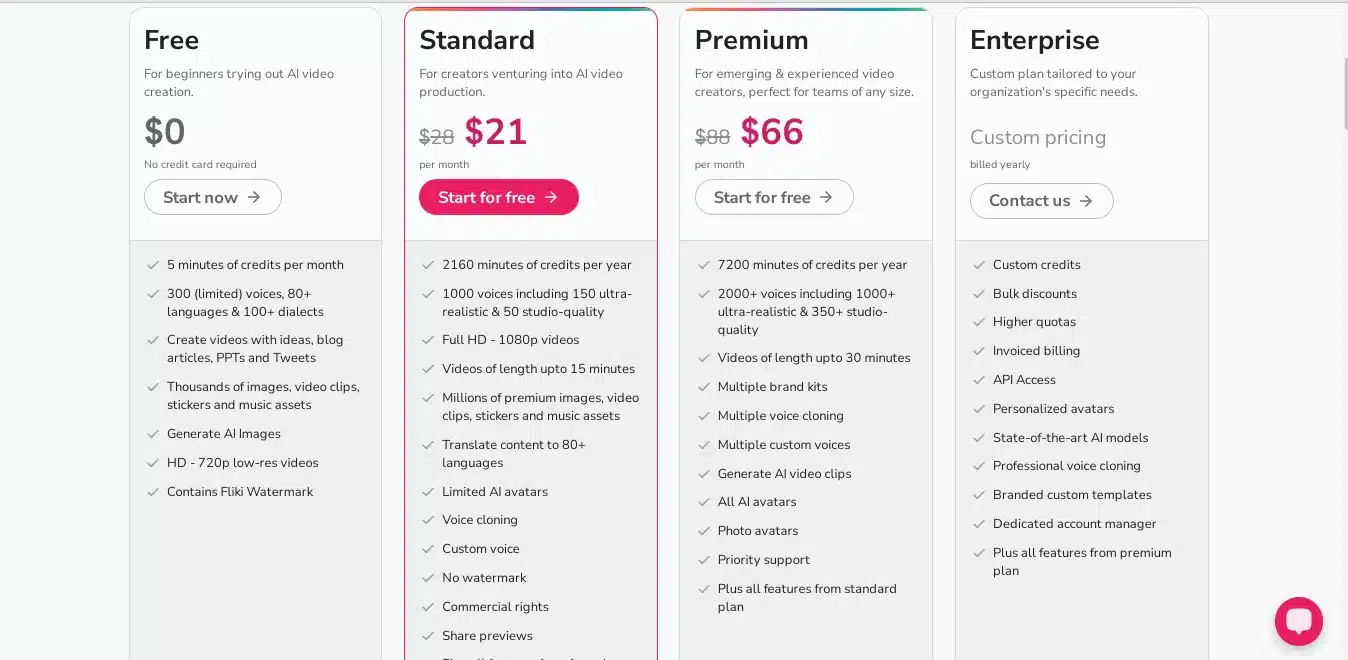
- Standard plan at $21
- Premium plan at $66
- An enterprise plan, for which you need to contact the Fliki AI team
The options for getting the premium features of Fliki AI make it a suitable AI video generator.
Fliki AI Free Plan Features’ Limitations
When you are on the free Fliki AI plan, you can access most of its features. However, they come under certain limitations that are as follows:
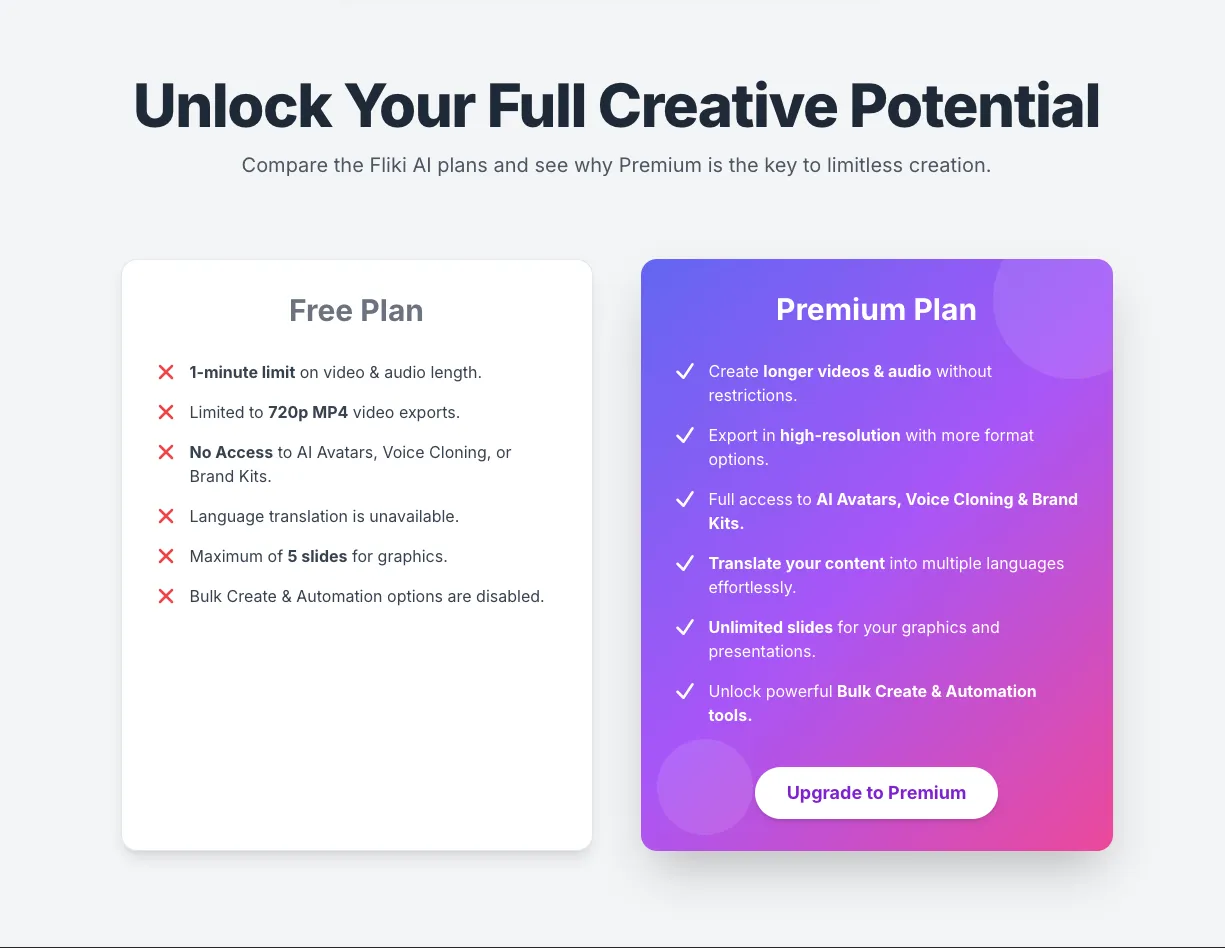
- You cannot create videos longer than 1 minute.
- You have a 1800-character limit for script generation.
- The AI avatar, Brand Kits, and Voice cloning aren’t available
- The video is available only in MP4 format at 720p.
- Translation of the language isn’t possible.
- You cannot create AI audio longer than 1 minute.
- You cannot create graphics for more than five slides.
- The Bulk create option isn’t available.
- The Automation option isn’t available.
To access these options and use Fliki AI to its full potential, get the premium plan.
Fliki AI User Ratings
Different platforms have different ratings for the Fliki AI video generator. However, you should trust the platform where you find more authentic user reviews, and there’s none better than G2 and Capterra.
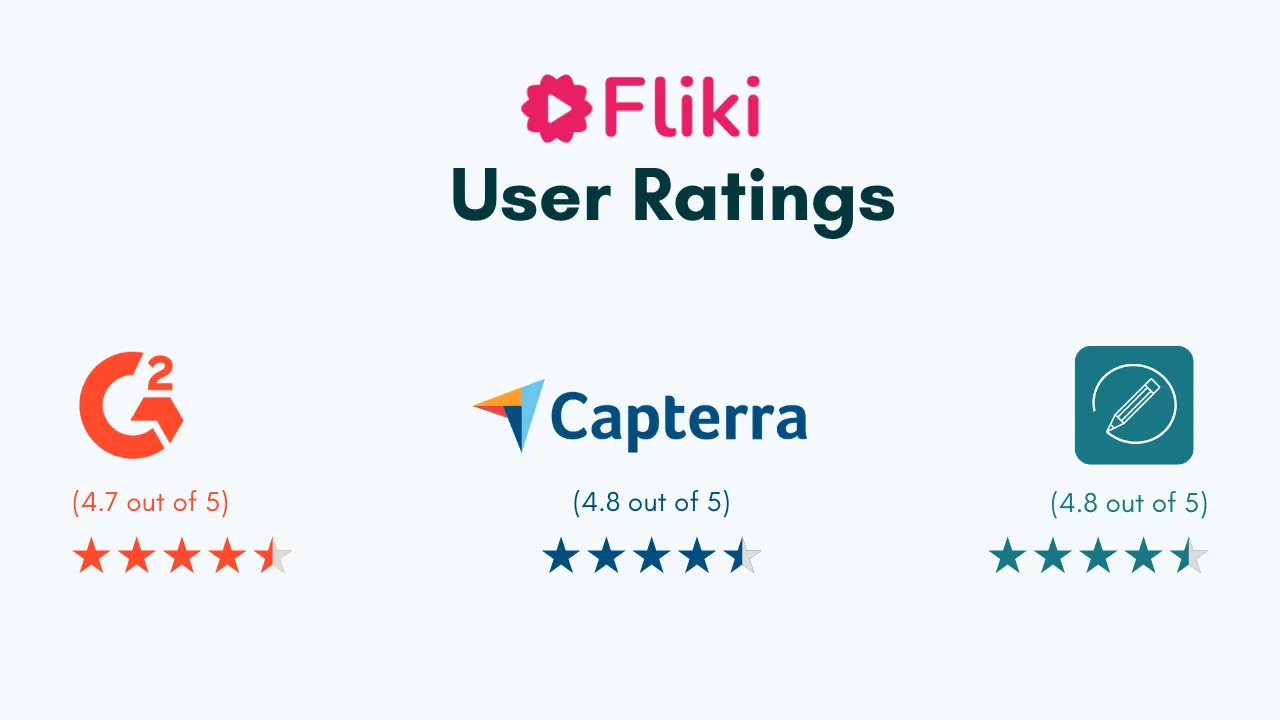
For the Fliki AI tool, the ratings are as follows:
- On G2, it’s 4.7 out of 5 based on 170 user reviews
- On Capterra, it’s 4.8 out of 5 based on 338 user reviews.
Hence, it’s a good AI tool for generating videos. And based on all the factors above, StanzaGo gives it 4.5 out of 5. (★★★★☆1/2)
FAQs
1. Is Fliki AI free?
Yes, you can access all the features of Fliki AI video generator at no cost.
2. How much content can I generate through the free plan?
You can generate up to 5 minutes of audio and content per month. However, with premium or advanced plans, you get more capabilities.
3. Do you need additional software to use with Fliki?
No, the AI-powered tool is fully web-based, and you don’t need any additional software or tools to use it. You can do all your editing through the browser.
4. How many languages are supported on Fliki?
Fliki AI video generator supports over 80 languages and 2000 voices.
5. What is the Fliki AI alternative?
There are multiple alternatives to the Fliki AI video generator. However, among many, you can use InVideo and Synthesia AI to generate high-quality generative AI videos.
Conclusion
Fliki AI video generator is one of the most outstanding tools for meeting your video and image creation needs, with a wide range of features. You can create videos for social media, education, training, presentations, and many other purposes.
You won’t need complicated software to design from scratch. Instead, the Fliki AI video generator will make your work easier. Additionally, the built-in features make the entire process easier, ensuring that you don’t need to look for other integrations.
If you haven’t used the free Fliki AI video generator, what are you waiting for?