
You can add links to Instagram Stories using the link sticker in the Story sticker menu. Back in the day, adding links on Instagram stories could only be done by accounts with 10,000 followers or more, but now it is available to everyone.
Now, everyone can add a link in Story, but getting people to click it isn’t guaranteed.
Therefore, we have to learn how to get more people to click your Instagram Story links. Because now that everyone is doing this, your brand needs to stand out.
Hopefully, that’s what we’ll cover in this guide.
From adding links on Instagram Stories to optimizing and checking how your link is performing. The good thing about this is that you can do it all in just a few minutes a day.
How to Add Links on Instagram Stories (Step-by-Step Guide)
Above, we briefly covered how to add links on Instagram Stories. However, here are the detailed steps so you can put a link in an IG story without stress.
Why learn how to add links on Instagram Stories?

Businesses have been trying to move their followers to other platforms, and Instagram is noticing this need.
This made it easier to add links in Instagram Stories.
Think about it, if adding links on Instagram Stories wasn’t effective, why would Instagram offer the Link option?
Brands are already leveraging it, and you need to do the same. Below are the steps:
- Open the Instagram app
- Tap on your Story button to start creating one
- Pick a photo or video for the Story
- Tap the sticker icon at the top of your screen

- Look for and tap the sticker button that says “Link”
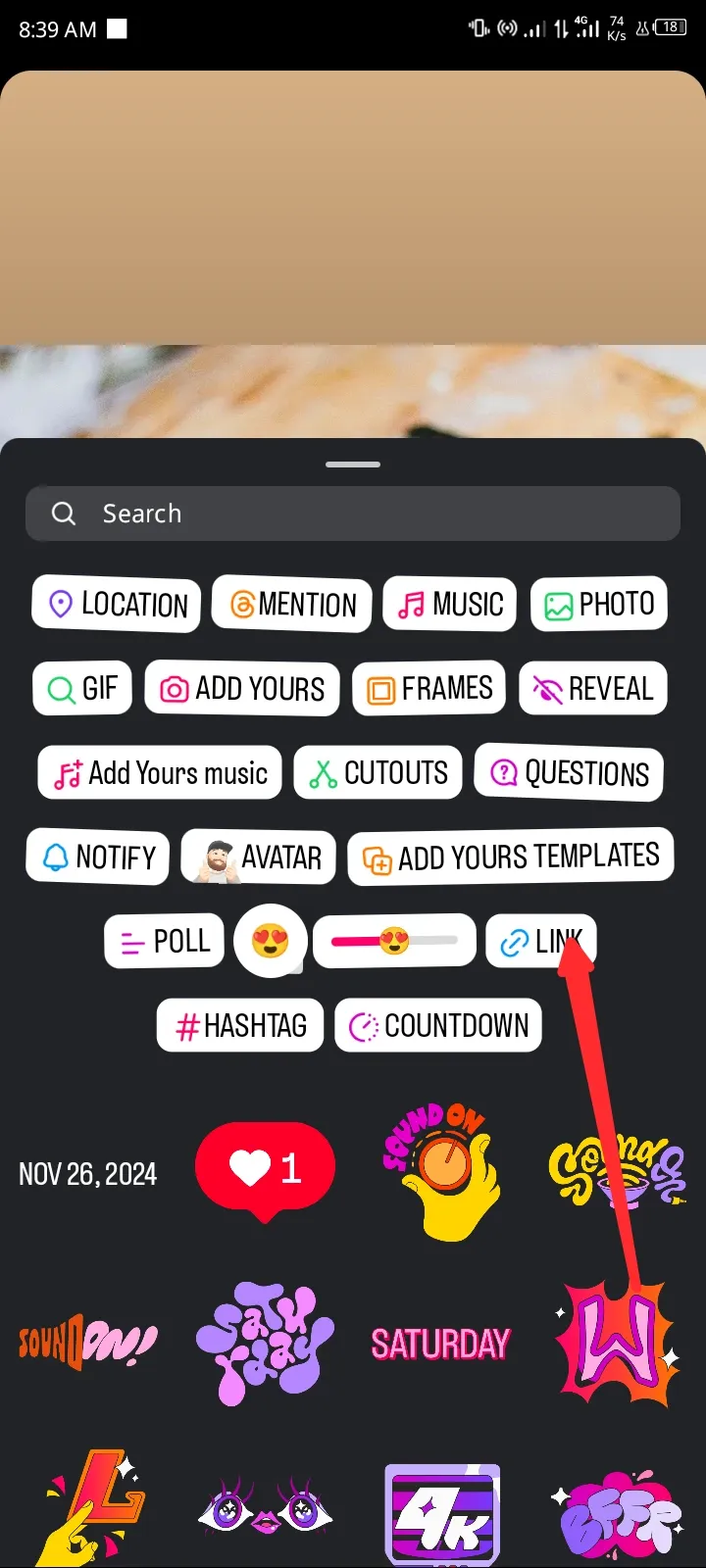
- An “Add Link” page should appear. Enter the URL in the space provided
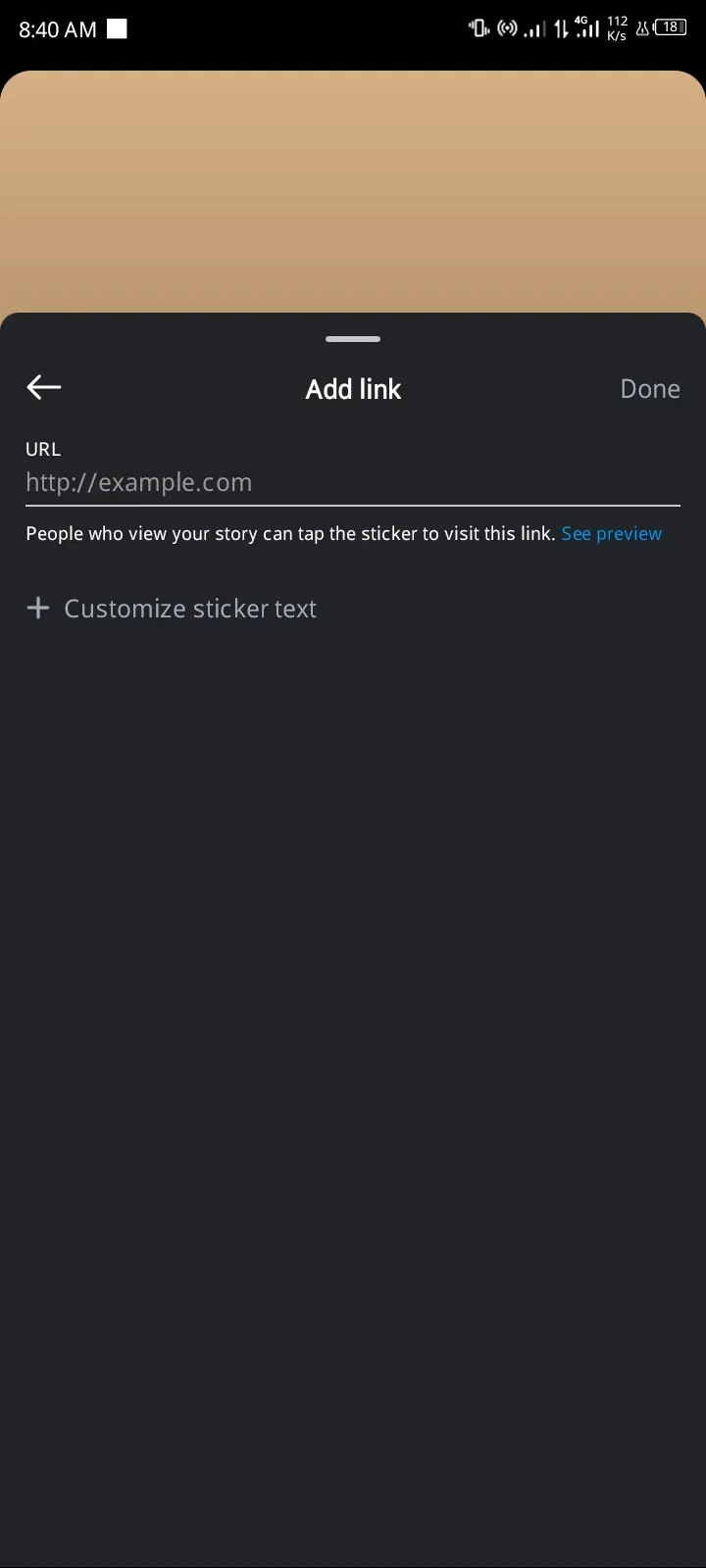
- Below is an option labeled “Customize sticker text.” Tap it to add a caption to your link instead of a boring URL
- After inputting the link details, tap Done. The sticker should appear on the screen
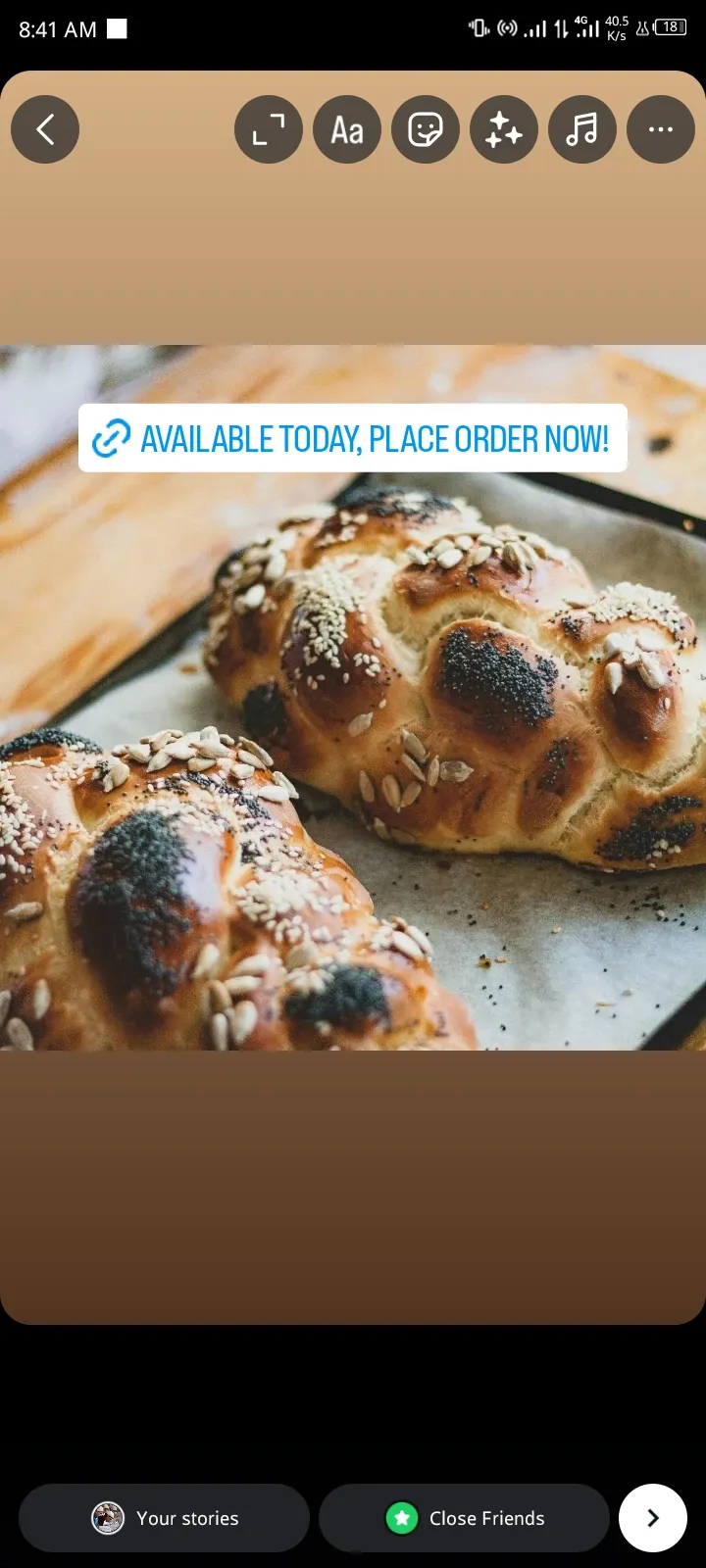
- Drag the sticker around and place it where it looks best on your Story
- You can tap the link to see the available styles
That’s it! Tap the Share icon to add a link to the story.
How to Get the Most Clicks on Your Instagram Story Links
Make Your Link Stand Out
If your links in Instagram Stories look like links, they are generic.
Let us explain: you’re browsing through Stories or feed, then you see a generic link like “Learn more,” “Click here,” etc. People see such links a lot and often skip them.
What makes yours any different?
What always works is to stand out. Therefore, you need to make custom Instagram story links.
Below are the steps on how to do that:
- First, create your Story and add the usual link sticker. Make sure the sticker is as small as possible.
- Save the Story as a draft.
- Open a design app like Canva and make a custom sticker. Make the caption a bit unique and specific, like “See the 3 tools I used” or “Watch how it works in 30 secs.”
- Save your design as a PNG file with a transparent background to your phone.
- Return to the drafted Story and import your custom design.
- Place the custom design right over the small link sticker.
Now your Story should look cleaner and have the potential to get more people to tap on it.
Post Your Stories When Your Followers Are More Active
There is a time when your audience is most active.
If you know it, that’s the time you should post your Stories to maximize reach. This will help your Story get seen by more people, which also means more clicks.
If you don’t know your audience’s prime time, you can head to your Insights menu to check it. When you tap on Total followers, you will see insights about your audience, including the times they’re most active.
Use Stickers to Help More People Find Your Stories
Stickers are great for decorating your Story, but they can do more.
Using stickers, such as the hashtag sticker, can help you get noticed by a wider audience. The good thing about the hashtag sticker is that the followers are already interested in your industry and are likely to check out your Story and click on your link.
So, check up on a trending hashtag relevant to your brand and strategically add it to your Story.
How to Track Engagement for Instagram Story Link
Instagram Story analytics can help you see how people are interacting with your link.
You can also see details on how many people your video reached, how many engaged, and how they navigated through your Story.

Hopefully, with these numbers, you can see what your audience likes, which can help you improve and create better Stories.
Open the Instagram app and follow these steps to see these insights:
Note: Your account has to be a professional account before you can see Instagram Story analytics.
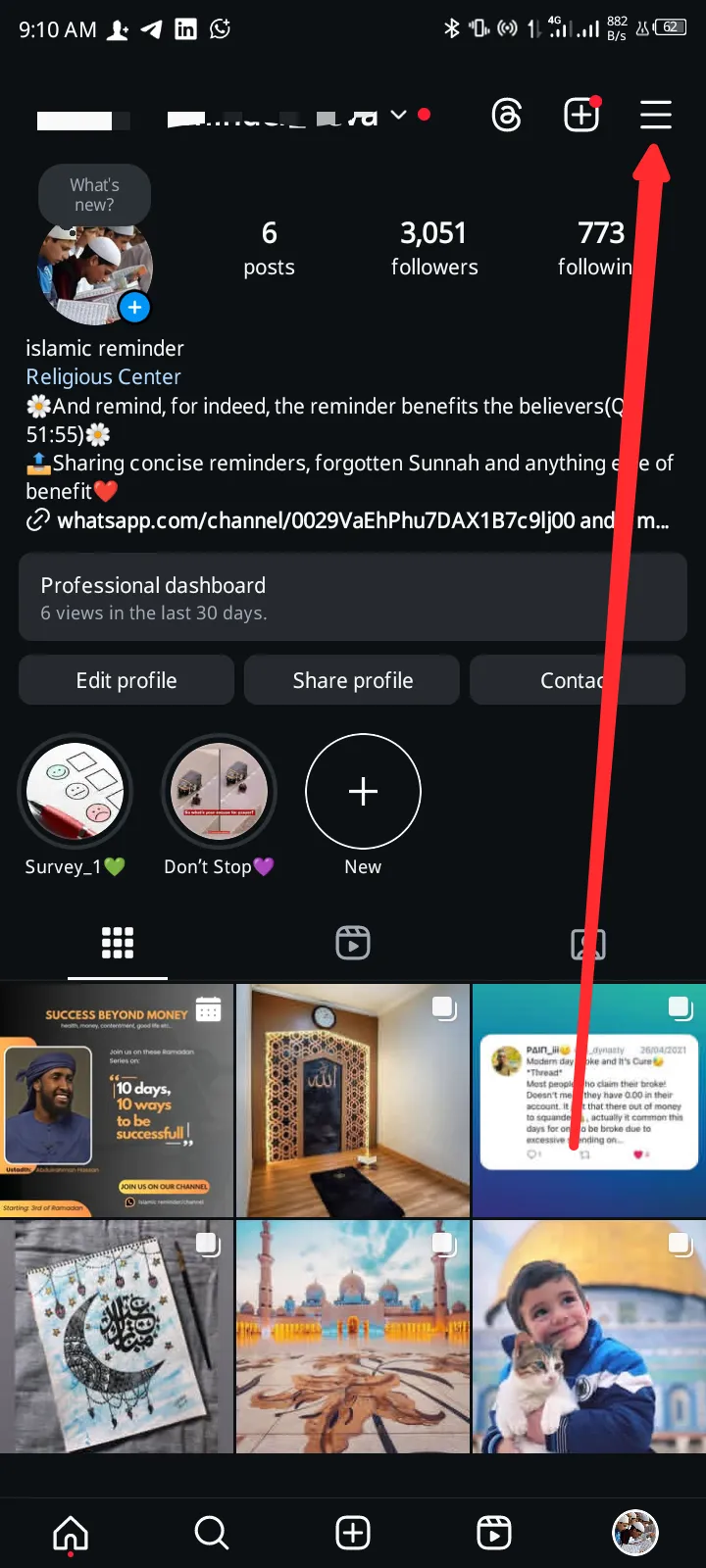
- Tap on your profile at the bottom right
- Tap the three lines at the top right. The settings page will appear
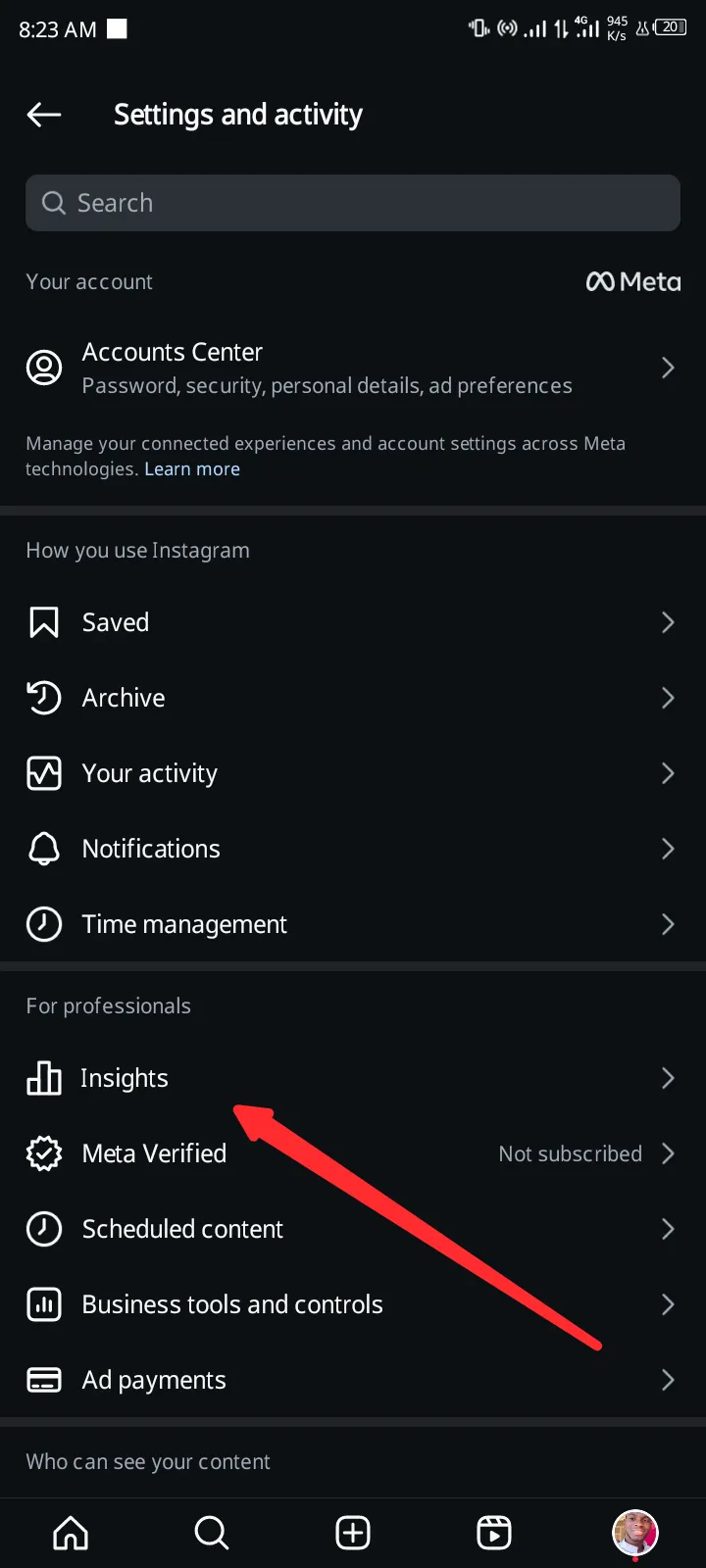
- Under the “For professionals” section, tap Insights
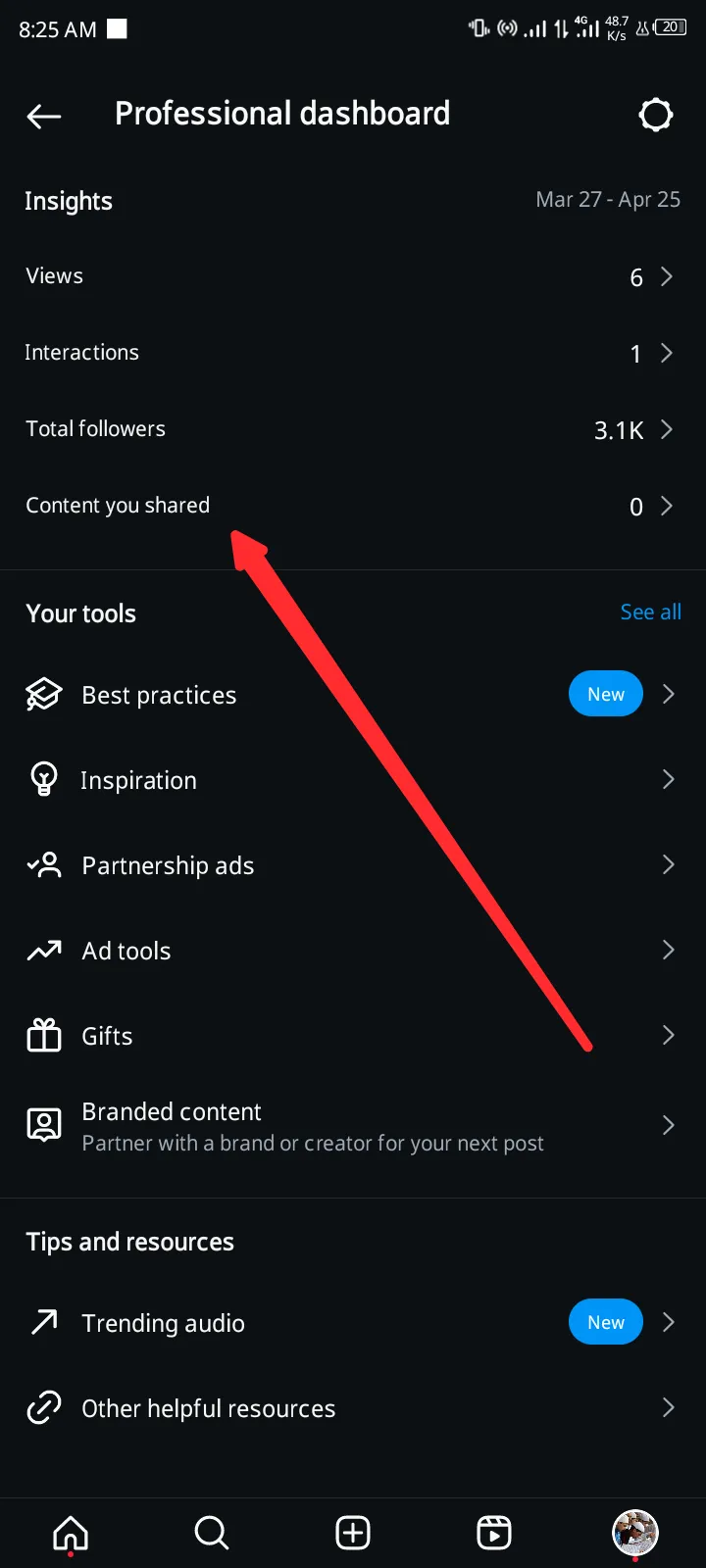
- Under the “Insights” section, tap on Content You Shared
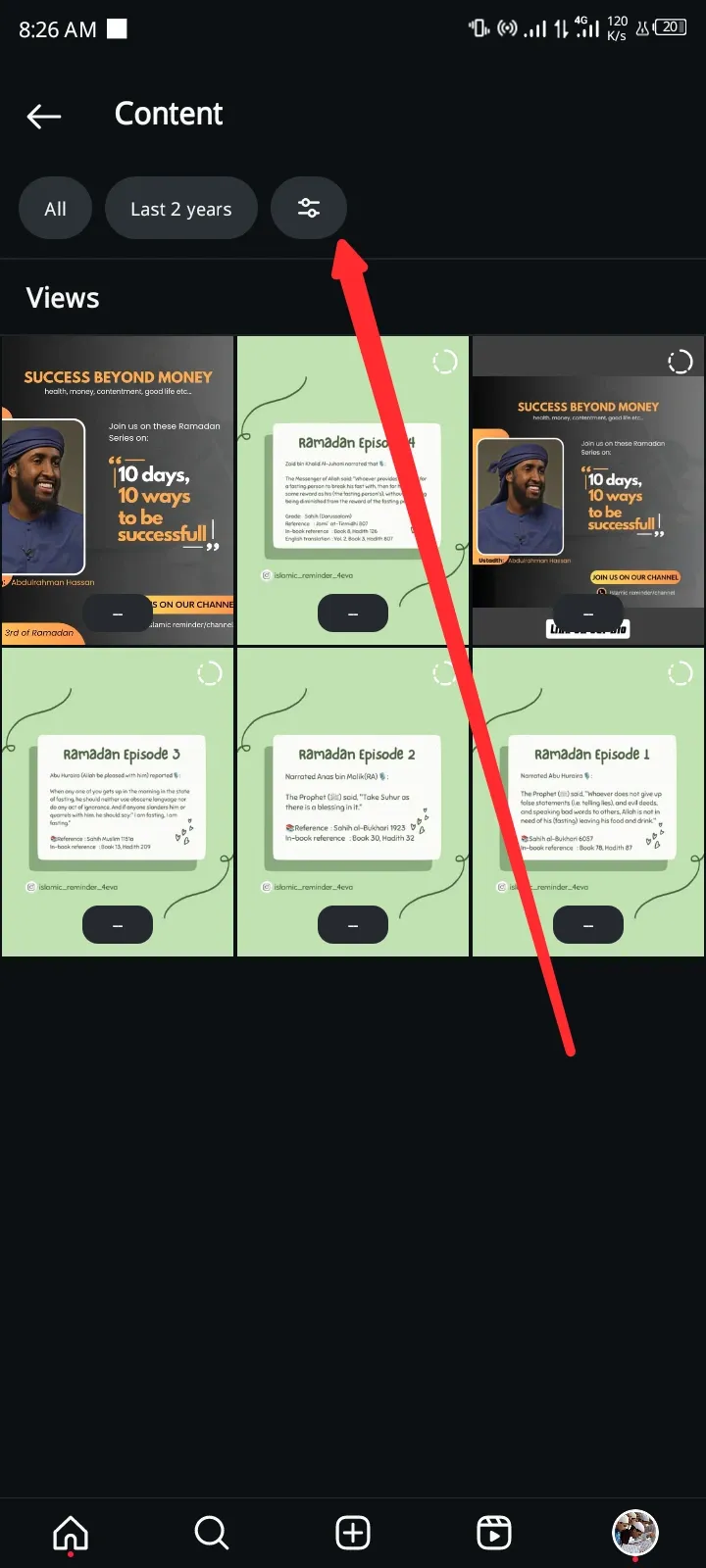
- Tap on All at the top left corner, then select Stories
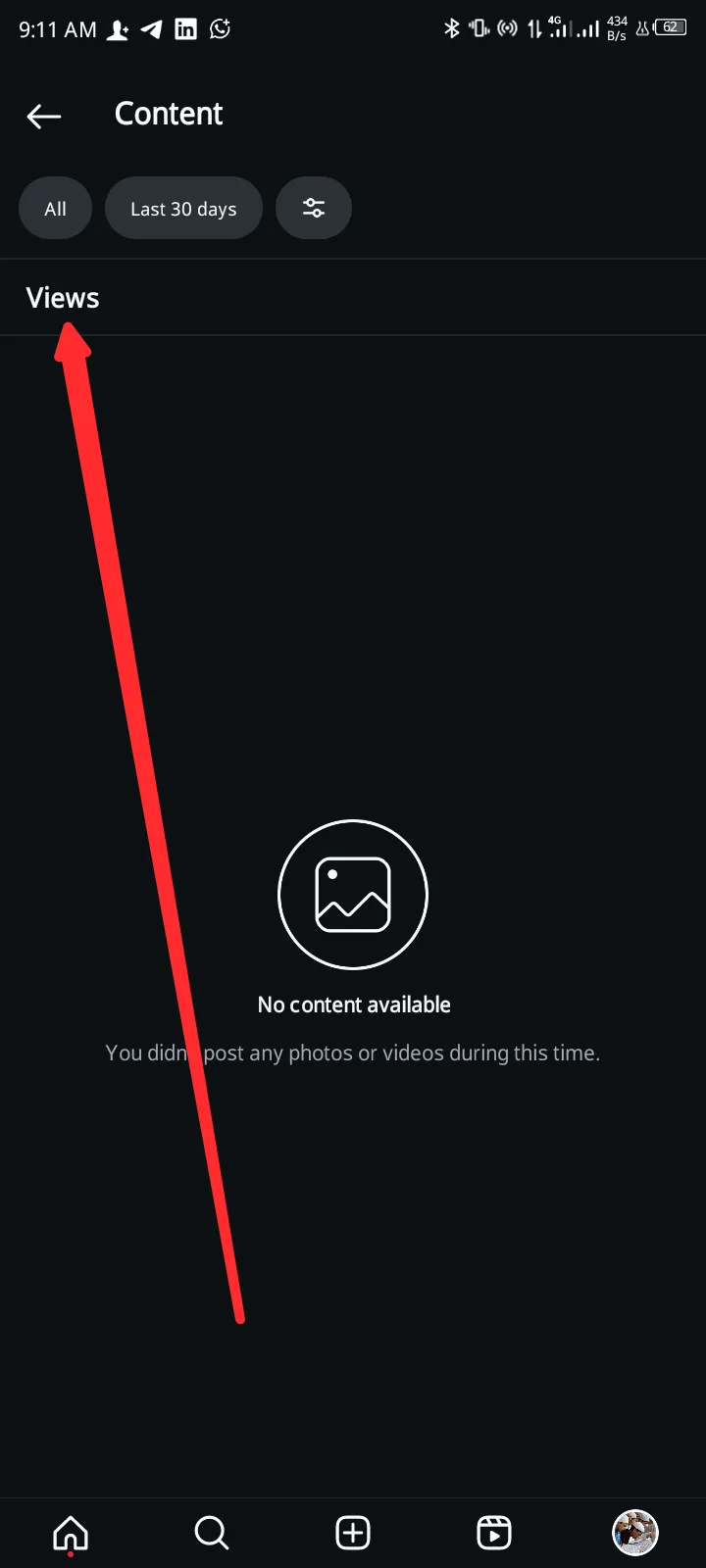
- If the Story you want to analyze is not within 30 days, tap Last 30 days at the top left corner and select the time period
- Lastly, tap the filter icon in the top-left corner and select Metrics. You should see the following options
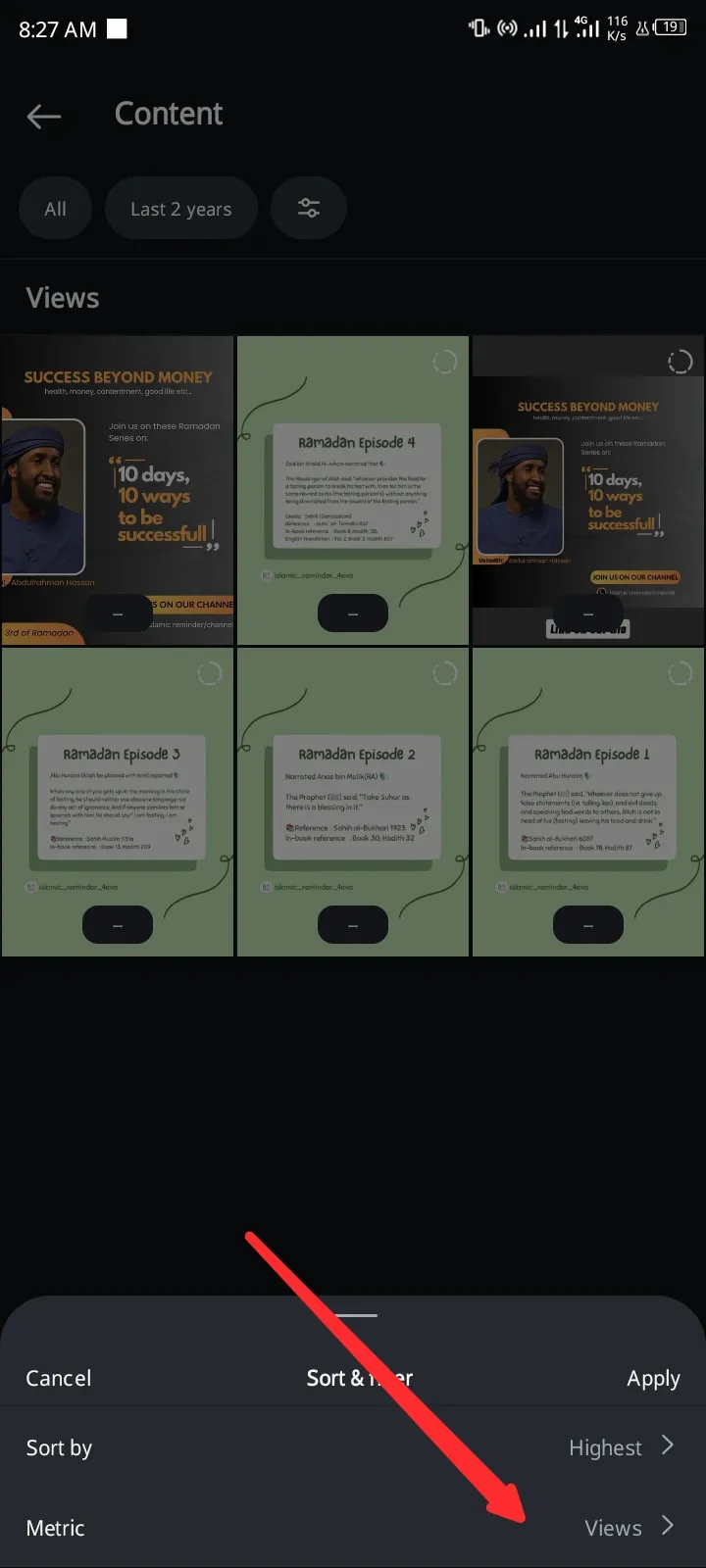
- Tap on Link Clicks
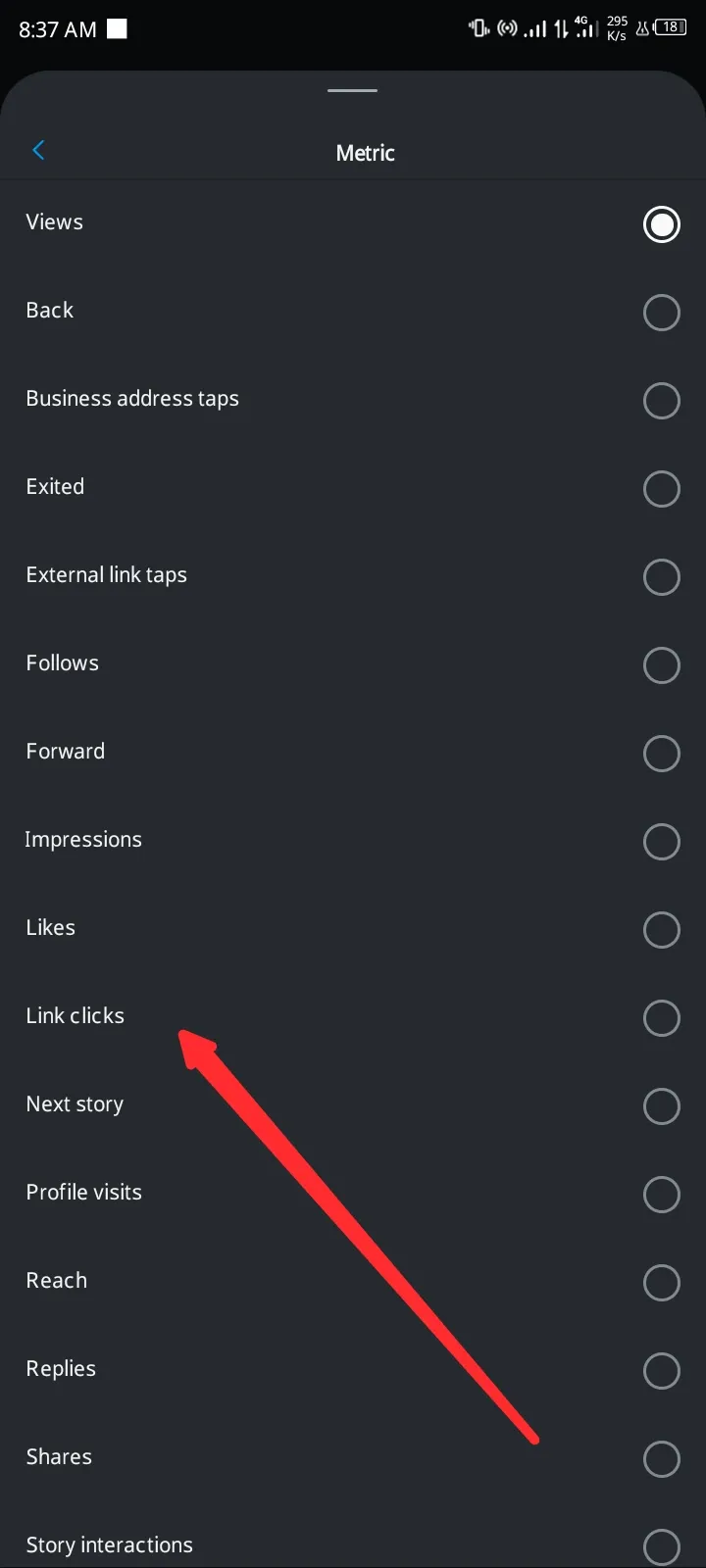
You should see the number of link clicks below each Story that contains a link.
Alternative Ways to Drive Traffic to Your Website from Instagram
Sharing a link in Story is a great way to build stronger relationships with your followers and increase sales.
However, to increase this relationship, you would have to leverage other means.
Other means include bio, posts, polls, and direct messages (DMs). Also, when people click your Instagram Stories links, they leave your page and are less likely to continue watching your Story. If you’re aiming for more reach and views for your Story, you’ll need to include fewer links.
However, you can use the following methods to still draw followers to your website:
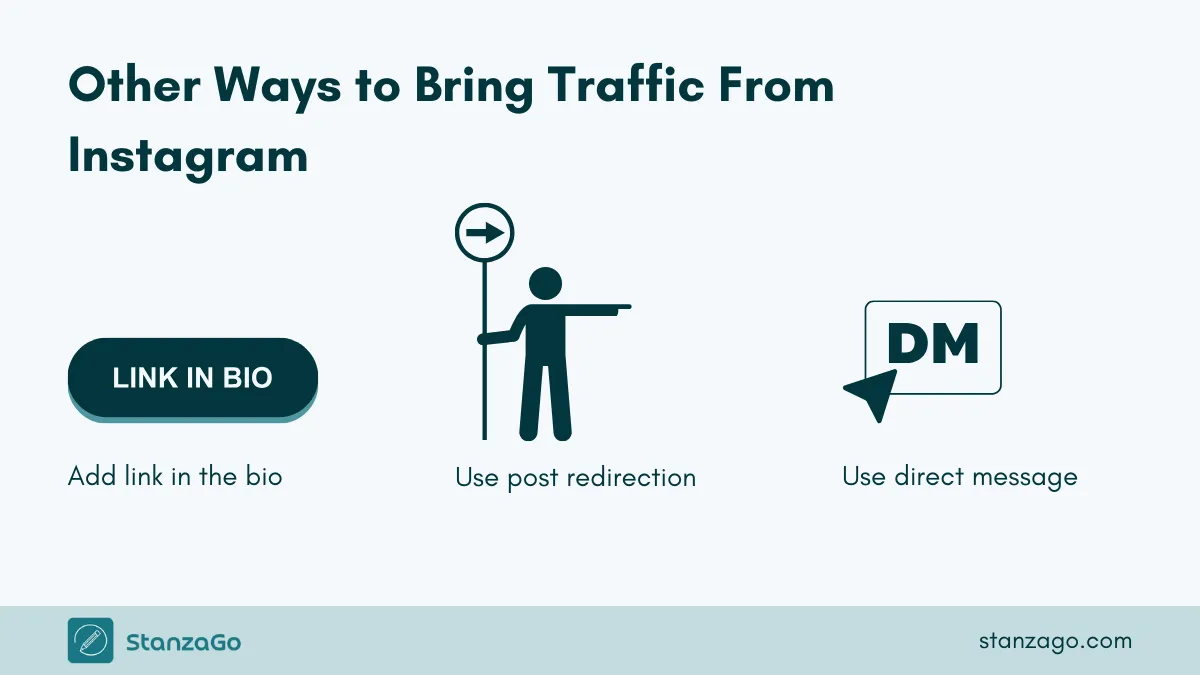
Include a Link in your Bio
You would have probably done this, but there’s more you can do to maximize results. If your link is simply a single raw link (e.g., www.mysite.com), it’s good, but you can make it better.
Tools like Linktree can help you organize your links.
It lets you make your raw link look professional. Instead of “www.mysite.com,” you can have a custom link like “linktr.ee/yourbrandname.”
If you’d like to add links, Linktree can help you organize everything in one place. Remember to make your link caption clear and compelling, explaining why your audience should click.
Redirect From Post
Create a simple post that explains what you offer via your link, and pin it to your Instagram profile with a cover photo that reads “Start here.” When people visit your page, they are drawn to the pinned post and will likely start there.
The post should clearly explain what the link in your bio leads to, and don’t forget to give an effective call to action at the end.
Direct Message
If you’re skilled at creating high-quality content that generates strong engagement, you can attract quality leads to your link. Simply ask your viewers if they want the link sent to their DM. We’ve seen many creators do this by asking followers to comment “Link” if they want the link sent to their DMs.
You can also do this on your Story.
Plus, Instagram Stories include a DM sticker you can use to send followers directly to your DMs.
The good thing about this is that those people who asked for the link are likely to convert and can be nurtured to take future actions.
Frequently Asked Questions (FAQs)
Can I add a link to an Instagram story after posting?
No, once the story is published, you cannot add a link to it. To do that, you need to delete the story, then add it again with the link.
Where is the sticker tool on Instagram?
When you add a story, you can find a Face icon in the top menu to access the sticker tool in Instagram.
Can you add a link to an Instagram Highlight?
Highlights are created using the published story. Once the story is published, you cannot add a link.
Final Thoughts
You now know how to add a link to an Instagram Story using the link sticker. Well, don’t stop there! Be different by applying the tips we shared on how to maximize Instagram Story link clicks.
You would also have to check your Story analytics from time to time to see how your link is performing and whether any adjustments are needed.
Finally, you have other options, like bio, pinned posts, and direct messages, to drive traffic to your website from Instagram.
We advise you to leverage all for maximum results.
Can you put a link in an Instagram Story? You can comment below if you need any clarification.