
Let’s face it, the free plan of AnswerThePublic only offers limited queries.
Now, for an individual or small business owner, going after every premium SEO tool isn’t the right move. And when multiple free options are available, why use a premium tool?
Some would say, more features, better results, and so on.
But what if I say those free alternatives are just as effective as AnswerThePublic? Wouldn’t you feel empowered to use them? I certainly would.
And in this post, that’s what I am going to tell you, and share the ATP alternatives that can help you find the best Google People Also Ask queries.
Now, without any further delay, let’s get started.
General Overview of Google’s People Also Ask (PAA)
In Search Engine Optimization, keywords play a huge role.
By creating a content piece around multiple keywords, you can make it appear in the search results.
These keywords can be of different types:
- Long-tail keywords
- Problem-oriented keywords
- Brand keywords
Often, an SEO executive scrapes these keywords using different SEO tools by inserting the URL of already ranking contents.
However, there’s a natural way to find out keywords and it’s provided by Google itself, which is called People also ask.
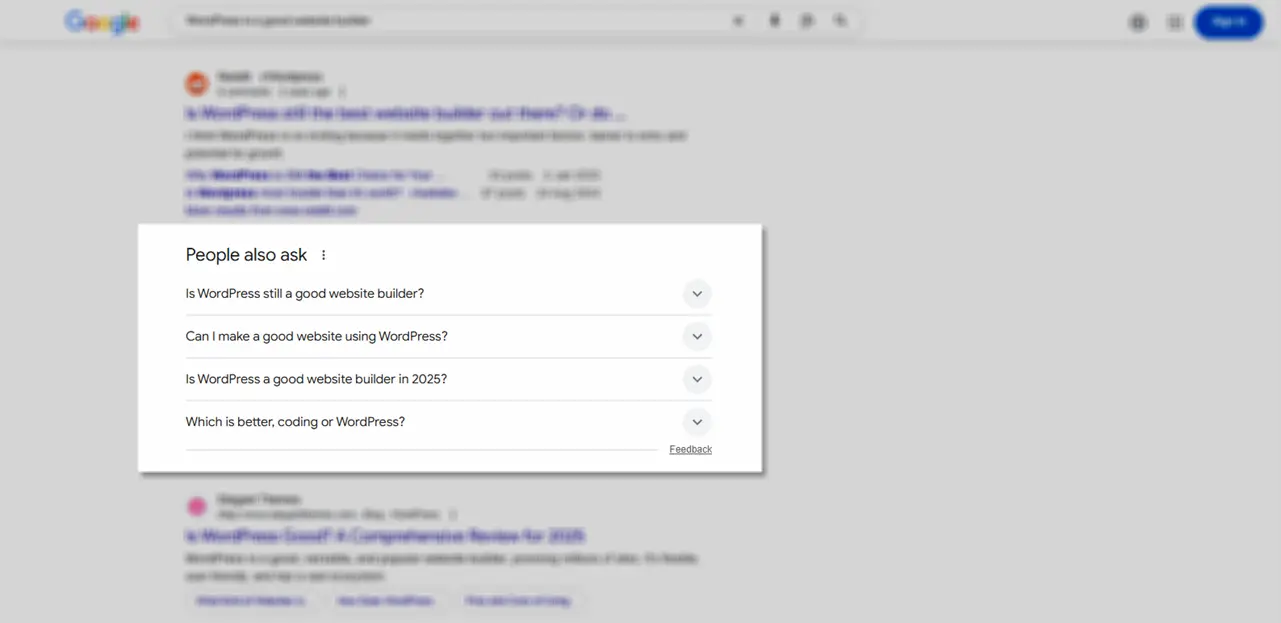
People also ask (PAA) are other queries people are using on the place of your query to find the same solution or something else related to your search.
When you run a search, it appears after 3 or 4 results in the shape of an accordion.
Often, they are questions, but it’s not limited to that. PAA boxes show up for a vast majority of informational and transactional searches as well. When you open one, it suggests a couple more related to it.
Hence, guiding you towards a more focused query and better results.
But why should one use or interact with PAA? What’s the benefit of it, if search engines like Google are smart enough to understand a person’s unclear query?
Let’s look at that factor as well.
Why Does It Matter?
It matters because it gives you the perfect idea of what people are actually using to search for something, maybe in your industry or something that’s viral.
For marketers, it’s a goldmine of potential topics on which they can create a topic and generate huge traffic worth converting.
They didn’t have to search for a competitor; they didn’t have to scrape thousands of pages.
Just by running a simple query on Google, you can have your perfect topic to create content that’s important to your brand, products, or services.
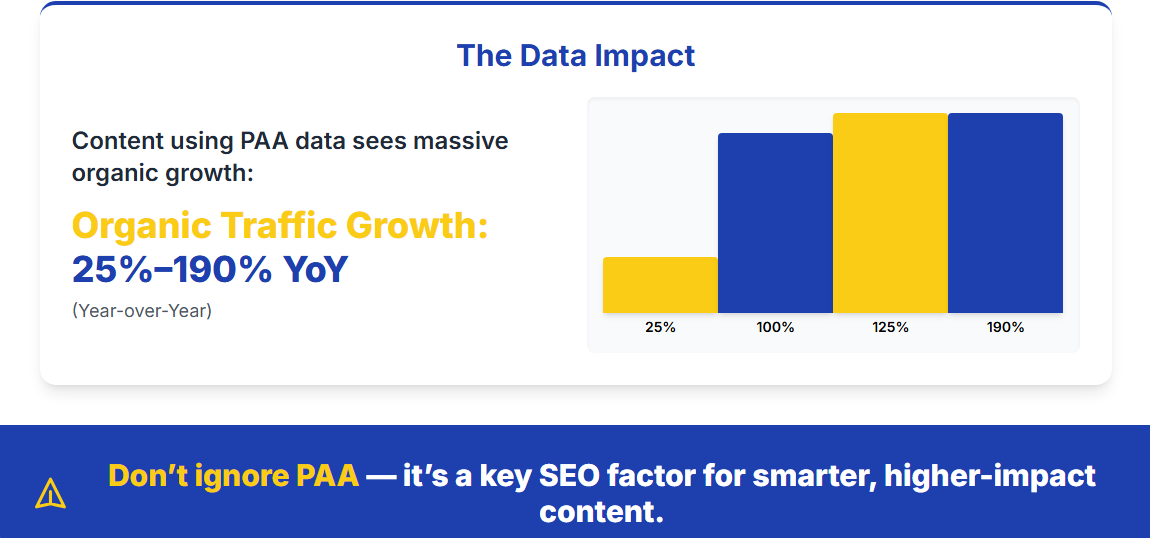
It’s also found that content based on PAA experienced organic traffic lifts from 25% to 190% in year-over-year growth for key pages
Thus, it’s a key factor in SEO that one shouldn’t ignore.
If Google Is Providing PAA, Then Why Use Tools? Organic Vs. Tools
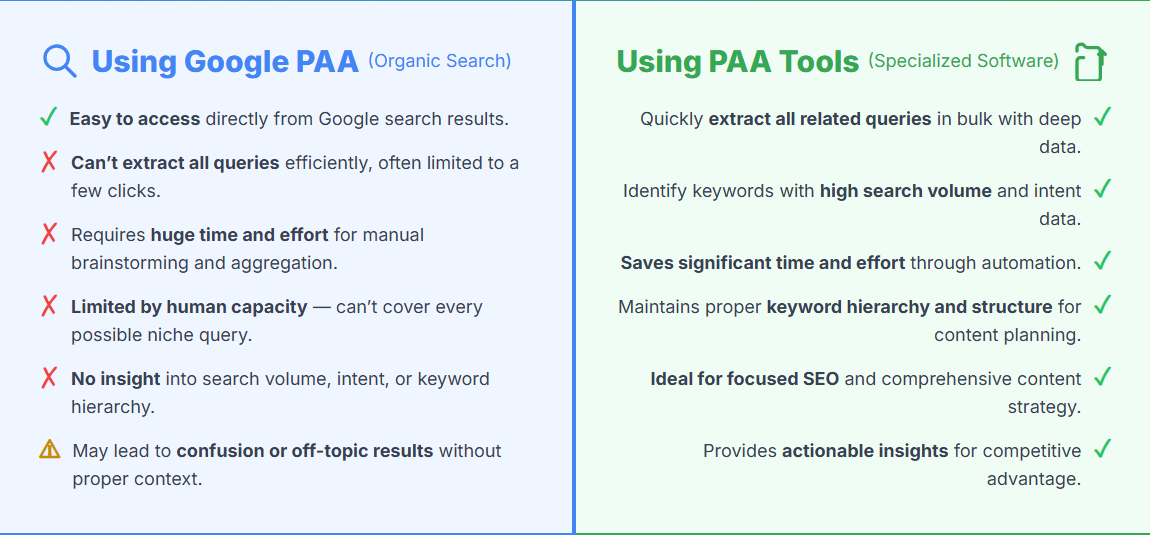
Yes, you can easily find the “People also ask” queries on Google by simply running your basic search.
But can you extract all the queries?
By brainstorming, you could find out all the queries on your own; however, the question here becomes, can you give that much amount of time and effort to brainstorm every possible outcome?
No, you cannot.
Our human brain has limits. So, it’s not possible to find all the PAA keywords on your own.
Second, even if you are able to extract all the queries, you won’t know which one has a high search volume.
Lastly, if you use only Google’s People also ask box, it could stray you from the right hierarchy, and you end up being confused. But by using People also ask keyword research tools, you can find the right keywords with high search volume, and by only spending a little amount of time.
That’s the benefit of using PAA tools.
Why Is the Need for ATP Pro Alternatives?
AnswerThePublic is a good PAA keyword finder tool. However, in a day, you can only run 3 free queries.
And if you need to run more, you need to get a paid plan starting at US$5/month.
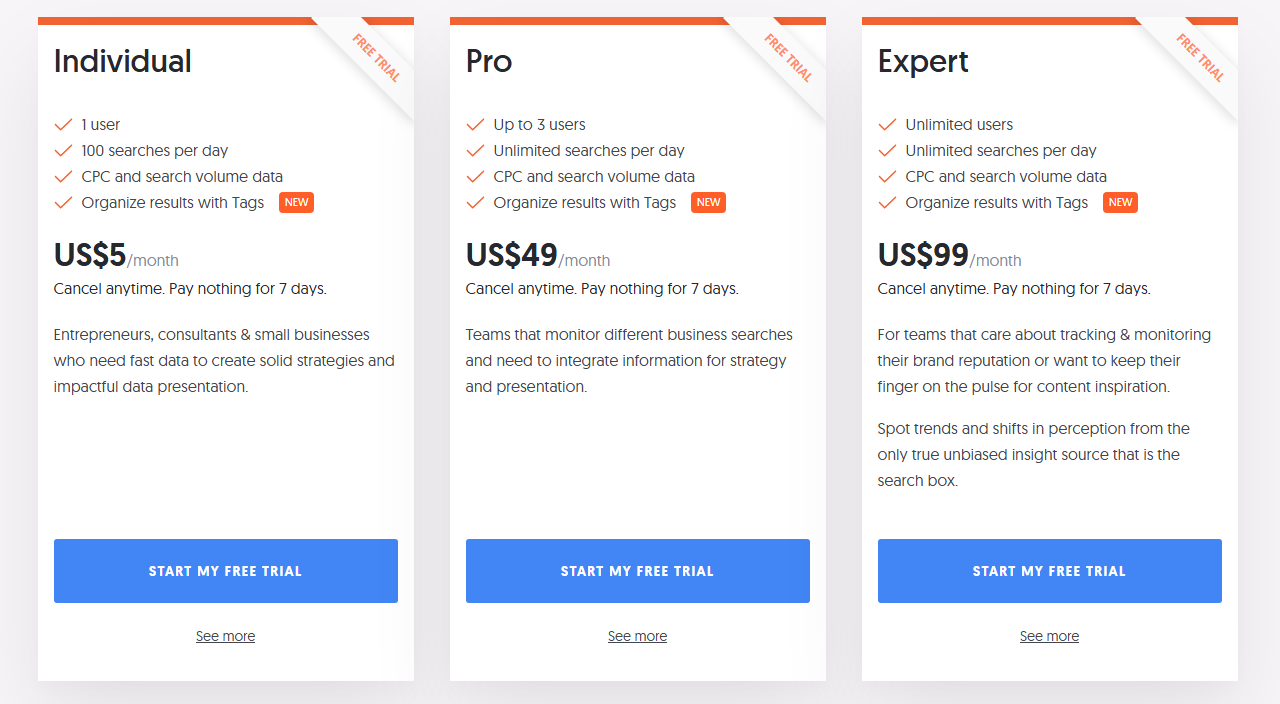
Yes, $5 per month isn’t a big price.
However, for an individual and small business owner, these $5 combined with other expenses can look big. And if there are some free options available that offer the same capabilities, why use free?
Moreover, often you don’t get the keywords you are looking for using AnswerThePublic.
Therefore, it’s better to use other tools as well in addition to ATP.
I am not saying you should not use it, instead, my focus is that you don’t have to pay for finding “Public also ask” keywords.
By using the following PAA tools, you can easily do that.
5 Free Alternatives to AnswerThePublic
By using the following five tools, you can find the best PAA. Plus, you will not run out of options to find PAA when one tool’s limit reaches full. Hence, you can explore all the People also ask queries, all day long.
1. AlsoAsked
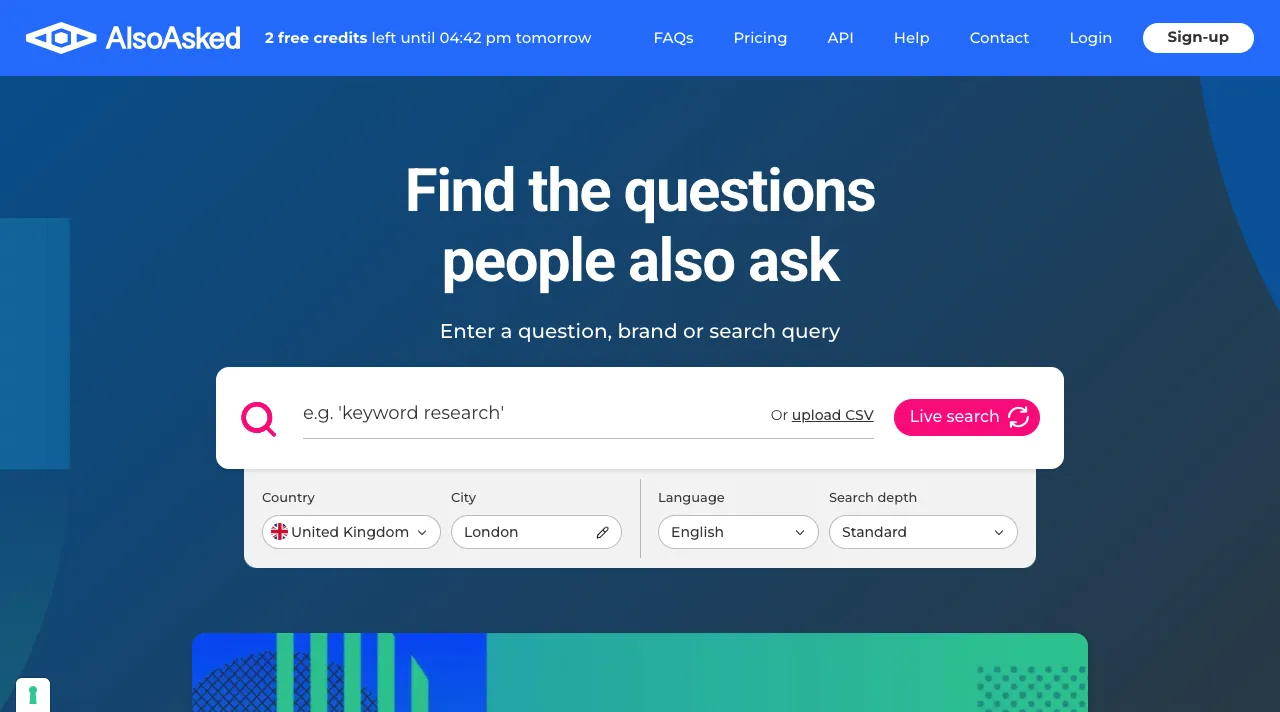
AlsoAsked, why do I have this tool on #1 in this list of Google People Also Ask finder tools?
The reason lies in the simplicity of using it.
It has no signups to use the free tool. It has no complex processes to optimize the search. And its search isn’t just basic. By using AlsoAsked, you can look for PAA keywords that are most likely to be found in the AnswerThePublic.
This Google People Also Ask finder tool provides you with 3 free daily searches that you can effectively use once you’ve utilized free searches of ATP.
If AlsoAsked is offering the same as ATP, then why use it?
Well, the #1 reason is that, you don’t have to login to use its free credits, whereas in ATP, you have to register, and only then you can access the free searches.
Apart from that, the following reasons make AlsoAsked a good PAA keyword finder tool after AnswerThePublic
What’s Good About AlsoAsked?
We looked at the “no-signup but still use it” reason. We looked at its ease of use, and the additional reasons that make it an excellent tool are:
- Search using a city
- Uploading CSV file of keywords
- Support for multiple languages
All of these make AlsoAsked a highly efficient tool that can help you narrow down your search and find the high potential PAA people are using in your area and beyond that.
What’s Bad About AlsoAksed?
The reason we are looking for ATP alternatives is that it has limited free search credits and for searching PAA, it’s not efficient to use a premium tool.
The same is happening with AlsoAsked.
It only offers 3 free searches for a day, and for its premium plan, it starts from $15/month, which is even more costly than ATP.
Why Should You Use It?
The reason why I want you to use AlsoAsked is that, it requires no signup, plus, the search you’ll run using it, it will be a Live search. It means the keyword you’ll find using this tool will not be from the database only, but from real time user interaction as well.
2. KeywordProfiler
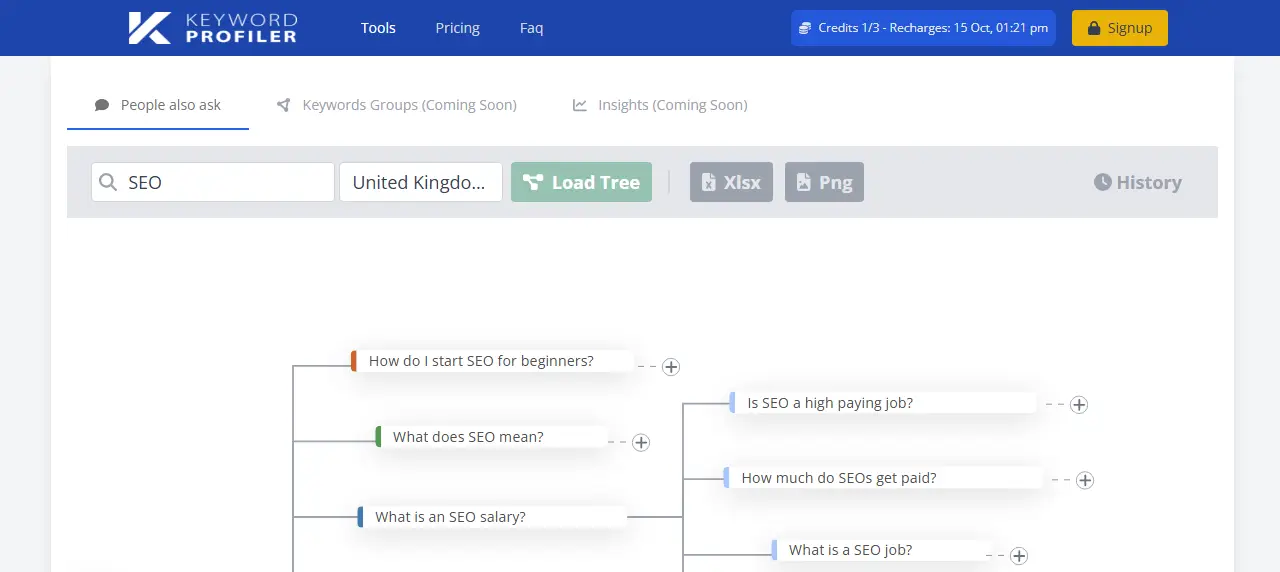
KeywordProfiler is another tool we have in our list of Google People Also Ask finder tools.
It’s a simple tool offering 3 free searches to find PAA keywords.
Once you hit the free limit for the previous two tools, switch to this one, and easily extract keywords people are using on Google to find a solution to their problem. Or anything specific they are looking for.
Similar to AlsoAsked, this tool doesn’t require any signups to use it.
What’s Good About KeywordProfiler?
In addition to free 3 searches and no sign-up, the thing that makes KeywordProfiler a good PAA keyword finder is its presentation of the keywords.

This tool simply shows the keywords in the tree with different colors. The colors pattern is Red, Green, Dark Blue, Purple, and Light Blue. From this, you can easily find out which question belongs to which parent topic.
With that, you can also initiate an additional search by clicking the ‘+’ icon next to the keywords.
Plus, you can copy the keyword by clicking on it.
Lastly, what’s unique about KeywordProfiler is that it shows keywords in both English and local language. So that you don’t have to run multiple queries and spend your credits.
What’s Bad About KeywordProfiler?
You get limited free searches. The pricing is more than ATP, you can’t download the keywords as an Image or CSV file. Plus, it doesn’t support long tail keywords.
Why Should You Use It?
The reason I recommend using KeywordProfiler is its ability to find the keywords in up to 30s. Moreover, it’s keyword presentation is good, you won’t feel overwhelmed by it when you explore them.
3. PeopleAlsoAsking
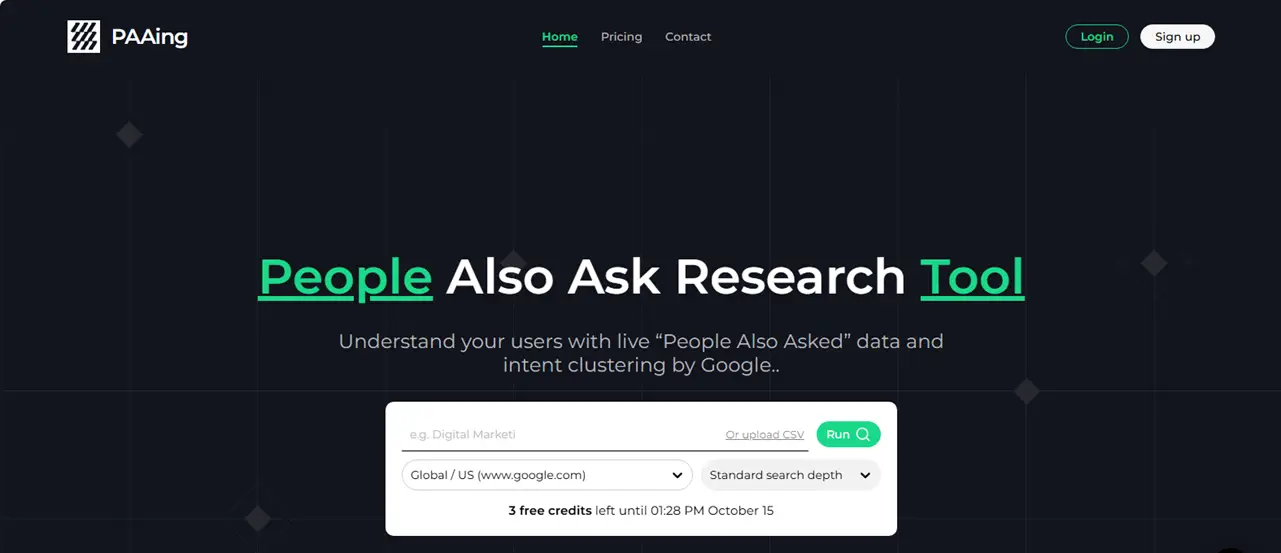
PeopleAlsoAsking or PAAing, is just like AlsoAsked, however, there’s a slight variation in its features and presentation of the PAA keywords.
Unlike the previous tools, it offers only 2 free searches daily.
But it supports location, CSV file upload, and longtail keywords utilization. When you run the search, it showcases the keywords in up to 6 heads that no other PAA tool offers. With this, you don’t need to run multiple searches.
A single search will provide you with almost every possible query an individual can run.
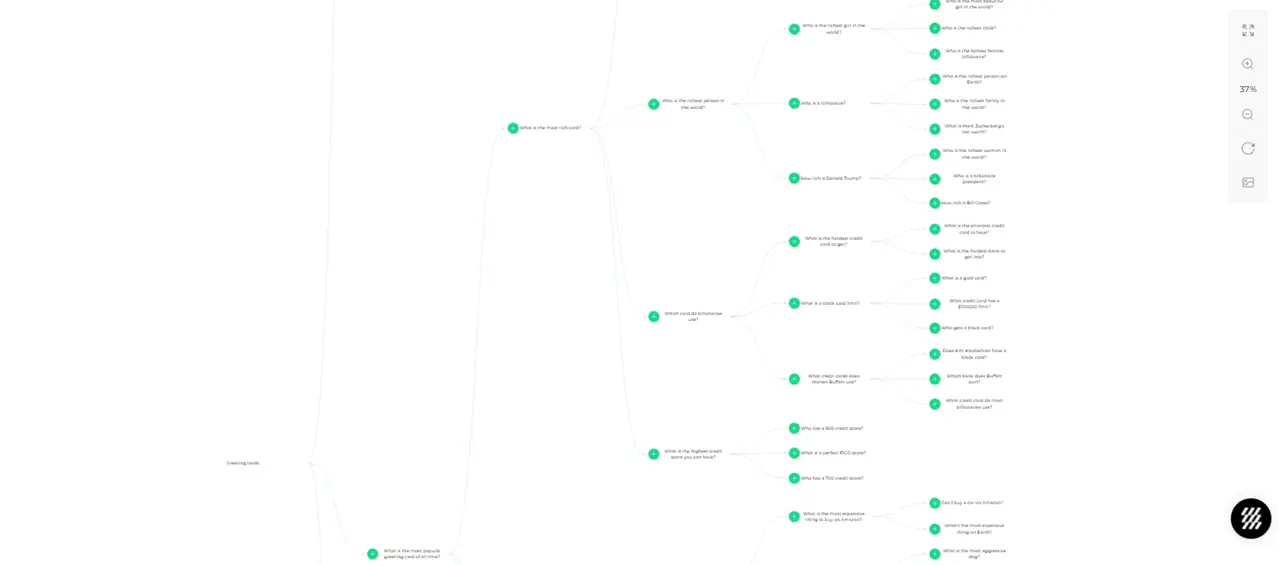
Just like KeywordProfiler, it also allows you to expand the search by clicking on the ‘+’ icon that appears when hovering over the keywords/questions.
Apart from these, you can turn the tree into a table view that provides you with page URLs ranking on the particular topic. You can check the answer as well making PeopleAlsoAsking a highly-informative tool.
What’s Good About PeopleAlsoAsking?
The depth it provides for each topic is highly useful. The UI of this tool is really good, you can easily zoom in and out the tree, export the keywords as an image, go full screen, and reset the tree layout with a single click.
What’s Bad About PeopleAlsoAsking?
It only offers 2 free daily searches, plus you cannot download the PAA keywords in a CSV file for free. The pricing compared to AlsoAsked is low, $10/month, however, it does not match AnswerThePublic
Why Should You Use It?
If you’re looking for depth in your topics, then PeopleAlsoAsking is a great tool you should use. Furthermore, the UI is friendly, you won’t have any difficulty finding the keywords.
4. Answer Socrates
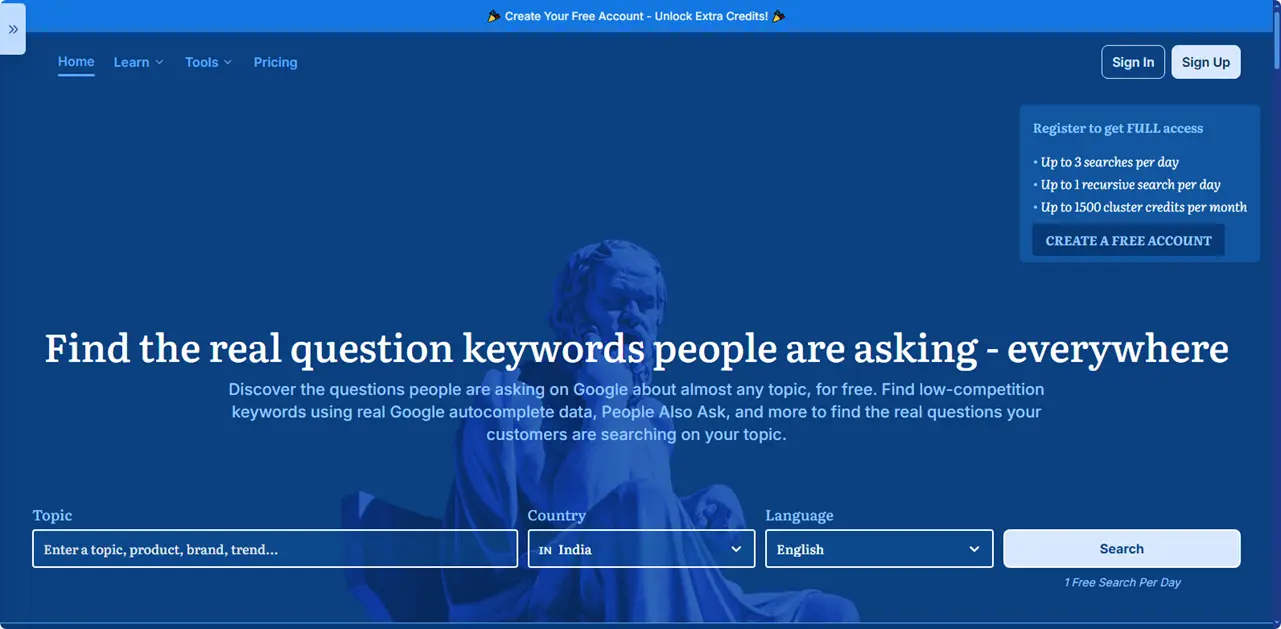
Answer Socrates is a sharp tool to find topics people are looking for. However, it doesn’t allow using its free plan without login. Once you log in, you can access up to 3 free daily searches.
This tool not only generates questions people use, but it also provides you with other potential keywords and search ideas.
It shows the trend for the particular topic you’ve queried.
So, you have the idea of whether to create content based on it or not. It’s a diverse tool, offering many segments for the questions and keywords enabling you to create content that will receive more traffic.
You can also download the keywords as PNG and CSV files under the free plan.
What’s Good About Answer Socrates?
The different segments Answer Socrates provides you with lets you create content for a particular platform. For example, you can discover question keywords people use on social media.

The questions you will search using it have been sorted based on different questions words and model verbs.
Additionally, you can look for Prepositions, Comparisons, Queries used in the Past, and Letters.
Overall, a well-organized platform to search PAA and other high potential keywords and topics.
What’s Bad About Answer Socrates?
The first thing that makes it a hard ATP alternative is its no-access without signup. You need to signup and login to access its free search credits.
Why Should You Use It?
In addition to the PAA keywords, if you need to generate questions that might be asked by a user, you should use this tool. No need to brainstorm on your own. With Answer Socrates, you can do that easily and effectively.
5. KeywordsPeopleUse
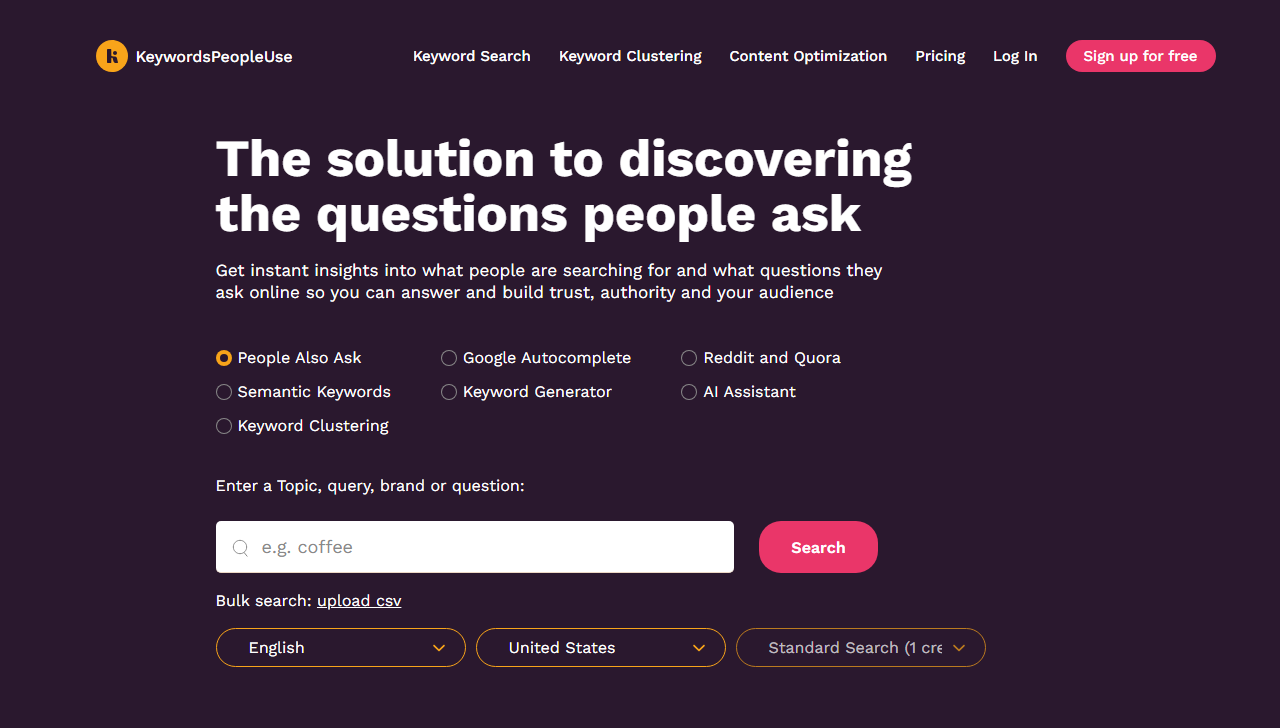
With KeywordsPeopleUse, it’s easier to find People also ask keywords based on a topic, query, brand name, or questions.
It has a simplified UI offering fast and efficient search.
You can look for keywords without signing up, however, that way, you can only run a single search. In order to obtain additional Pay As You Go 15 credits, you need to sign up for its free plan.
Once the 15 credits get used, you need to wait approx a month for the free credits to get refilled.
This is the reason I have put it in the last of this list because you may not even need it if you utilize the above. And when you’ll need it, you would ample credits to utilize its features to discover essential keywords.
The free plan allows you to search in different languages, location, and descriptive query.
For each search it uses 1 credit and provides you with PAA topics having depth of 3 heads.
What’s Good About KeywordsPeopleUse?
The presentation of PAA keywords in KPU is well organized, nothing will confuse or overwhelm you. You can use the mouse scroller to zoom-in and zoom out, plus download the keywords as a PNG image.
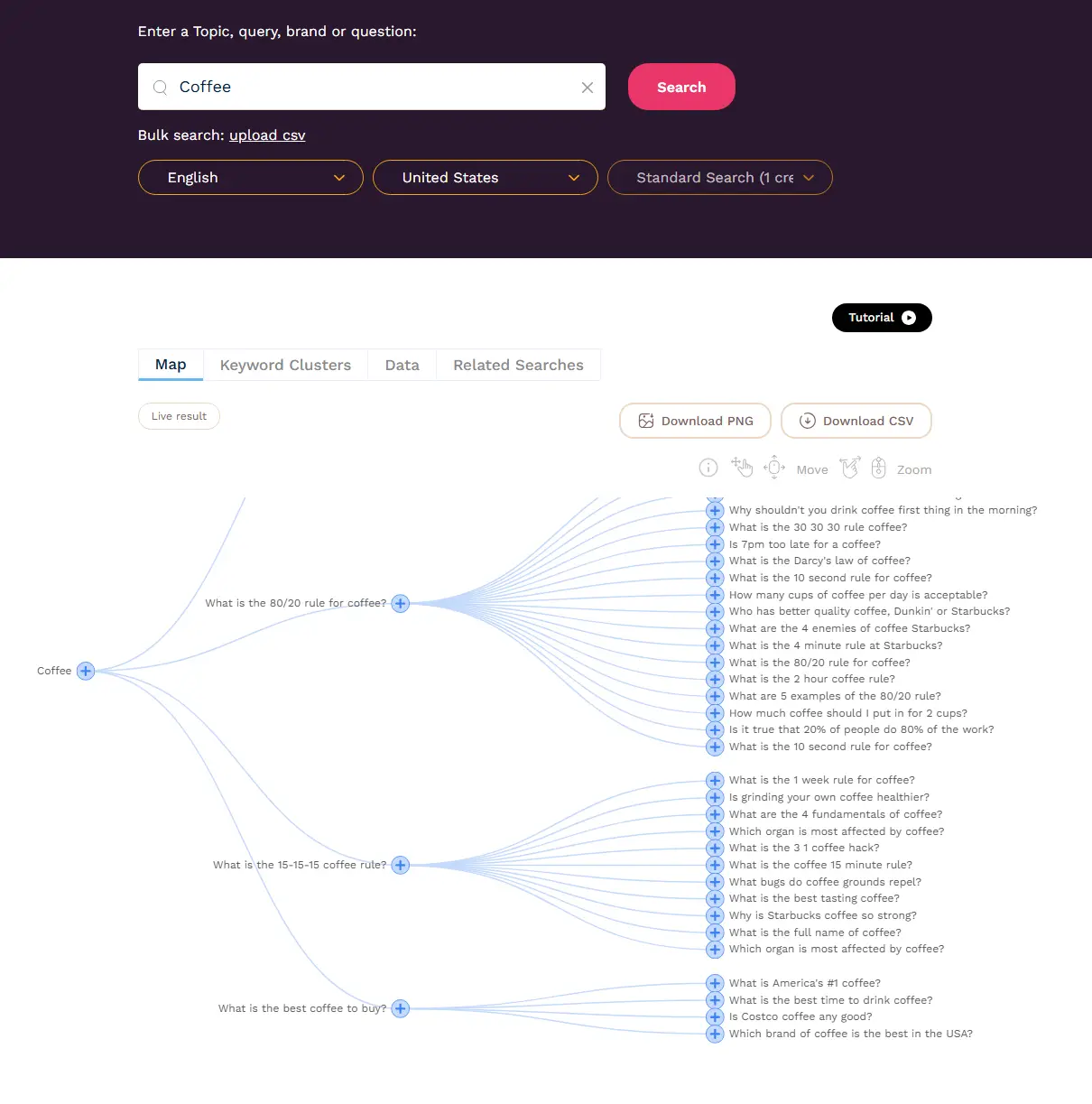
In addition to PAA, it also helps search Google Autocomplete keywords and topics popular on Reddit and Quora.
Hence, you can do multiple things with a single tool.
What’s Bad About KeywordsPeopleUse?
The first thing that creates irritation using KPU is its 1 free search credit. Then, to access additional credits, you need to sign up. For a premium plan, you need to pay $15/month, again more expensive than ATP.
Why Should You Use It?
KeywordsPeopleUse offers live results with functionality to see keyword clusters, related searches, and short answers of the questions people ask. It’s also fast and the PAAs it discovers are accurate and worth content creating.
Utilize Other Search Engines to Find Out Other People Also Ask Queries (More Alternatives)
Our goal is to find PAA without spending. However, it’s inevitable to run out of these tools for free credits. So when it happens, you can try the following and discover questions people are really looking for answers.
Bing
Often, when you run a query on Google, it doesn’t return PAA. In that case, we use the PAA tools. But once you reach their limit, you can use Bing.
Yes, almost every time when Google doesn’t show PAA, there’s a possibility Bing has something to offer.
Simply open Bing and run your search.

Scroll down a bit, and you’ll find your people also ask questions. It sometimes appears on the right side of the search results, so look for that as well.
On Reddit, people ask so many complex questions on which you can create the content. Yes, those aren’t Google’s PAA, but hey, they are asked by real people.
So, don’t ignore them.
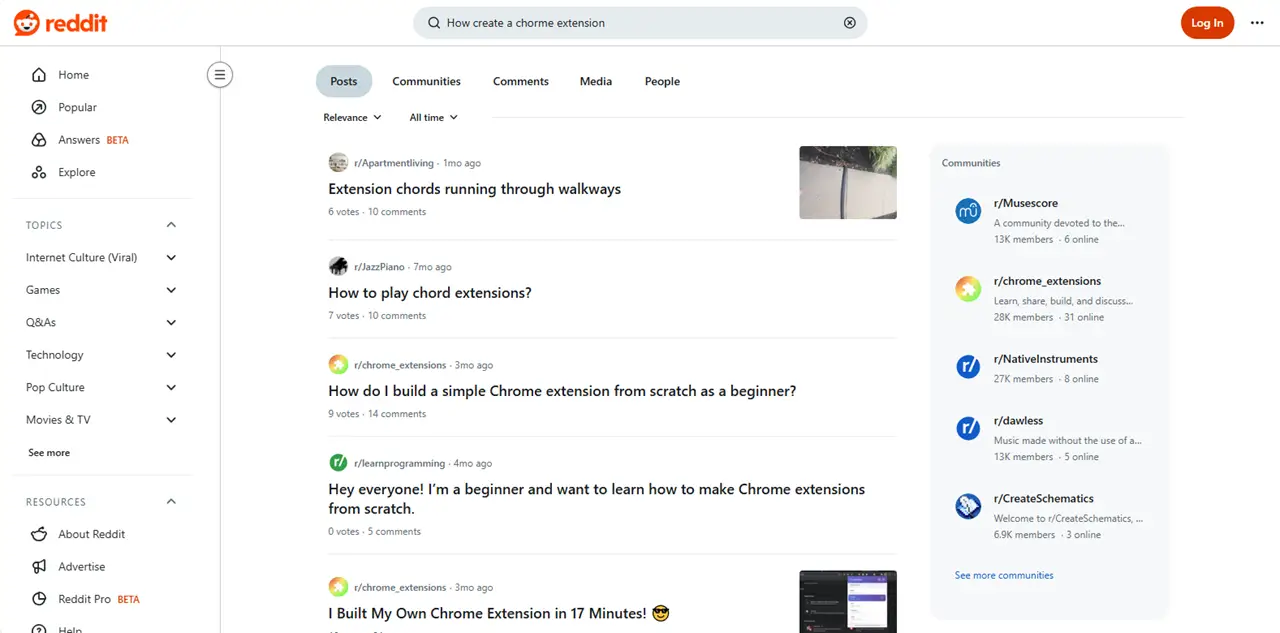
Open Reddit, enter your topic, and you’ll find your questions worth investing your time in.
Quora
Just like Reddit, Quora is another platform allowing people to ask questions and get their answers from real people.
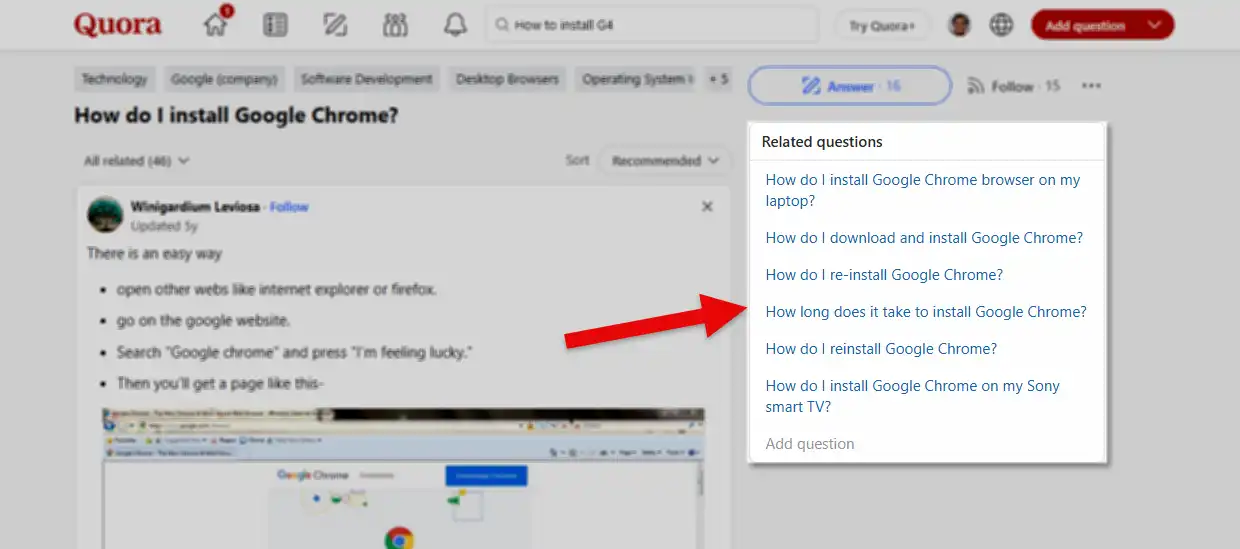
You can find potential questions here as well.
Just explore them, analyze them, and include them in your content piece. You’ll get much benefit doing that.
How to Structure Your Query to Find Maximum PAA Queries
In order to find People also ask queries on Google or other tools, you don’t have to apply any tricks. Be human and use your critical thinking abilities and try to phrase the topic as you would do.
Or perhaps, put yourself in the shoes of the person in trouble.
Apart from that, to discover PAA organically and with the aforementioned tools, try to keep the structure of the query as simplified as you can.
Use both short and long-tail questions. Try different perspectives, angles, and use cases.
Offer context, yes it works in Google search as well not only AI tools.
If you can do that, you’ll find your high potential People also ask questions based on your topic of interest.
What to Do In Case of Not Finding Any PAA Queries
When Google and no other tool are able to find PAA, just brainstorm.
Try to come up with questions on your own.
You can also try AI tools and generate questions people might ask. Other than asking, you can look in the tools like Perplexity AI, Phind, and Andy Search, they often provide you with suggestions to run the search.
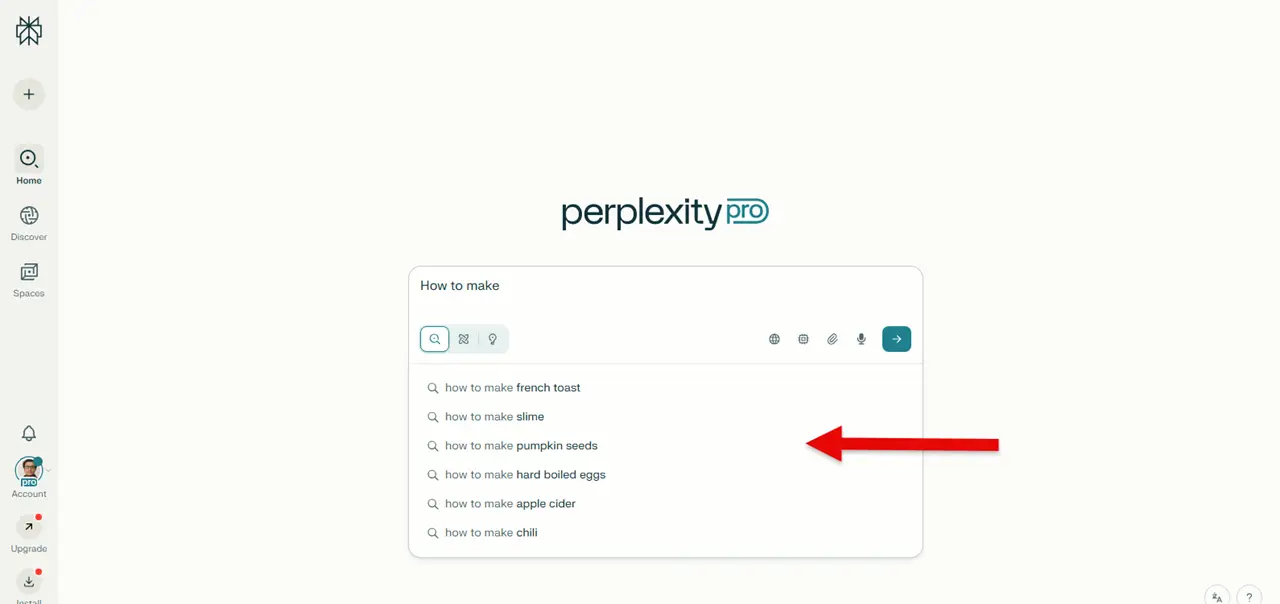
You can use those keywords as well and create your content around them.
These suggestions aren’t just AI generated, but based on queries people have asked in the AI platform and other networks such as blogs, social media, and eCommerce markets.
So, you can utilize them as well.
Conclusion
The Google People Also Ask finder tools I have shared above are efficient tools when you don’t want to get the premium version of ATP. When you want to save money and still create content that matters to the people.
Each tool has its own flaws and benefits, yet, they can help you get your job done.
Combined, you get more than 26 credits to discover PAA topics.
For a person working on one or two topics a day, these are more than enough. Even if you are behind on more topics for website content, social media, or product descriptions, these tools won’t limit you.
Now, it’s up to you how you use them. If you focus on quality rather than quantity, these PAA finders won’t disappoint.