
Designing a digital character has not always been easy; however, the rise of Artificial intelligence has made it easier. You need to dedicate enough time and energy to make AI character creations that will stand out.
Regardless of whether you are a writer, anime writer, game developer, or creative enthusiast, the AI tools can come in handy to bring your characters to life and tell your story.
In this article, I will provide more information on what AI characters are, free AI tools to use, and how to create AI characters.
What Are AI Characters?
AI characters are digital, virtual beings enhanced by artificial intelligence. The AI characters can range from digital influencers and AI-assisted creations to game non-player characters and chatbots.
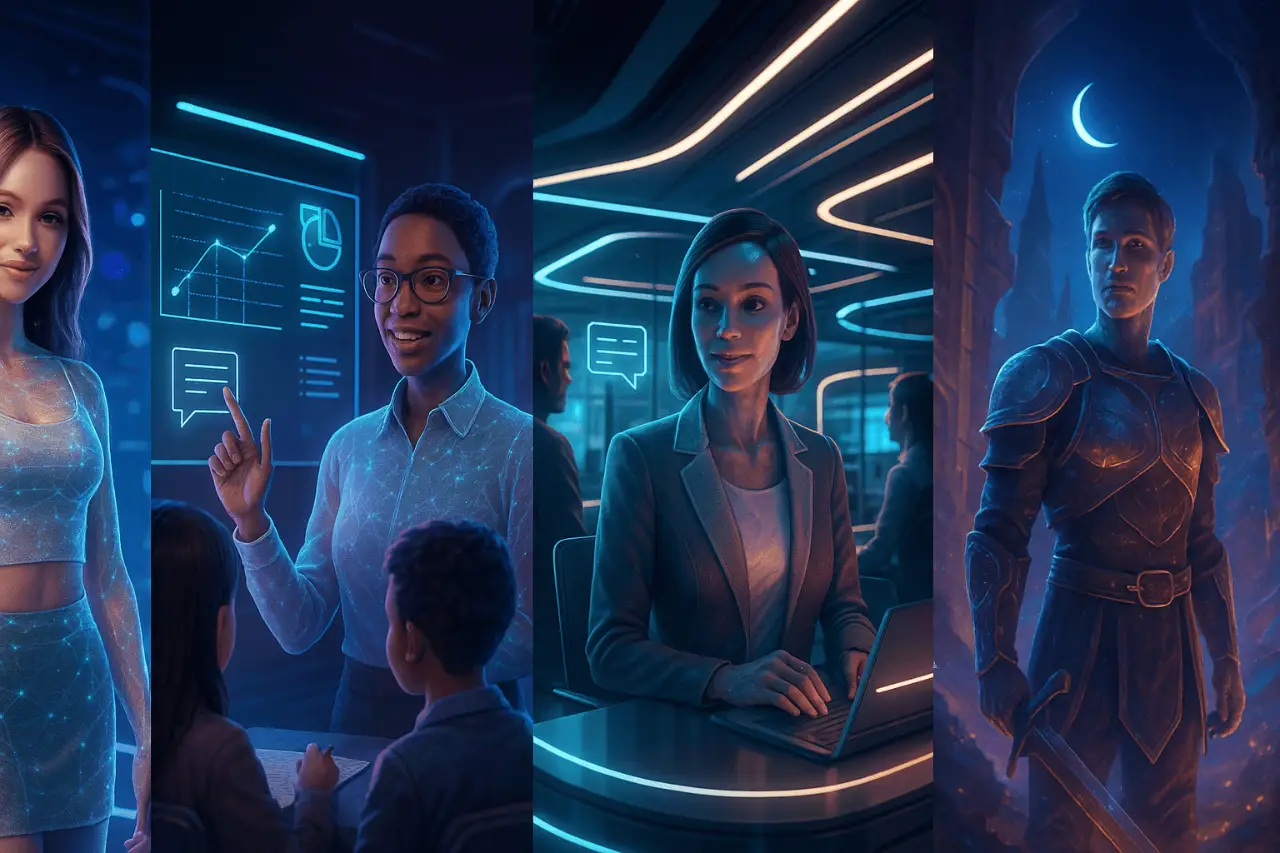
The characters can be used by various professionals like animators, game developers, writers, storytellers, etc.
The AI characters can easily simulate human behaviour as they adapt to a user’s input or the environment. The AI digital characters can even be made interactive, hold conversations, learn from interactions, and evolve. They redefine our engagement.
Additionally, in the metaverse, they act as virtual assistants.
Thereby, the AI characters can be used in various industries such as:
- Video games as non-player characters.
- Metaverse & virtual works to engage with virtual environments.
- Chatbot platforms – Users can interact with AI characters.
- Customer service – AI characters can provide customer support.
- Education and training – AI tutors.
You can either opt to create characters for free or opt for premium tools with licensing and more advanced features.
However, creating characters with AI has become so easy.
5 Best Tools to Create Consistent Characters With AI
It is key to choose an ideal tool to create consistent characters with AI.
Without the right consistency, you may find that the face changes in each image. The AI digital character generators have evolved and are now capable of maintaining consistent character designs.
Therefore, you won’t have to worry whether the face has changed, the AI character has changed, or other unique features. Indeed, with the right settings, you will create consistent characters with AI across all scenes.
1. Midjourney
Midjourney is among the best AI-powered image generation tools that you can use to create characters using AI.
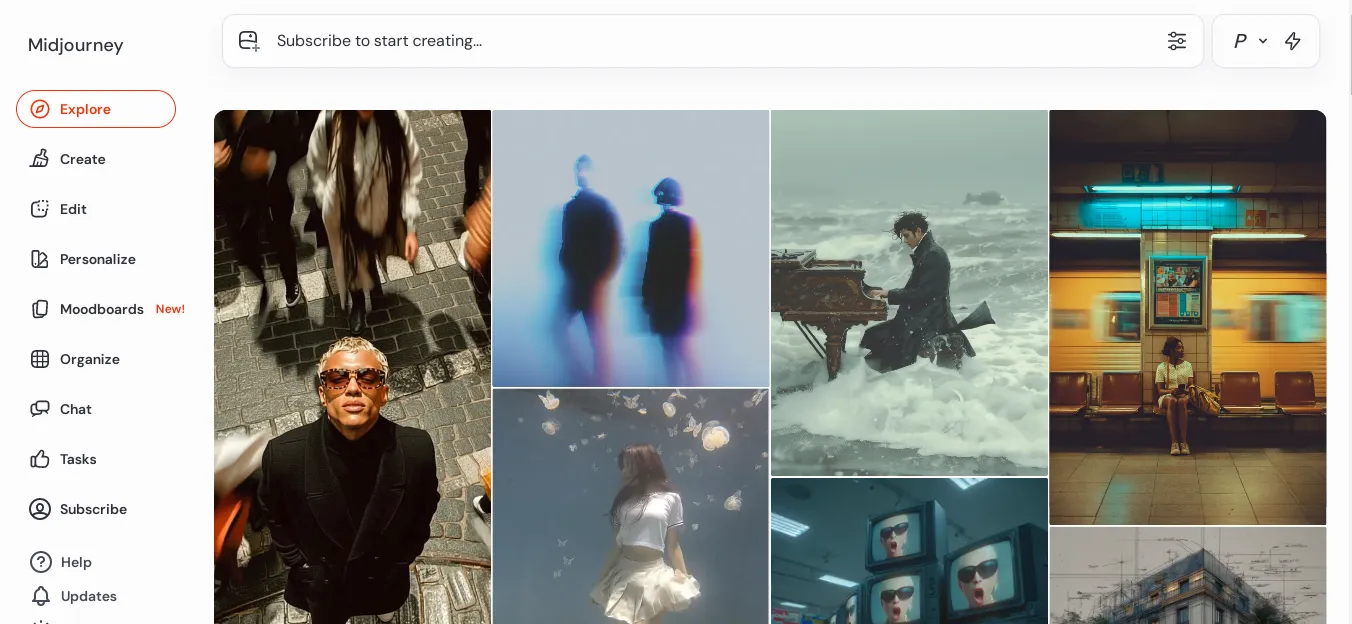
It will generate detailed and artistic images & videos from text prompts you’ll provide. So, you just need to provide a vivid description of the visuals you need and wait to get them in real time.
The AI digital character generator provides an output based on your specified style. It is also more geared towards artistic, surreal, and imaginative visuals.
Midjourney is great if you want to make an AI character, create concept art, fantasy and sci-fi imagery, album covers, posters, or other visual inspirations. It will be so easy to bring your creativity to life or an AI fantasy character of your choice.
However, to get the most from the app, you need to pay for a subscription.
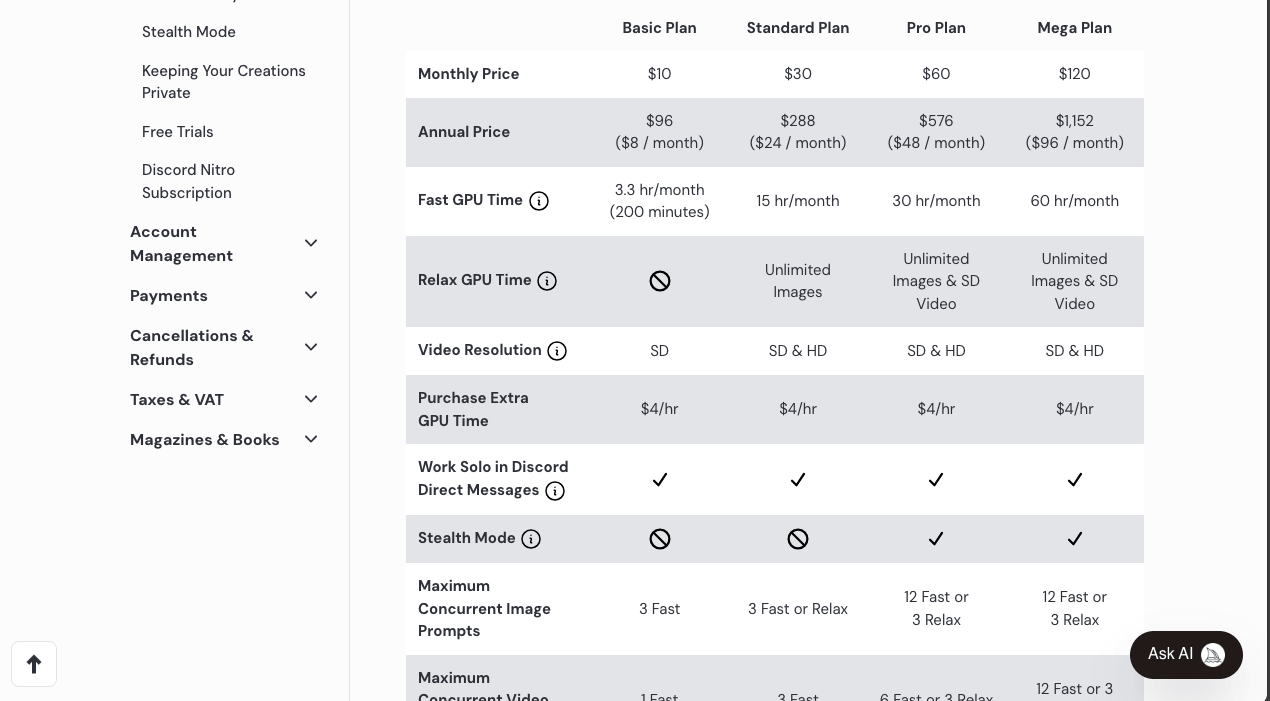
A basic plan goes for $10/month, a Standard plan goes for $30/month, while a Pro plan goes for $60/month.
Through Midjourney, you can easily make an AI character, edit, personalize, check the mood boards, organize your creations, and even engage with other users on Discord.
It uses detailed prompts and reference images to create consistent characters.
2. Stable Diffusion Online
Stable Diffusion Online is another reliable platform that you can use to create characters with AI. You just need to give a vivid description of the visual character you want and wait for the system to generate.
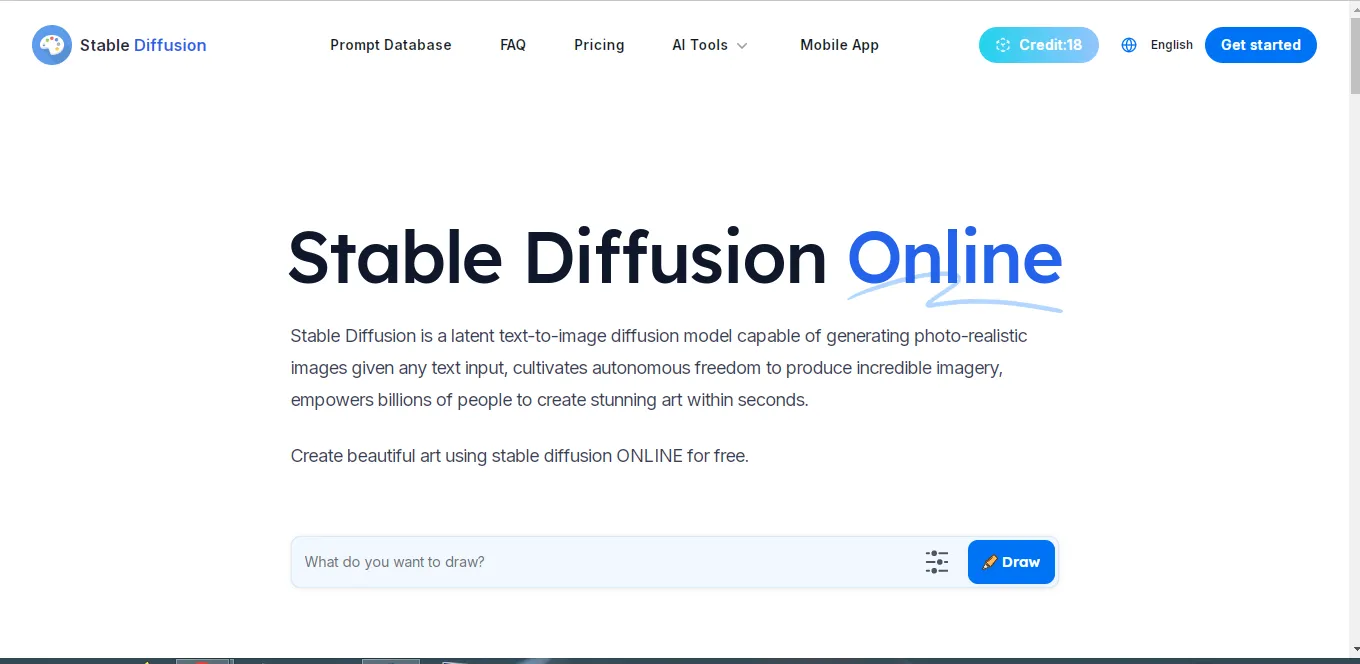
You get to use 1 credit per generated image; therefore, elaborate well through the prompt to get the perfect visual images or videos.
Ideally, you get to use the free plan for a limited period with the free credits; however, with a premium plan, you get access to more features. You can choose different styles like fantasy, animation, anime, comic, design, photography, etc.
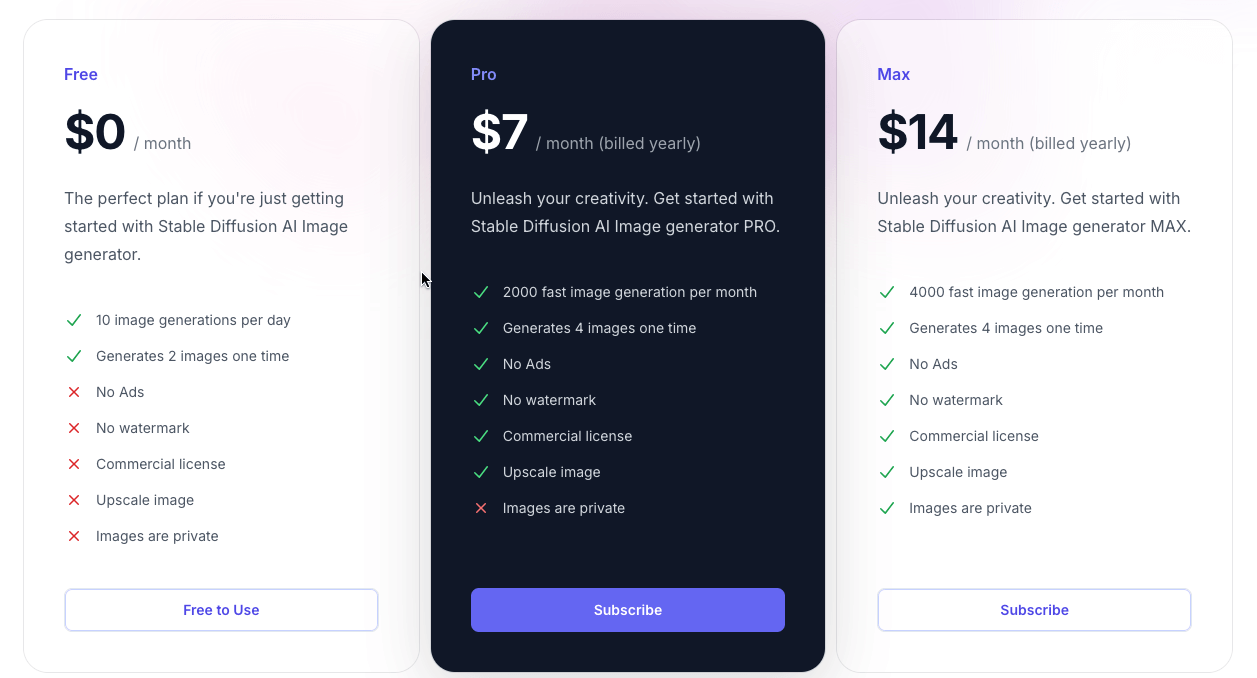
The pro version goes for $7/month, while the max version goes for $14/month.
Additionally, you can easily edit the images, remove the background, upscale the images, add a prompt to generate an image, and much more.
It also gives users the ability to add a negative prompt, which is something they wouldn’t want to see in the image.
3. Leonardo.AI
Leonardo AI is among the best tools that you can use to create consistent characters with AI.
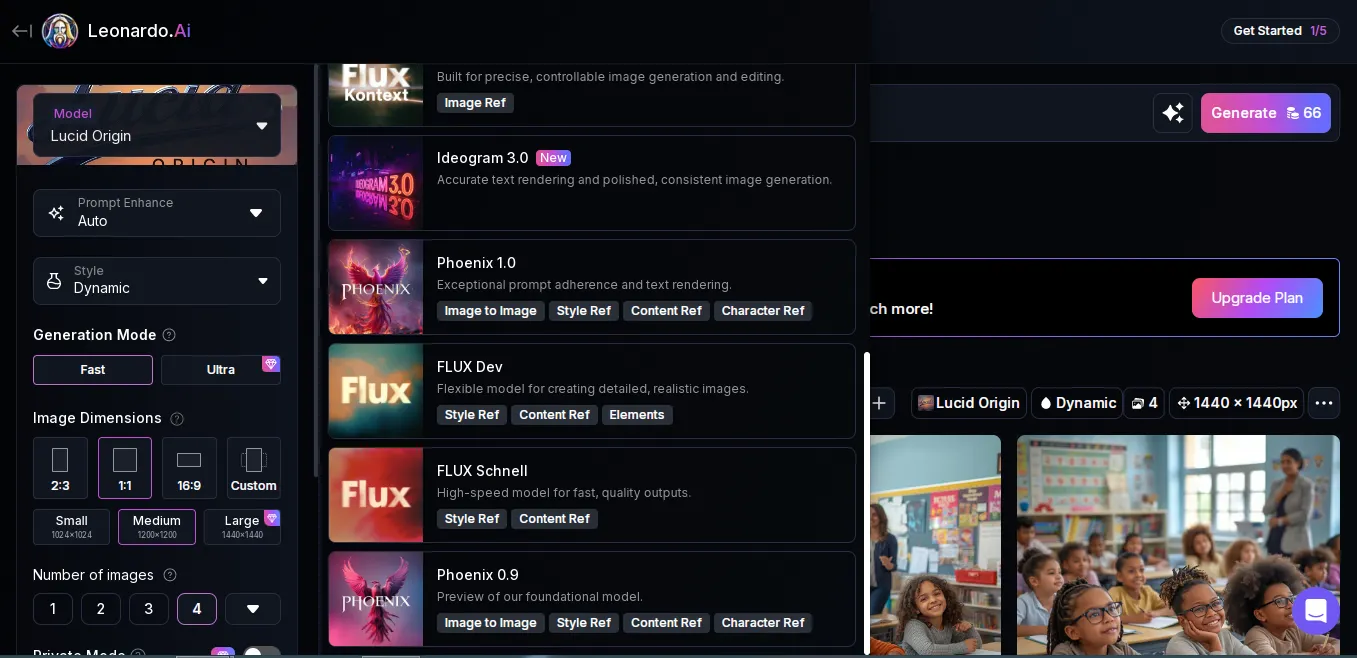
It has a diverse number of settings that allow users to create imagery using a prompt. Users just need to enter a prompt, choose a model, e.g., Flux dev, Flux Schnell, Phoenix 0.9, Phoenix 1.0, Ideogram 3.0, etc.
Additionally, get to choose the style, generation mode, image dimensions, number of images, and the ability to add to a collection.
You can choose to create an image, video, or flow state.
The diverse number of options and settings Leonardo.AI offers makes it a favourite among many who would want a personal touch to their creations. Regardless of whether you want an AI fantasy character or a normal AI digital character, the platform has got you covered to create characters using AI!
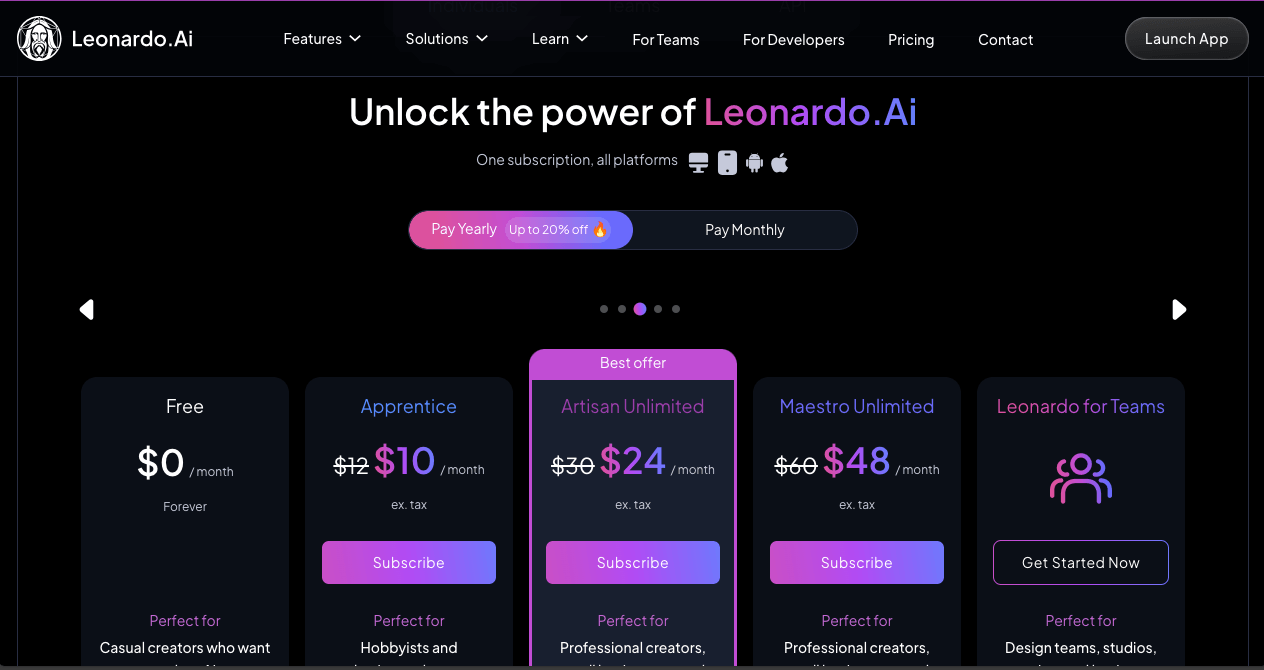
It has affordable pricing tiers such as free, Apprentice at $12/month, Artisan unlimited at $30/month, Maestro Unlimited at $60/month, and Leonardo for Teams.
4. STOCKIMG.AI
STOCKIMG.AI is another efficient platform that you can use to create consistent characters with AI. You can browse through its image categories to see what other creators have created to get inspired, or also create an AI fantasy character with your desired prompt.
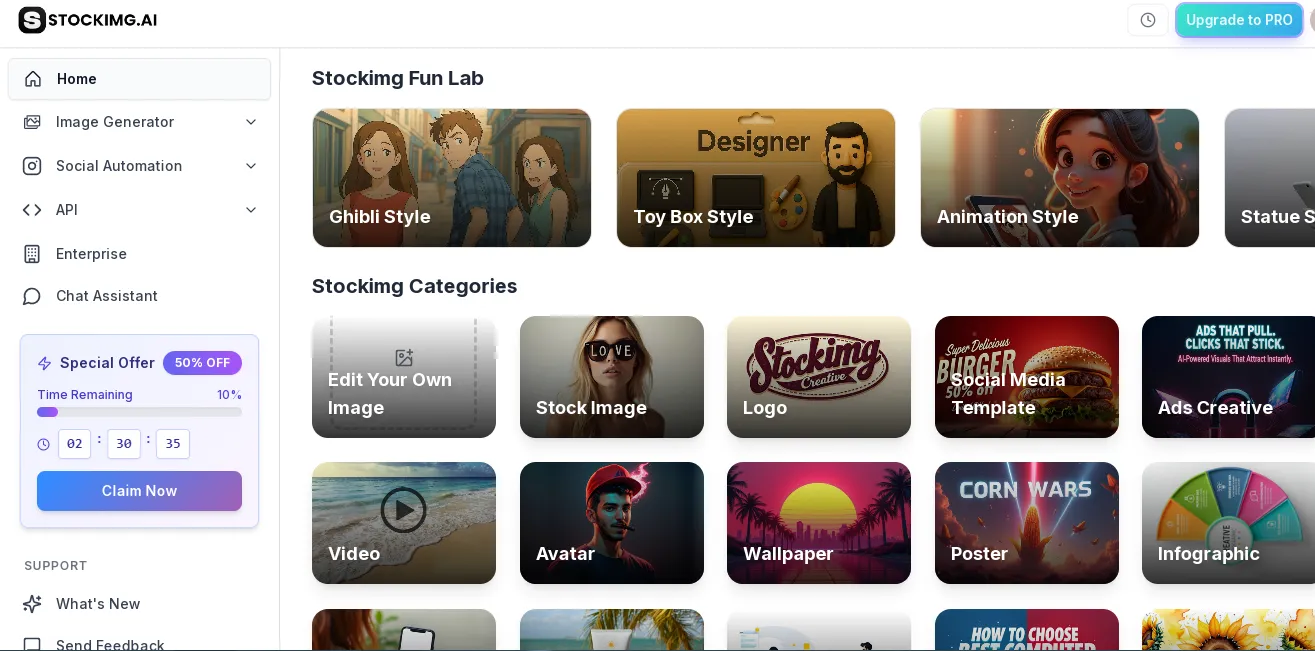
Not only does it offer image generation features, but it also has social automation features that can be vital for you as a content creator.
You can even schedule when certain content will go live with the various tool integrations. On STOCKIMG.AI, you have the freedom to make an AI character, create a stock image, and make logos, mock-ups, illustrations, videos, avatars, wallpaper, posters, infographics, etc.
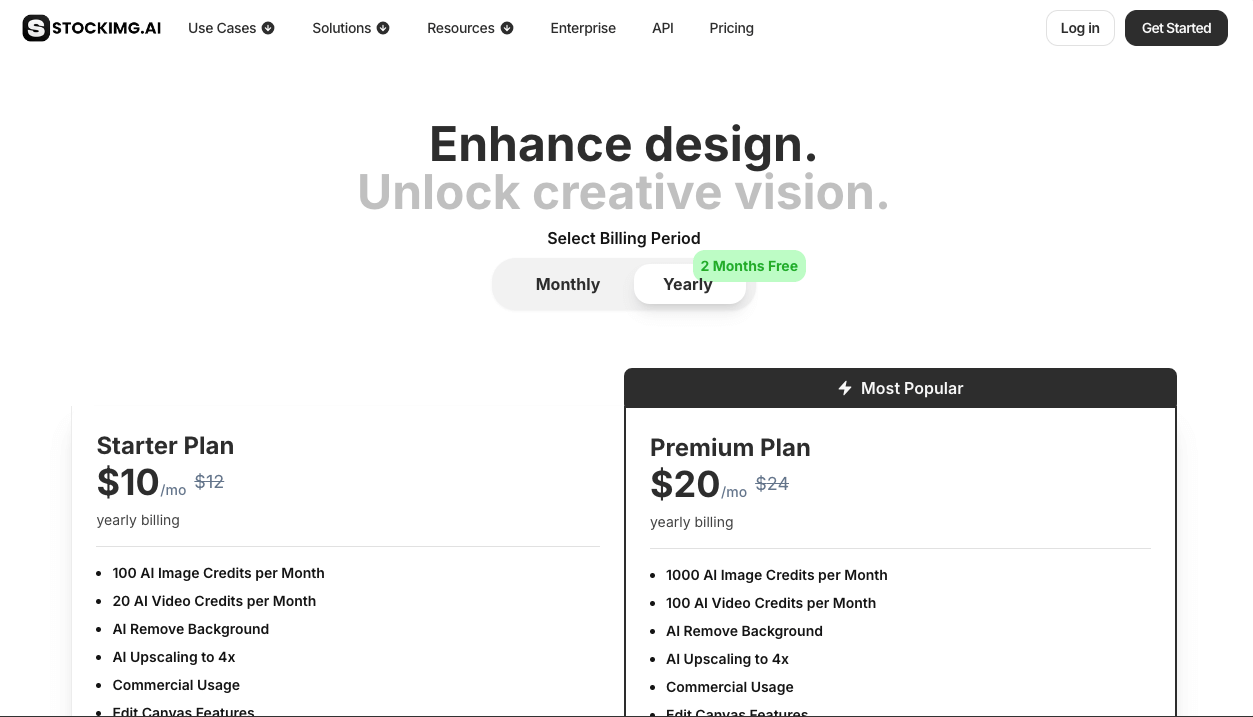
The starter plan goes for $12/month, the premium plan goes for $24/month, while the ultra-plan goes for $48/month.
5. OpenArt
OpenArt is one of the best tools you can use to create characters using AI. It has a diverse range of options that make it really preferred by many users.
You can use it to create a character vlog, music video, or explainer video, AI characters, etc.
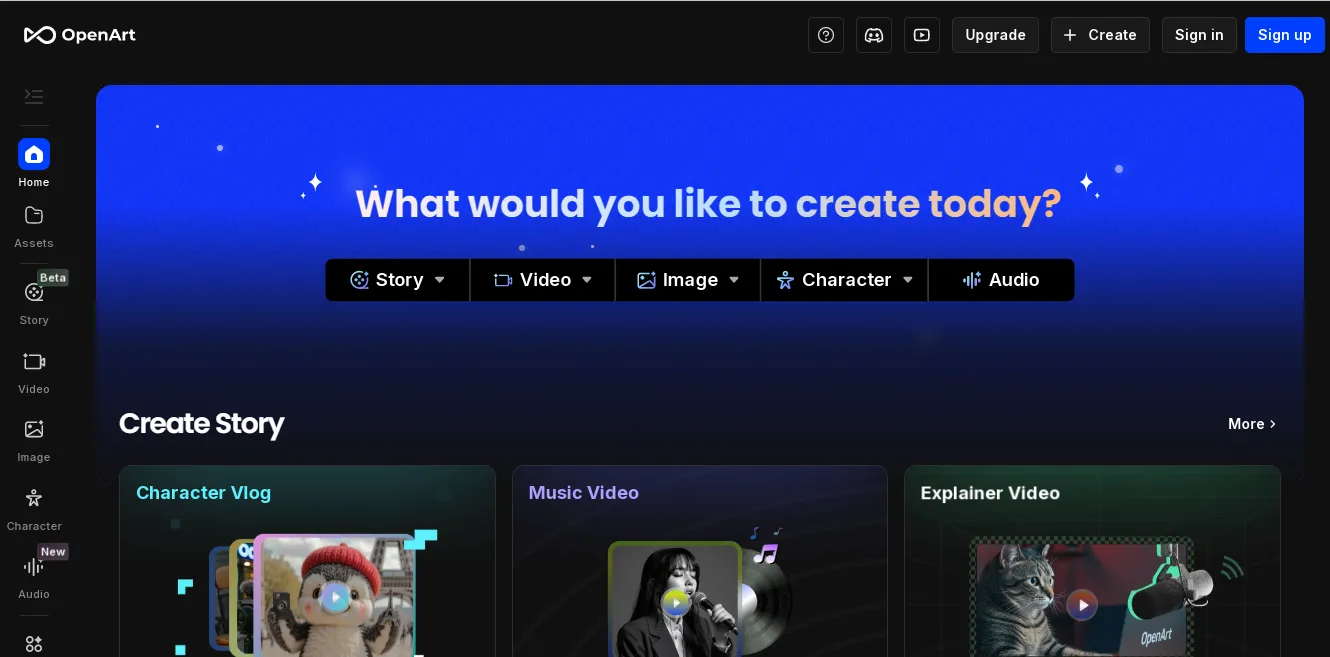
Its diverse amount of capabilities make it a top choice for many. All the settings or creation modes are well presented, and you won’t find a problem navigating through the website. While creating a character, you can start with one image, start with 4 images, or a description.
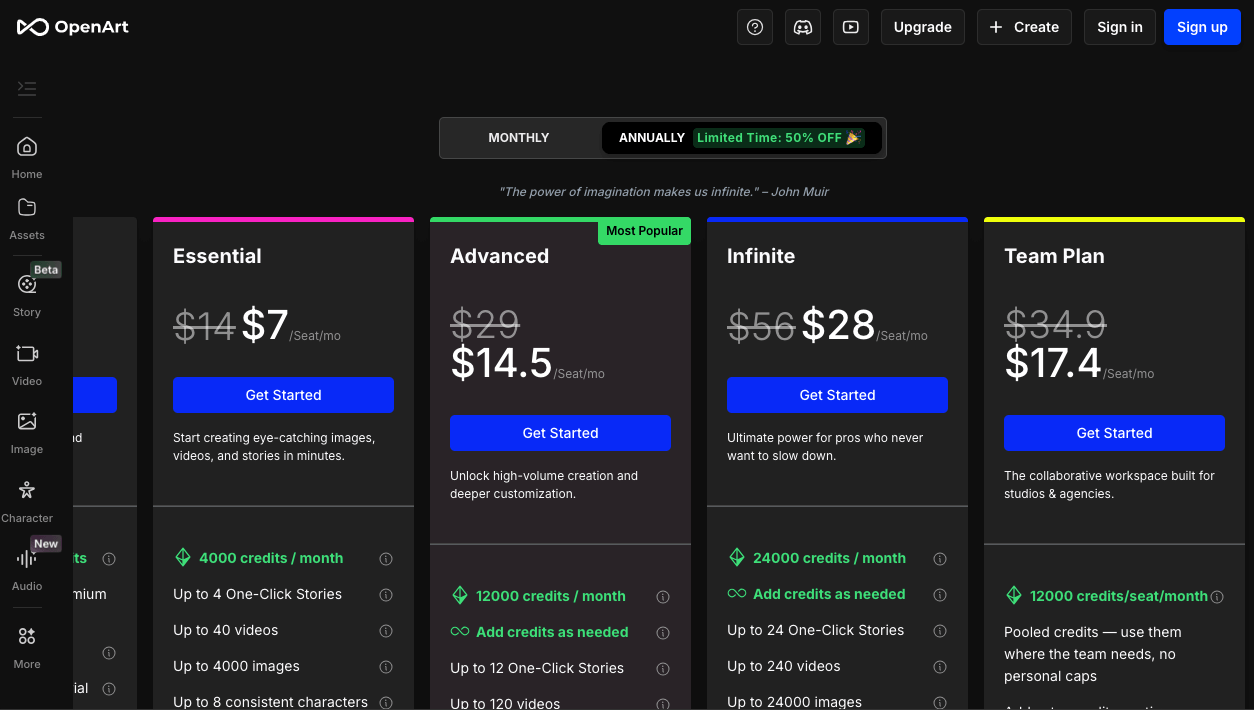
The essential plan starts at $14/seat/month, the advanced at $29/seat/month, the infinite at $56/seat/month, and the team plan at $34.9/seat/month.
How to Create Characters Using AI for Free
If you want to create characters for free with reliable tools, these three are some that you can consider. You can opt for Ideogram, Canva, or Microsoft Designer. The choice is yours.
I will provide the character AI creation guide for ease of designing.
1. Ideogram
Ideogram is one of the best platforms that you can use to create characters using AI. You can actually create for free, but when your credits end, you will need to upgrade to get more credits to continue creating.
Step 1: Access the Ideogram Platform
The first step would be to access the Ideogram platform.
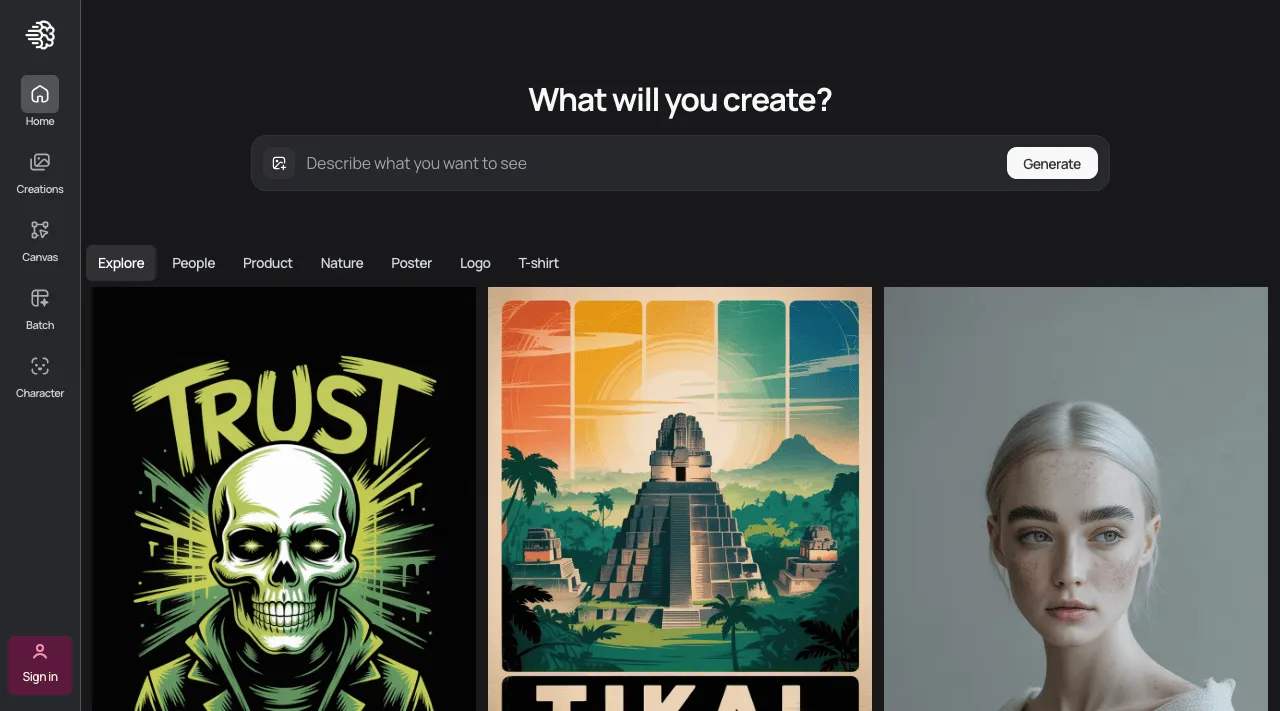
Remember to sign in or sign up to get the most from the platform. Apart from your creations, you can also access other creators’ visuals for more inspiration.
Step 2: Select the Character Option
At the top, where it is written, Describe what you want to see, choose the Character option.
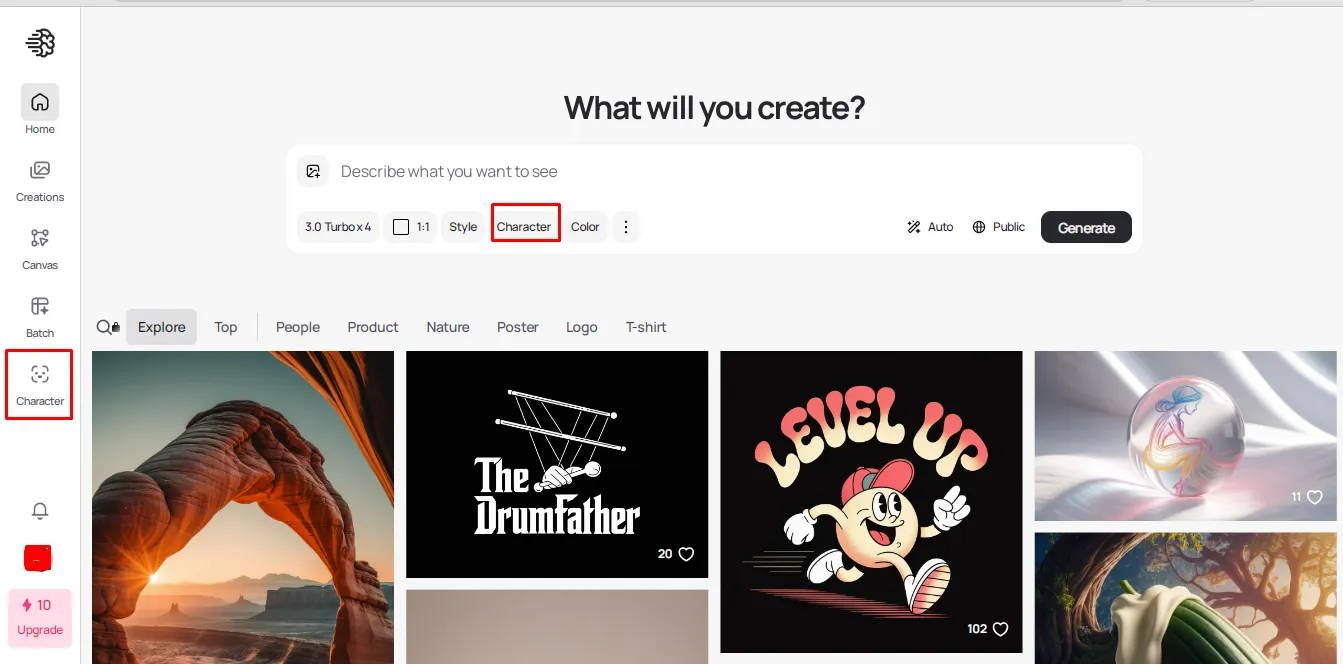
Alternatively, click on Character on the left side menu.
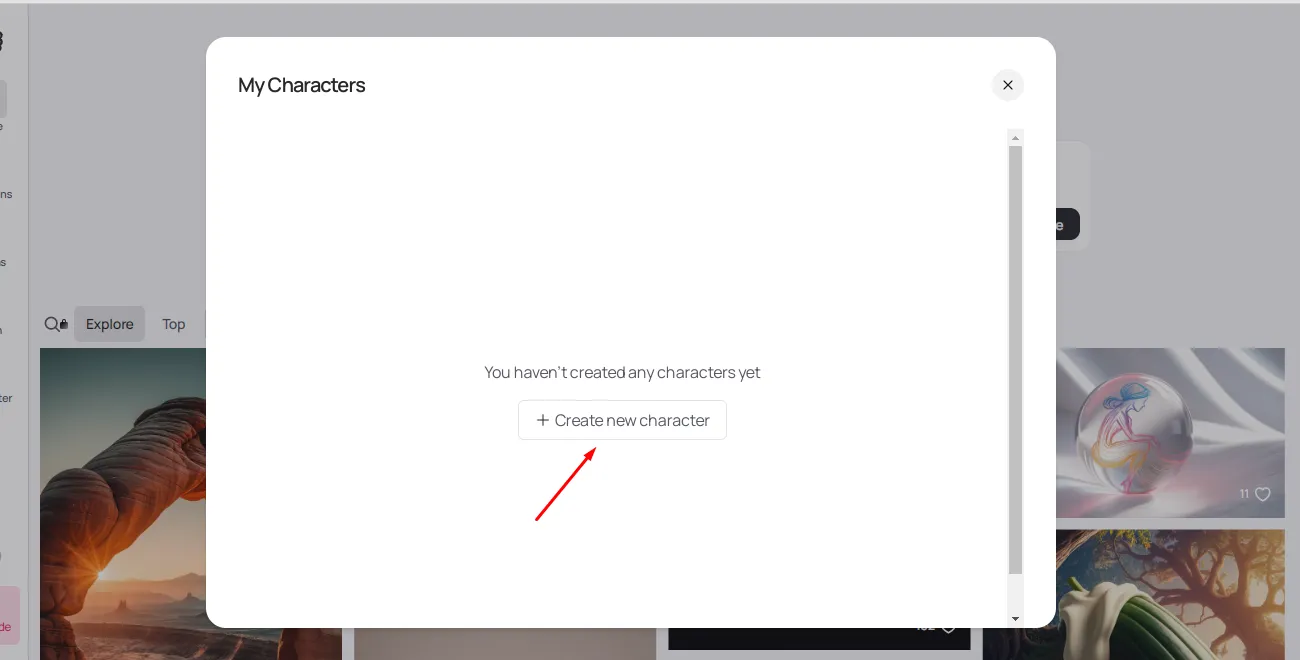
If you choose the character option near the prompt input box, you will get a prompt, select to Create a new character.
Step 3: Choose How You Want to Create a Character
On the character page, you get to choose to create a character from your images, take a picture, or select from your previous creations.
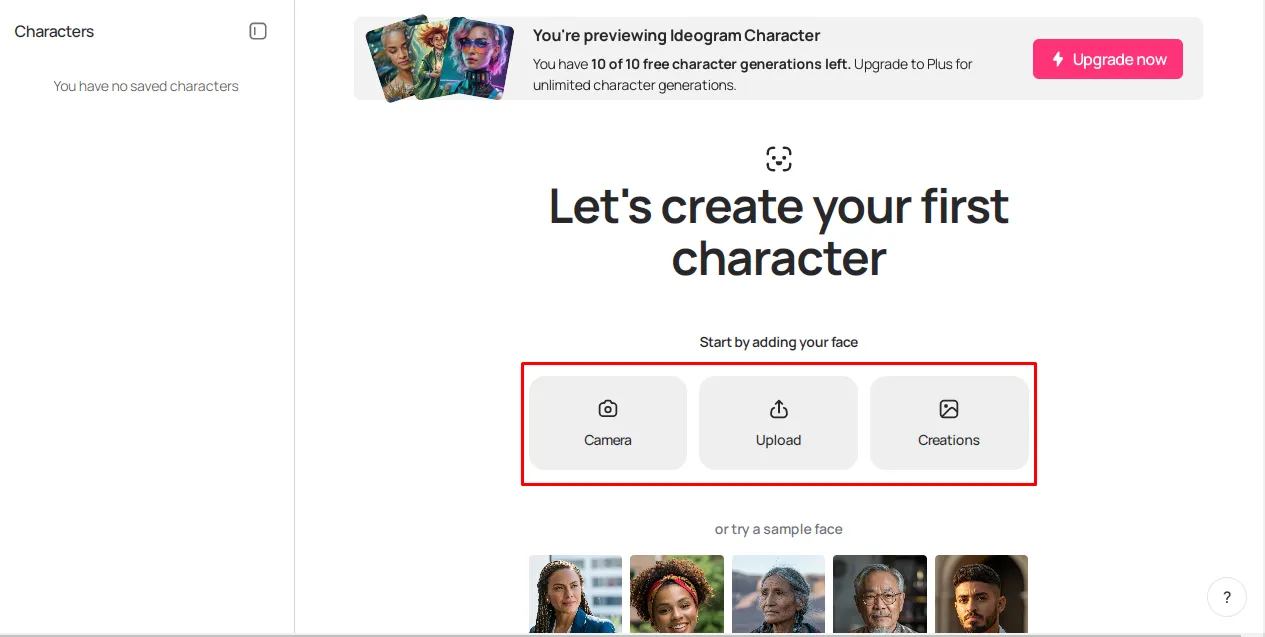
Alternatively, you can also choose from the sample images presented below.
Step 4: Customize Your Character
The next step will be to customize your character.
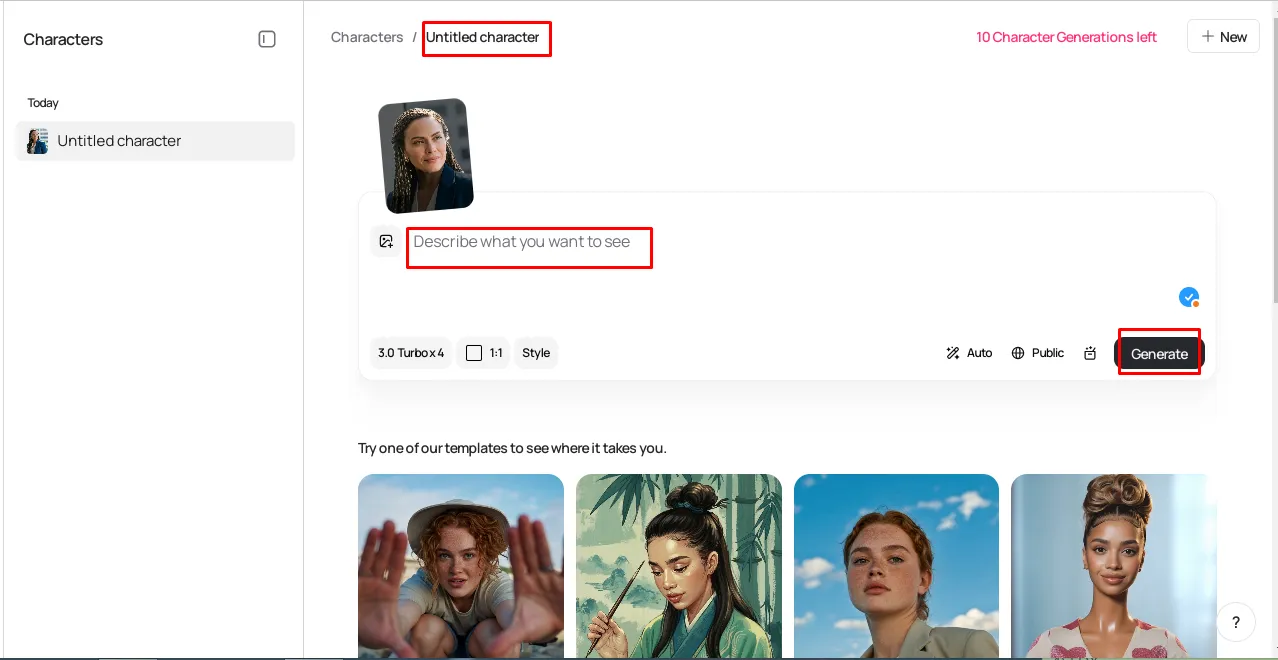
First, give your character a name, and provide a detailed description of how you would want it to be modified. Select the mode you want to use to design the AI character, choose its aspect ratio, and Style such as Auto, Realistic, Fiction, or from the available options.
Once done describing your AI character, click Generate.
Additionally, you can check the available templates to get inspiration on how to modify your character.
Step 5: Check Your Generations
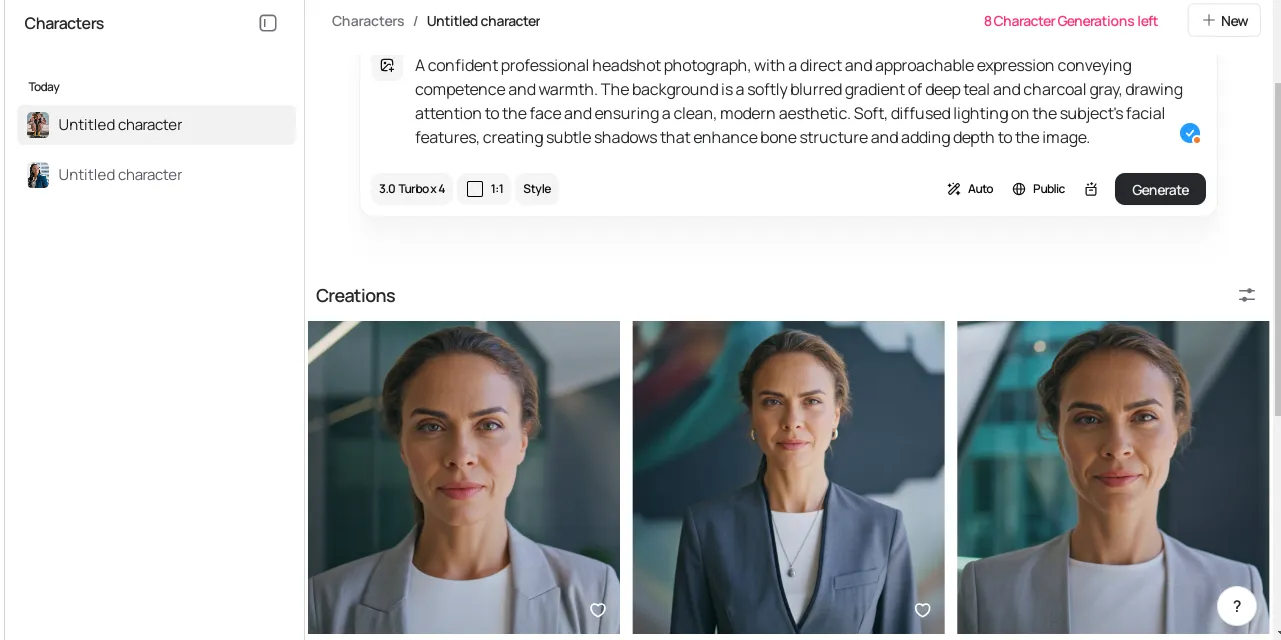
Once you click on generate, some sample images will be presented. You can click on each to preview it in a larger size.
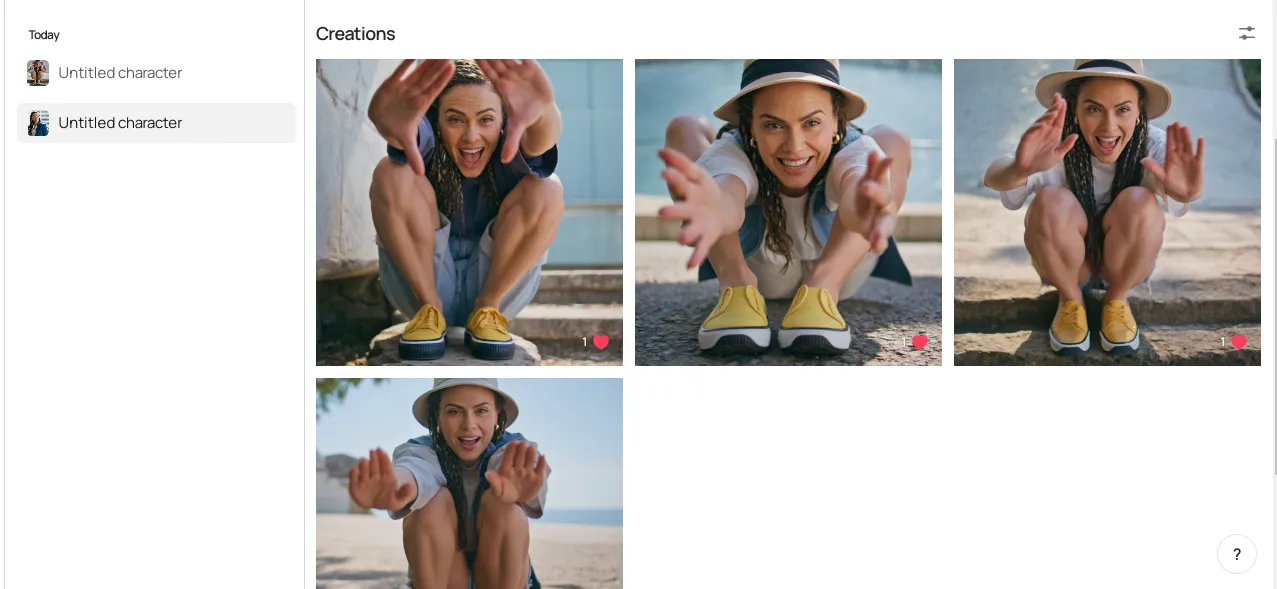
Other character variations.
Step 6: Edit Further or Download
You can then choose to edit further to make it more appealing or download it to start using.
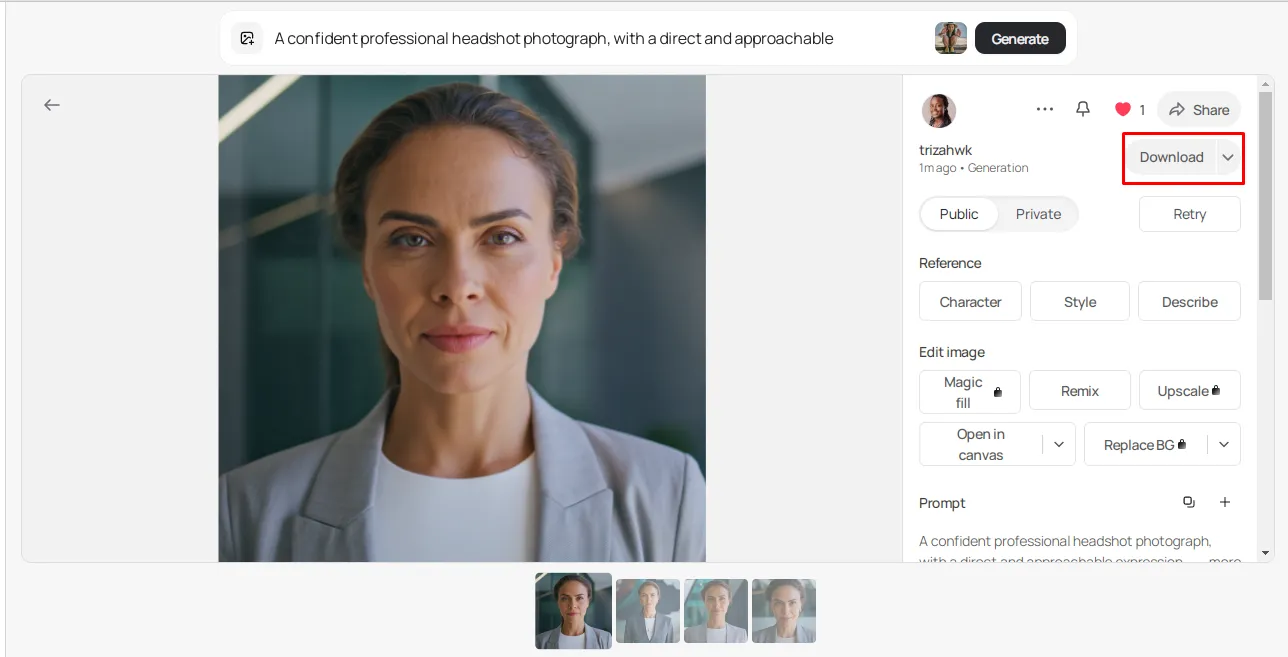
You can make as many characters as you need, but with the free plan, you can only have 10 free character generations.
Let your creativity drive you!
2. Microsoft AI Character Generator Free Version
The Microsoft AI character is straightforward to use create characters using AI.
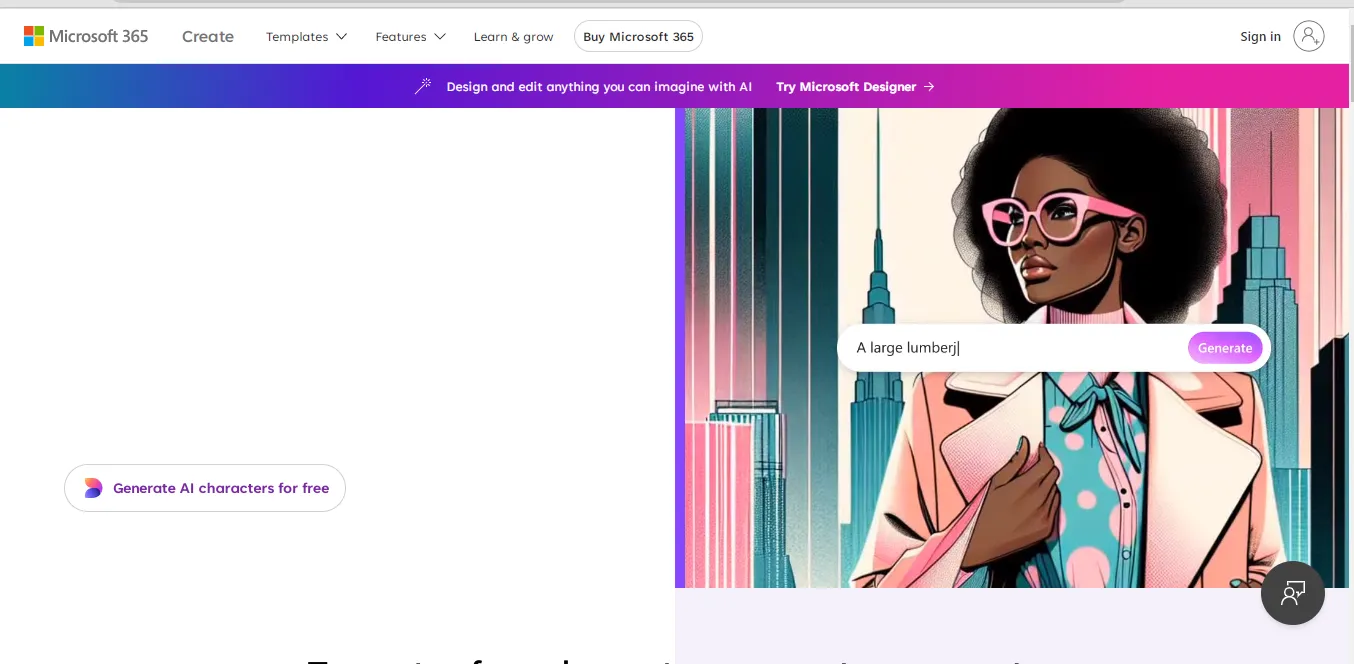
However, for the best experience, it would be great to sign in or sign up to ensure you can always access your creations. It is easy to use the platform, as you just need to write a description of the character you want, and the system will create it for you.
The more specific you are in your description, the chances of getting what you really want, e.g., Attire, features, trails, overall impression, etc.
Step 1: Sign in to Your Microsoft Account
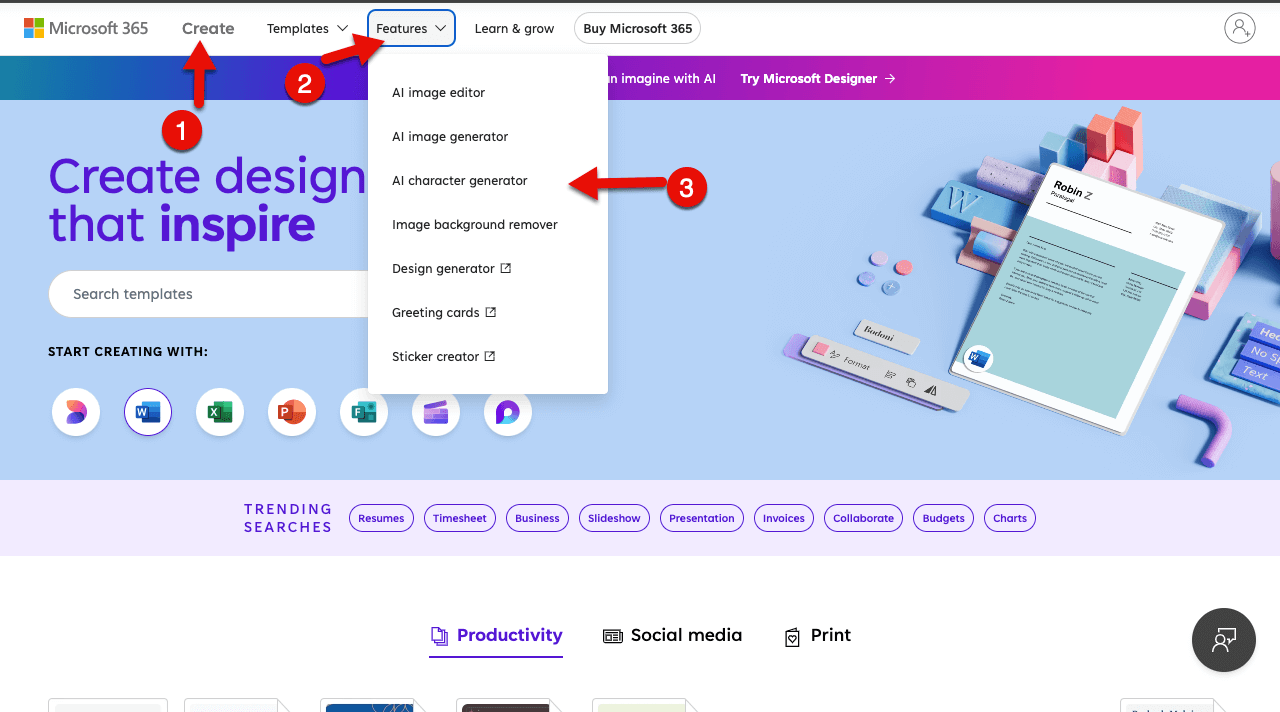
Go to Microsoft Create and select the AI character generator.
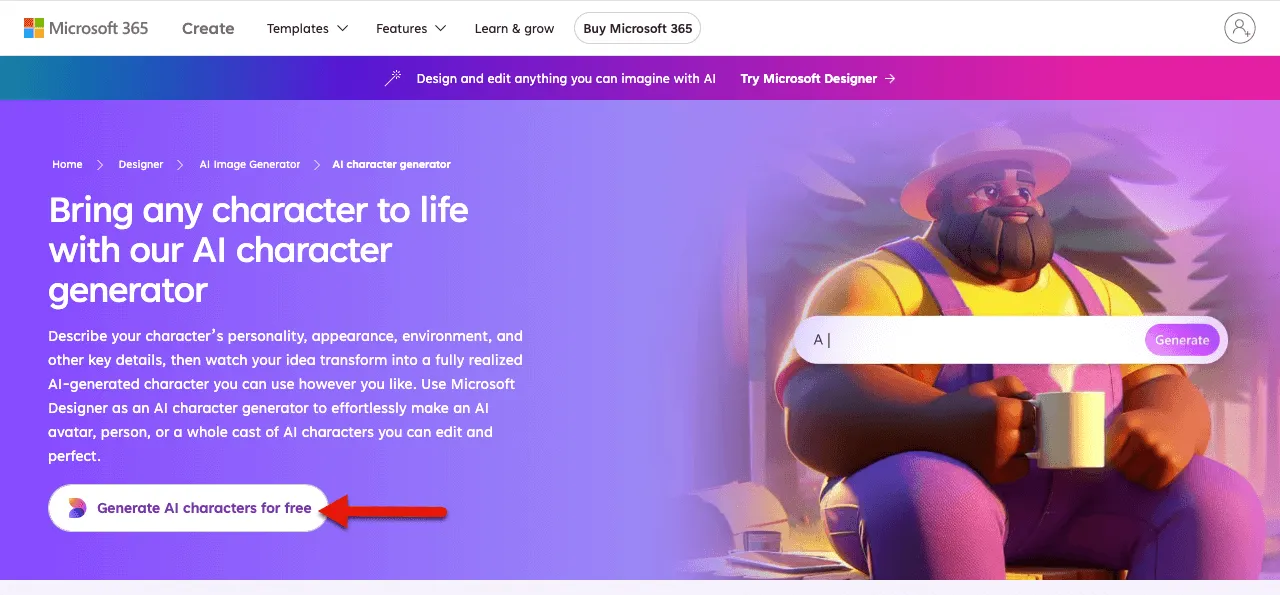
Then, on the next window, click Generate AI characters for free.
This will open the AI image creator. But, to utilize it effectively, it’s recommended you sign in to your Microsoft account first.
Step 2: Write Your Prompt
The Designer page will allow you to write your prompt and create an image of your choice.
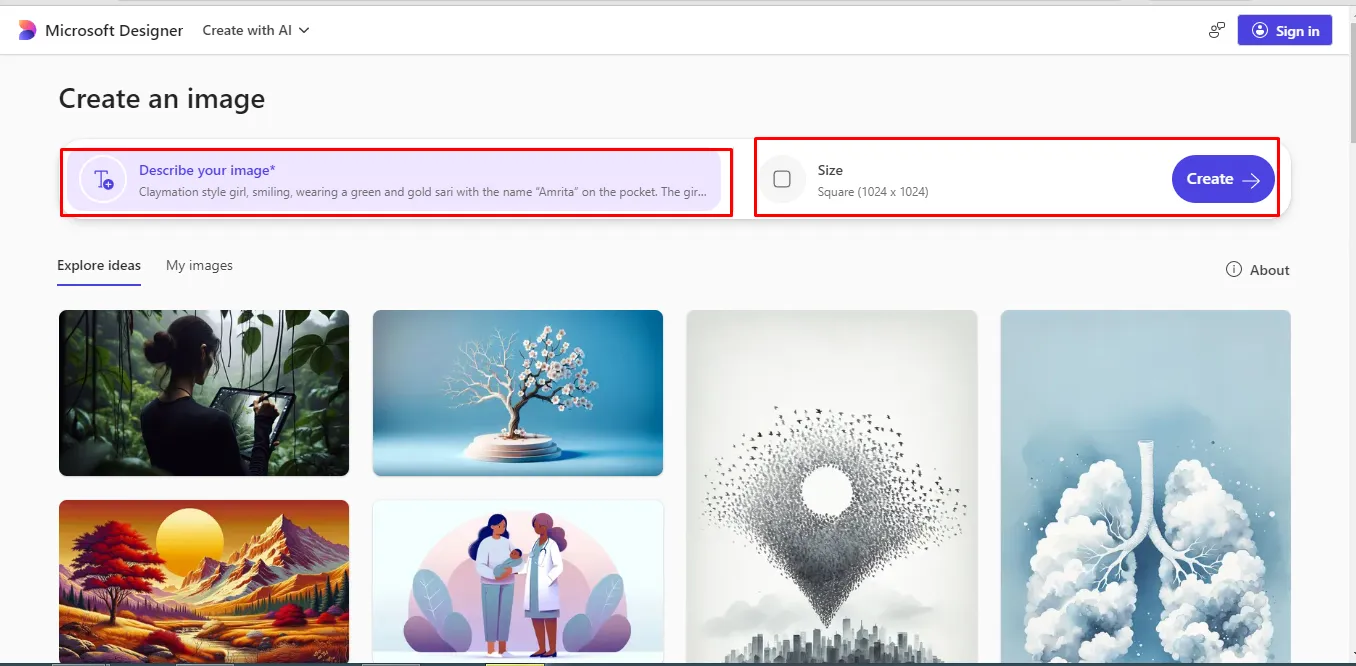
Describe your image and even choose the size you want, then click on the Create button.
You can also look at the images there for more inspiration.
While creating, you will need credits, which will be refilled each month for free; however, you can opt to purchase more credits.
Step 3: Preview Your Created Image
Once the images are created, you can preview them and see which one suits your taste the most. Remember, the more detailed you are, the more likely you are to get what you are looking for.
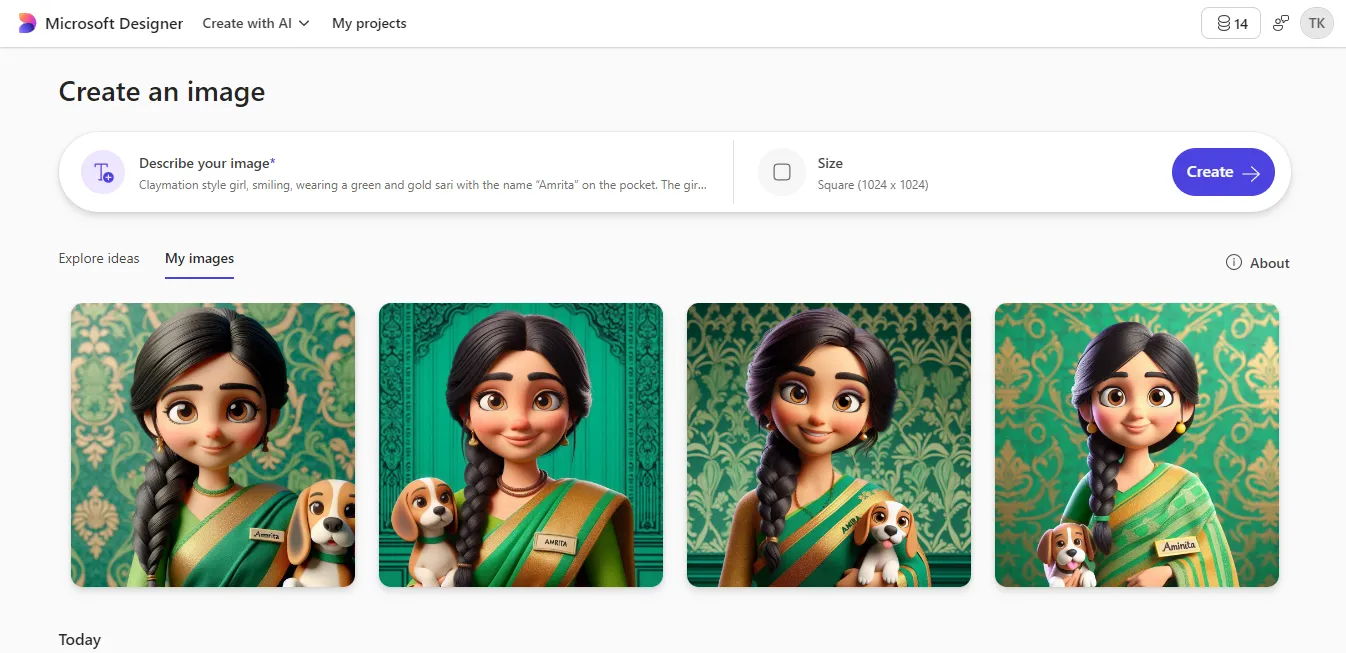
You can click on any of the images to see their vivid descriptions since they all have some disparities.
Step 4: Edit the Image Further or Download
If not satisfied, you can opt to edit the image further or download it to your local storage and use it as desired. The process is straightforward.
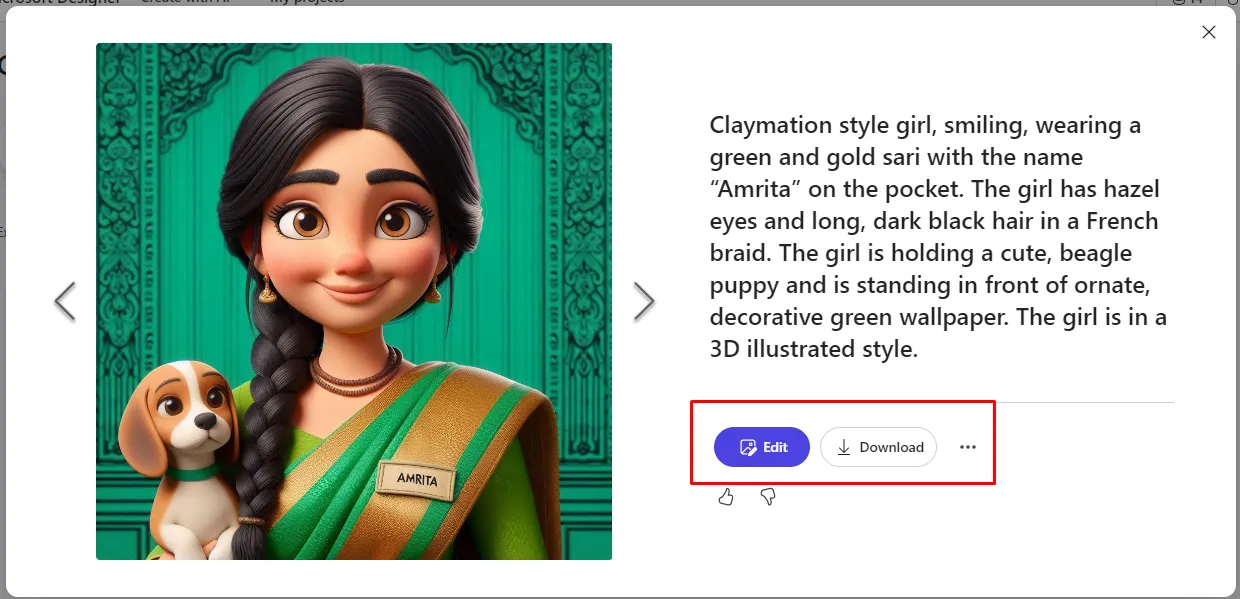
If you opt to edit, you will be presented with a couple of editing features to ensure you get exactly what you are looking for in real time.
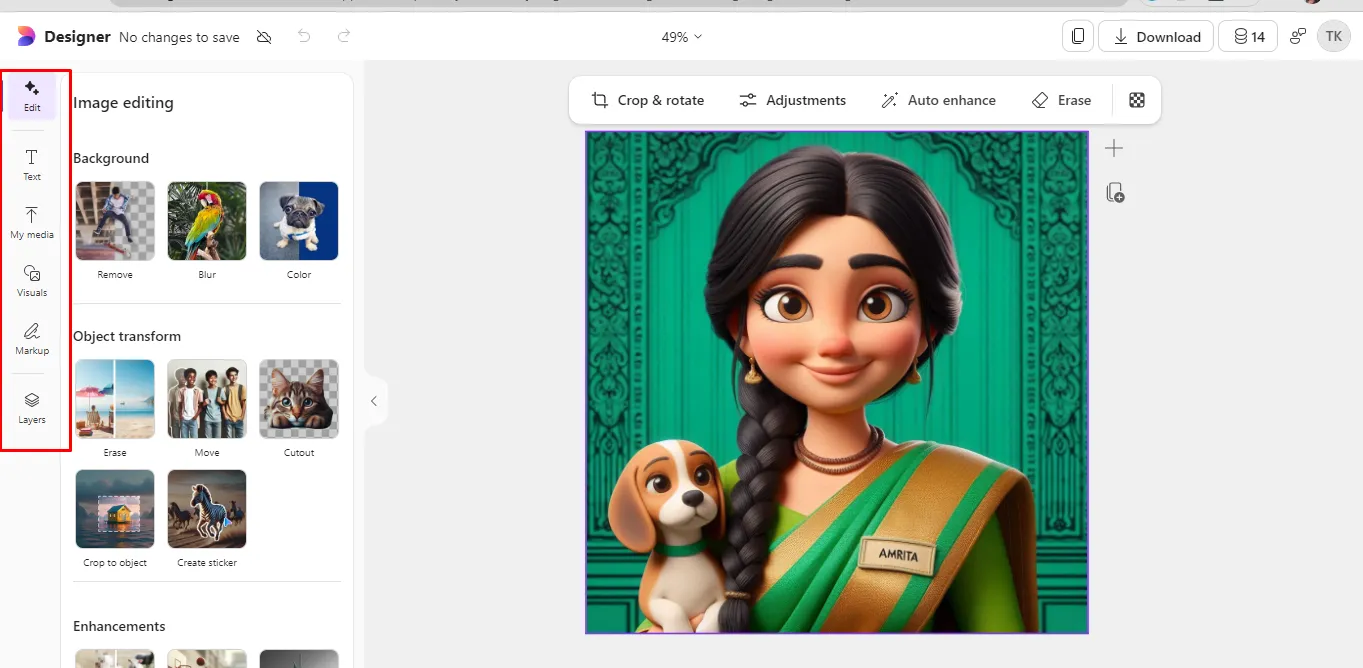
You can change the background, make enhancements, transform objects, crop, rotate, etc.
The number of editing options is diverse, so that you can efficiently create characters using AI with Microsoft Designer.
3. Canva
Canva is among the best tools that you can use to make AI characters. Its diverse amount of editing features makes it easy and remarkable to create characters using AI.
It will be so easy to make your own AI character based on the set description.
Step 1: Access the Canva Website
The first step is to access the Canva website plus sign in for a personalized experience. On the AI character generator page, you will see the section that allows you to add a prompt to make it easy to make your own AI character.
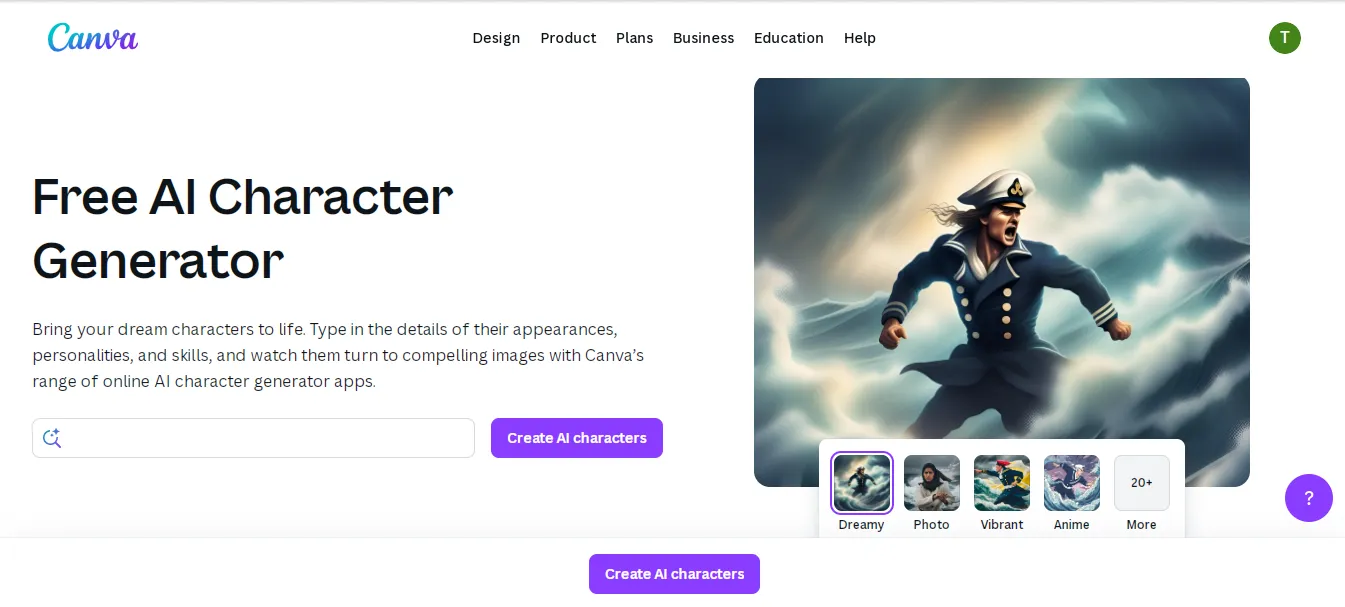
Ensure you provide a description that is vivid enough to get the character you need.
Step 2: Generate Images
Once you make a prompt and click the Create AI characters option, some images will be created.
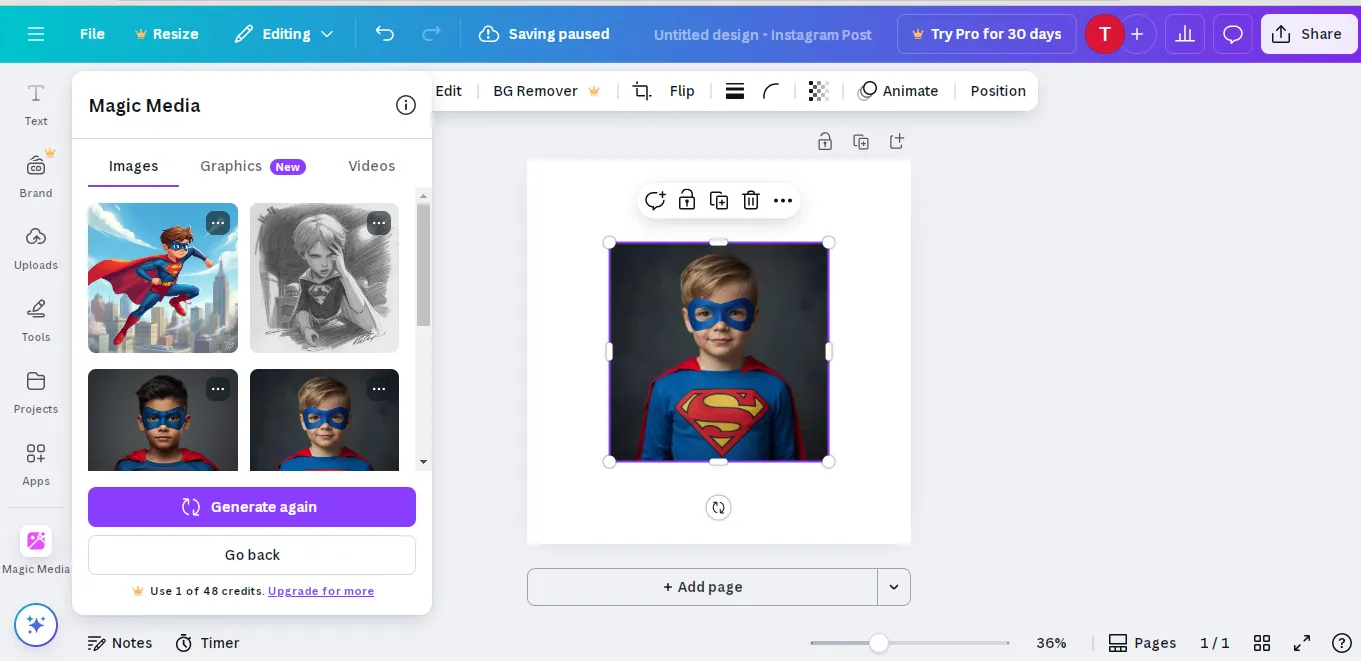
You can click any image to view it more clearly and even edit it. Also, by clicking on three dots at the right side of the picture, you can generate pictures like that.
Canva provides up to 49 credits, which you can use until depleted, and you will need to purchase more.
Step 3: Download Your Images
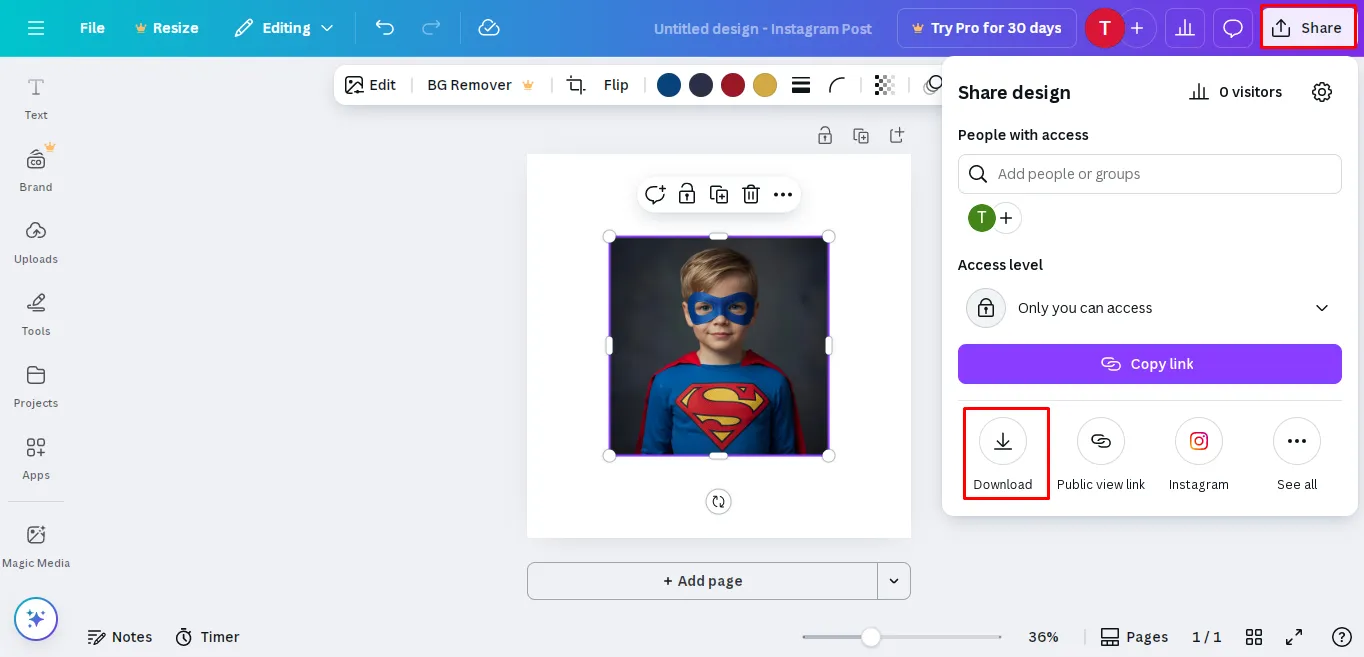
Once you edit or are satisfied with the image you have created, you can opt to download and use it for your own personal needs.
As easy as that.
FAQs
1. Can ChatGPT create a character?
Yes, you can use ChatGPT to create a character. You just need to provide the character’s genre, role, basic traits (personality, appearance, age, gender, race, backstory elements), abstract design (robotic/human-like), background style, etc. You will be amazed by how the character will be created.
2. How can you make an AI avatar?
You can use AI art generators like Midjourney, Stable Diffusion, Fotor, Canva, Ideogram, etc., to create the AI avatars.
3. How can you make anime characters using AI?
You can make anime characters using AI in different ways. For instance, you can use AI image generators like Stable Diffusion, Ideogram, Canva, Fotor, etc, to create static anime images from text prompts. You just need to describe the character in detail and wait for your output. In other generators, you can also upload an image and choose the option to create an animation or clip. It will be easy to make your own AI character.
Conclusion
Unlike before, where tech giants were only able to create characters using AI, nowadays, with the right tool, you can bring your imagination to life.
You just need to find the right tool that will help you make your own AI character for your storyline or specific need. You can build AI characters with different variations, interactive chatbots, lifelike virtual avatars, or unique images.
Your creativity and the right use of the tool are what is needed.
All your needs will be met in real time with this character AI creation guide.